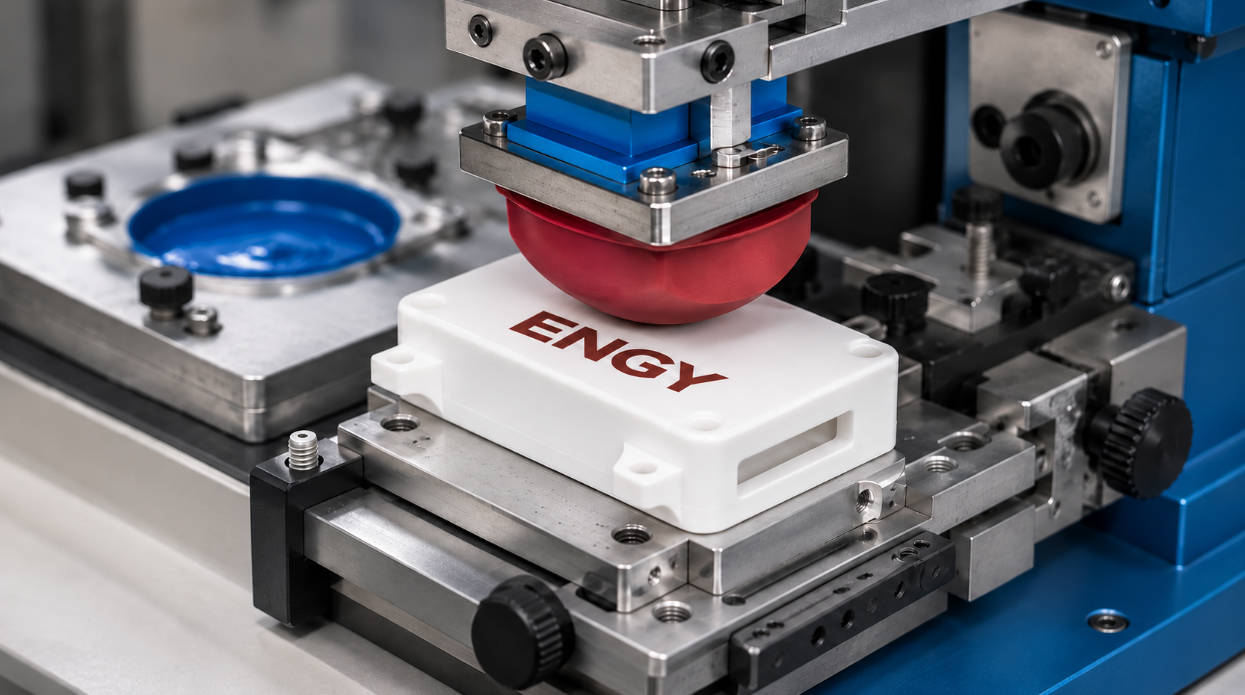
When purchasing a pad printing machine, stroke size is one of the specifications that buyers should evaluate carefully. Choosing a machine with insufficient travel can limit product positioning, pad movement, and fixture design. On the other hand, selecting an unnecessarily large stroke may increase equipment size and cost without improving production.
The correct pad printing machine stroke size depends on the distance between the printing plate and the product, the product’s dimensions and height, pad geometry, fixture arrangement, and the machine’s movement design.
However, there is an important detail that buyers sometimes overlook: pad printing machines can have different types of stroke. Horizontal forward-and-back movement, vertical pad movement, and plate movement are not interchangeable specifications.
Before comparing machine models, it is important to understand what each stroke measurement actually represents.
1. What Does Stroke Size Mean on a Pad Printing Machine?
In industrial machinery, stroke generally describes the distance a moving component travels between two positions.
In pad printing equipment, this can refer to several different movements.
Forward and Backward Working Stroke
This is one of the most commonly specified dimensions.
During a conventional pad printing cycle, the printing mechanism needs to move between the cliché (printing plate) and the product.
The working movement allows the machine to:
- Position the pad above the inked image.
- Pick up the image from the cliché.
- Move toward the product.
- Transfer the ink.
- Return to the initial position.
The required travel depends on the relative positions of the plate, product, and printing assembly.
Vertical Pad Stroke
The vertical stroke determines how far the pad moves up and down.
It is important for:
- Clearing the product during movement.
- Contacting the cliché.
- Compressing against the printing surface.
- Accommodating different product heights.
- Allowing sufficient clearance for loading and unloading.
A machine may have sufficient forward-and-backward travel but still be unsuitable if its vertical movement cannot accommodate the product and fixture.
Plate or Ink Cup Movement
Some pad printing machine designs use different movement arrangements.
Depending on the architecture, the cliché or another printing assembly may move rather than relying entirely on horizontal pad movement.
Buyers should therefore confirm which component moves and how the manufacturer defines its stroke measurement.
Adjustment Range vs. Working Stroke
Another specification that is easy to misunderstand is adjustment range.
For example, a machine may offer X, Y, and Z adjustment for positioning the pad or ink cup.
These adjustments help operators align the printing components during setup.
They are not necessarily the same as the machine’s automatic working stroke during each printing cycle.
| Specification | Main Function |
|---|---|
| Front-and-back stroke | Horizontal working movement |
| Up-and-down stroke | Vertical pad movement |
| Plate movement | Positioning or movement of the cliché assembly |
| X/Y adjustment | Horizontal alignment during setup |
| Z adjustment | Height positioning |
| Maximum printing area | Maximum usable image dimensions specified for the machine |
Understanding these differences prevents buyers from comparing specifications that describe completely different functions.
2. Start With the Product, Not the Machine
A common purchasing mistake is selecting a pad printer based only on the size of the logo.
The logo is important, but it does not tell you everything about the required machine movement.
Consider two products:
- A small plastic cap with a logo positioned on its upper surface.
- A long electronic housing with the same logo positioned near one end.
Both products have an identical printing area.
However, their overall dimensions, fixture requirements, and printing positions are different.
The second application may require additional clearance or a different machine arrangement.
Before selecting a stroke size, establish four basic measurements:
- Overall product length and width.
- Product height, including raised features.
- Exact printing position.
- Distance between the product’s reference position and the printing area.
A product drawing is useful, but physical samples are even better when the surface has curves, recesses, or irregular geometry.
3. Calculate the Required Horizontal Working Distance
The horizontal working stroke should be evaluated against the actual printing layout.
Start by identifying two positions:
Position A: Image Pickup Position
This is where the silicone pad contacts the cliché and picks up the inked image.
Position B: Printing Position
This is where the pad contacts the product and transfers the image.
The machine needs enough horizontal travel to complete the movement between these positions.
However, the distance between the two image centers is not necessarily the complete stroke specification.
The machine layout may also need to account for:
- Pad holder dimensions.
- Pad diameter and profile.
- Cliché position.
- Fixture dimensions.
- Product height.
- Mechanical clearance.
- Adjustment allowance.
The actual travel should be verified using the machine’s mechanical drawing and movement specifications.
Why Printing Position Matters
Imagine a product with a logo located close to its edge.
The machine may need a different fixture arrangement than one printing the same logo in the center.
Likewise, a recessed printing location may require a specially designed pad and additional clearance.
This is why the same pad printer model may be suitable for one product but unsuitable for another, even when their logo dimensions are identical.
4. Check Vertical Stroke and Product Height
Horizontal travel is only part of the selection process.
The vertical movement must also accommodate the complete printing arrangement.
Consider a product mounted in a fixture.
The effective working height includes:
- Product height.
- Fixture height.
- Pad holder position.
- Silicone pad profile.
- Required pad compression.
- Clearance above the product.
If the product is too tall, the pad may not retract sufficiently to move safely between positions.
If the available downward travel is insufficient, the pad may not establish proper contact with the cliché or product.
Why Pad Compression Matters
The silicone pad needs to deform when transferring the image.
Too little compression can result in incomplete transfer.
Excessive compression can cause:
- Image distortion.
- Unnecessary pad wear.
- Unstable printing.
- Increased mechanical stress.
Therefore, vertical stroke should provide sufficient working movement without forcing the pad to operate with excessive compression.
The objective is not to maximize vertical movement, but to provide the correct working range for the product, pad, and fixture.
5. Match Stroke Size With the Silicone Pad
The silicone pad directly affects the machine’s movement requirements.
A larger pad may need additional clearance around the fixture and printing area.
Its shape also affects how it approaches the product.
For example:
- A small pointed pad may suit a compact logo.
- A larger domed pad may be useful for a wider image.
- A specially shaped pad may be necessary for recessed or irregular surfaces.
Pad hardness also affects deformation during printing.
A pad that is too soft may distort fine artwork, while a pad that is too hard may not conform adequately to a curved surface.
When selecting machine stroke, consider the actual pad assembly rather than using the artwork dimensions alone.
The pad printing machine accessories guide provides further information about pad geometry, printing plates, ink cups, and fixture selection.
6. Do Not Confuse Stroke Size With Maximum Printing Area
This is one of the most important points when comparing machine specifications.
A longer working stroke does not automatically mean a larger printable image.
Maximum printing area depends on several components working together.
Printing Plate Size
The cliché must accommodate the engraved artwork and the applicable printing arrangement.
Ink Cup Diameter
For closed ink cup machines, the usable image dimensions are constrained by the cup’s working diameter and the available plate area.
The engraved image needs to fit within the effective inked area.
Silicone Pad Dimensions
The pad must be suitable for picking up and transferring the complete image.
Machine Structure
The printing assembly must have sufficient mechanical capacity and clearance to perform the transfer.
Product Geometry
The curvature, surface location, and fixture position can also limit the usable printing area.
For this reason, buyers should request both the machine’s working stroke and its maximum printing area.
Actual ENGY Machine Examples
ENGY’s published machine specifications illustrate this distinction.
| Specification | EN-C125/1 | EN-C160/1 |
|---|---|---|
| Front-and-back working stroke | 125 mm | 160 mm |
| Plate size | 200 × 100 mm | 250 × 100 mm |
| Maximum printing size | Ø70 mm | 100 × 75 mm |
| Ink cup outer diameter | 90 mm | 90 mm |
| Printing colors | 1 | 1 |
| Drive | Pneumatic | Pneumatic |
The EN-C125/1 one-color closed ink cup pad printer and EN-C160/1 one-color pad printing machine show how working stroke, plate size, and maximum printing area are specified separately.
These figures are specific to the published models, not a universal formula connecting stroke length with print area.
A buyer should never assume that a machine with a 160 mm stroke can automatically print a 160 mm-long image.
7. Consider the Printing Process and Number of Colors
The number of colors can influence the machine configuration and required movement.
A one-color machine generally has a simpler printing arrangement.
A multi-color machine may involve:
- Multiple printing stations.
- Separate clichés.
- Additional fixtures.
- Intermediate product positioning.
- Controlled registration.
- Additional movement between operations.
For example, a four-color printing project may require a rotary table or shuttle arrangement.
In this case, the machine’s overall working layout matters just as much as the nominal stroke.
When Does Multi-Color Printing Require More Stroke?
Not every multi-color machine needs a longer stroke.
The requirement depends on how the machine is designed.
Some systems move the product between printing stations, while others use different arrangements for the printing heads and clichés.
Therefore, the number of colors alone should not determine the stroke size.
The supplier should evaluate the complete printing sequence.
8. How Production Speed Affects Stroke Selection
Stroke length can also influence the machine’s operating cycle.
A longer movement may require additional travel time, depending on the drive system, acceleration, operating speed, and control settings.
However, a shorter stroke does not automatically guarantee higher production output.
Other factors include:
- Ink pickup time.
- Ink transfer time.
- Pad compression and release.
- Ink drying characteristics.
- Product loading and unloading.
- Fixture indexing.
- Multi-color registration.
For mass production, the machine should be evaluated according to the required finished-product output rather than stroke length alone.
For example, a machine that completes one printing cycle quickly may still have limited actual output if an operator needs considerable time to position each component manually.
When production volume is high, consider whether conveyor feeding, rotary indexing, or automatic loading would provide more value than simply increasing the machine stroke.
9. Stroke Selection for Different Industrial Applications
The required movement varies significantly between product categories.
| Application | Important Stroke Considerations |
|---|---|
| Pens and small promotional products | Compact working travel and stable positioning |
| Bottle caps | Fixture dimensions, loading clearance, and print position |
| Electronic housings | Product length, recessed areas, and vertical clearance |
| Automotive buttons | Precise positioning and fixture stability |
| Cosmetic containers | Curved surfaces and pad geometry |
| Plastic toys | Irregular geometry and multi-color movement |
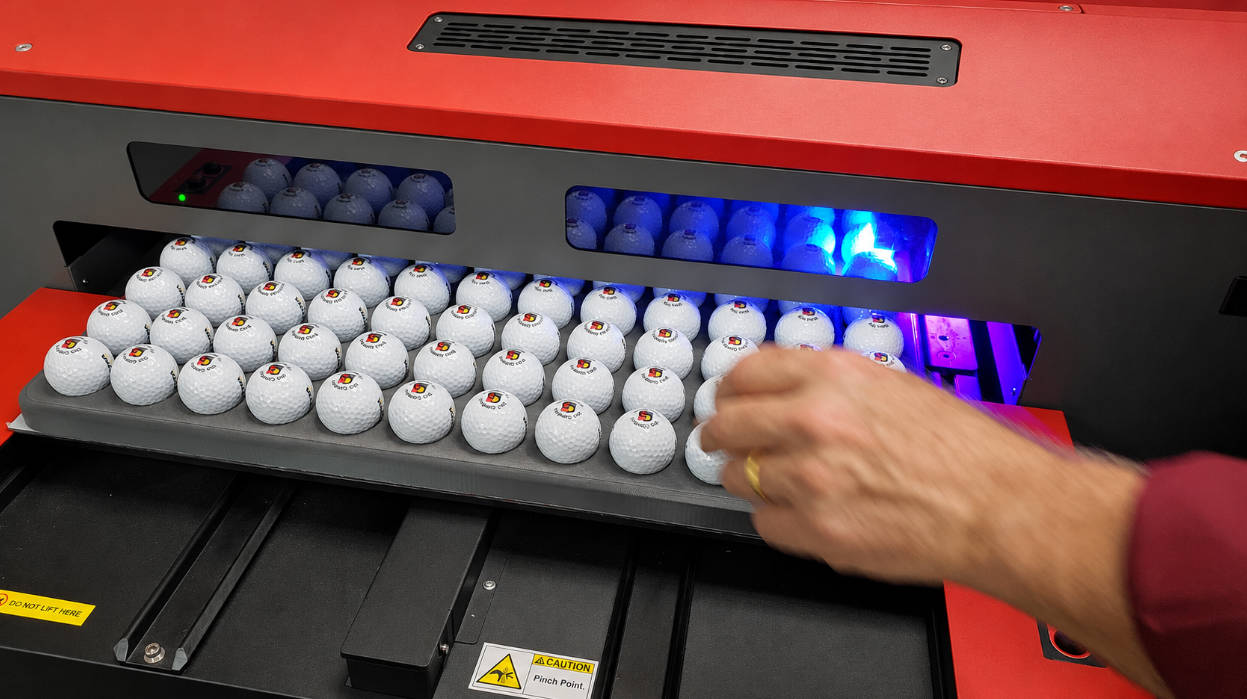
| Golf balls | Spherical positioning and dedicated fixtures |
| Large industrial components | Overall working envelope and customized tooling |
A machine suitable for small bottle caps may not accommodate a large automotive housing.
The correct selection should reflect the actual product family and the printing requirements.
10. When Is a Customized Stroke Configuration Necessary?
Standard machines cover many common printing applications.
However, some projects require more than a standard working stroke.
Customization may be appropriate when:
- The product is unusually large.
- The printing position is difficult to access.
- The fixture requires additional clearance.
- Several products need to be printed in one cycle.
- Multiple printing stations are required.
- Automatic feeding must be integrated.
- The machine needs to work with existing production equipment.
For these applications, the machine structure, movement range, pad assembly, and fixture can be designed together.
ENGY’s customized pad printing machine solutions cover special product geometries, feeding arrangements, pretreatment, and automated printing requirements.
The advantage of customization is that the machine can be developed around the actual production process rather than forcing the product to fit an unsuitable standard configuration.
11. Common Mistakes When Selecting Pad Printer Stroke Size
Mistake 1: Choosing by Logo Dimensions Alone
The artwork does not describe the complete mechanical working envelope.
Product dimensions and printing position must also be considered.
Mistake 2: Ignoring Vertical Movement
A machine may have sufficient horizontal travel but insufficient vertical clearance for the product and fixture.
Mistake 3: Assuming Stroke Equals Printing Area
These are different specifications.
Always confirm the maximum printable dimensions separately.
Mistake 4: Ignoring the Pad and Fixture
A large pad or customized fixture can change the required clearance.
Mistake 5: Buying the Largest Stroke Without a Reason
Extra working travel is useful only when the application needs it.
An oversized configuration may increase equipment footprint and investment without providing a meaningful production advantage.
Mistake 6: Selecting Equipment Without Testing the Product
Drawings do not always reveal every detail of the real printing surface.
For complex applications, physical sample testing is an important part of machine selection.
12. What Information Should You Provide Before Buying?
A supplier needs enough information to evaluate the complete printing movement.
Use the following checklist when requesting a quotation.
| Required Information | What to Provide |
|---|---|
| Product dimensions | Length, width, and height |
| Product material | ABS, PP, PC, metal, glass, etc. |
| Product drawing | Technical drawing or 3D file |
| Printing artwork | Actual image dimensions |
| Printing location | Marked on the product drawing |
| Number of colors | One, two, four, or more |
| Pad requirements | Existing pad or proposed design |
| Fixture arrangement | Manual or customized fixture |
| Production capacity | Required finished parts per hour |
| Loading method | Manual, conveyor, rotary, or automatic |
| Durability requirements | Adhesion, abrasion, and chemical resistance |
| Existing equipment | Machine model and current stroke, if upgrading |
For complex projects, send actual product samples as well.
ENGY’s custom pad printing machine service can be used to discuss product requirements, machine configuration, and sample printing before confirming an equipment solution.
FAQ
What does stroke size mean on a pad printing machine?
Stroke size refers to the travel distance of a moving machine component between defined positions. It may describe horizontal pad movement, vertical pad movement, or another movement depending on the machine design.
How do I choose the correct pad printing machine stroke?
Evaluate the distance between the image pickup and printing positions, product dimensions, pad geometry, fixture arrangement, vertical clearance, and machine structure. Confirm the required travel using the manufacturer’s technical drawing.
Is pad printing stroke the same as maximum printing area?
No. Stroke describes mechanical movement, while maximum printing area describes the usable image dimensions. Plate size, ink cup diameter, pad dimensions, and machine design all influence printing capacity.
What is the difference between horizontal and vertical pad stroke?
Horizontal stroke generally refers to forward-and-back working movement. Vertical stroke refers to the pad’s up-and-down movement for image pickup, printing, and clearance.
Does a larger pad require a longer machine stroke?
Not necessarily. A larger pad may require additional clearance and a different movement arrangement, but the actual stroke depends on the machine design, pad holder, plate position, and product fixture.
Does a multi-color pad printer need a longer stroke?
Not automatically. Multi-color machines may use rotary tables, conveyors, shuttles, or multiple printing heads. The required stroke depends on the arrangement of the printing stations and product movement.
Can a pad printing machine stroke be customized?
Yes. Depending on the equipment design, manufacturers can develop customized movement ranges, pad assemblies, fixtures, and feeding systems for special product requirements.
How do I know if my existing pad printer has insufficient stroke?
Common signs include insufficient clearance between the pad and fixture, inability to reach the required printing position, interference with the product, or limitations when installing a larger pad or plate arrangement. Confirm the mechanical movement before changing the machine configuration.
Conclusion
Choosing the right pad printing machine stroke size requires more than comparing a few millimeter specifications.
The forward-and-back working distance, vertical pad movement, plate arrangement, product geometry, fixture dimensions, and printing sequence all influence the required machine configuration.
A correctly selected stroke should provide enough movement and clearance to complete the printing cycle without unnecessary travel or excessive pad compression.
For a straightforward one-color application, a standard machine may be sufficient.
For larger products, complex surfaces, multi-color printing, or automated production, additional movement and customized fixtures may be necessary.
The most reliable approach is to evaluate the actual product, artwork, pad, and fixture together before selecting the machine.
This ensures that the chosen equipment meets both the printing requirements and the production targets.
Related Reading
- 125mm vs 160mm vs 200mm Pad Printer: Which Stroke Do You Need?
- 90mm vs 100mm Ink Cup for Pad Printing: Which One Should You Choose?
- Servo Pad Printing Machine vs Pneumatic Pad Printer: Which Is Better?
- Rotary Pad Printing Machine vs Shuttle Pad Printer
- Automatic Pad Printing Machine with Conveyor: When Should You Upgrade?
- Pad Printing Machine Maintenance Schedule: Daily, Weekly and Monthly Checklist