When production volume increases, buying a faster pad printing machine may seem like the obvious solution.
In reality, high-volume pad printing is rarely limited by the printing stroke alone.
A factory may own a machine capable of completing the print cycle quickly but still lose significant production time because operators must manually load parts, position them, remove finished products, rotate components, wait for ink drying, or move parts to the next station.
That is why choosing an automatic pad printing machine should begin with the complete production process rather than the machine speed specification.
The right automatic pad printing machine is the system that removes the actual bottleneck in your production line while maintaining print quality, positioning accuracy, curing capacity, and acceptable changeover time.
For one factory, that may mean adding a conveyor.
For another, a rotary indexing table may be more efficient.
A high-volume bottle-cap line may require automatic feeding and unloading, while an electronics manufacturer may need servo-controlled multi-color printing with precise fixtures.
This guide explains how to evaluate these options before investing in automatic pad printing equipment.
Table of Contents
- First Question: Do You Actually Need Full Automation?
- Understand the Different Levels of Pad Printing Automation
- Semi-Automatic vs Fully Automatic Pad Printing Machine
- Conveyor Pad Printing Machine: Best for Continuous Product Flow
- Rotary Table Pad Printer: Compact Multi-Station Automation
- Conveyor vs Rotary Table: Which Is Better?
- Automatic Feeding: The Feature That Changes the Economics
- Do Not Buy From the “Cycles per Hour” Number Alone
- Calculate the Output You Actually Need
- Can You Print Multiple Parts at the Same Time?
- Number of Colors Changes the Entire Machine Design
- Servo or Pneumatic Control?
- Fixture Design Can Determine Maximum Output
- Surface Pretreatment May Need to Be Automated
- Drying and Curing Can Become the Hidden Bottleneck
- When Should You Add Automatic Unloading?
- Should You Add Vision Inspection?
- High Volume Does Not Always Mean Fully Automatic
- Calculate Total Cost, Not Machine Price
- A Simple Automation ROI Framework
- What Should You Send to a Supplier Before Requesting a Quote?
- Automatic Pad Printer Buying Checklist
- FAQ
- Conclusion
First Question: Do You Actually Need Full Automation?
Automation is not automatically the most economical solution.
A semi-automatic machine can still be highly efficient when:
- production batches are relatively small;
- products change frequently;
- loading is easy;
- only one or two operators are required;
- printing cycle time is longer than handling time.
Full automation becomes more attractive when manual handling starts limiting production.
Watch for signs such as:
- the machine frequently waits for the operator;
- operators cannot load parts fast enough;
- labor cost is increasing;
- positioning errors create scrap;
- multiple shifts are required only to maintain volume;
- the same product runs continuously for long periods;
- large quantities of identical parts must be processed.
Automate because a measurable production bottleneck exists—not simply because a fully automatic machine appears more advanced.
Before asking suppliers for quotations, measure your current process.
Record:
- Product loading time
- Fixture positioning time
- Printing time
- Drying or curing time
- Product unloading time
- Inspection time
This shows where production capacity is actually being lost.
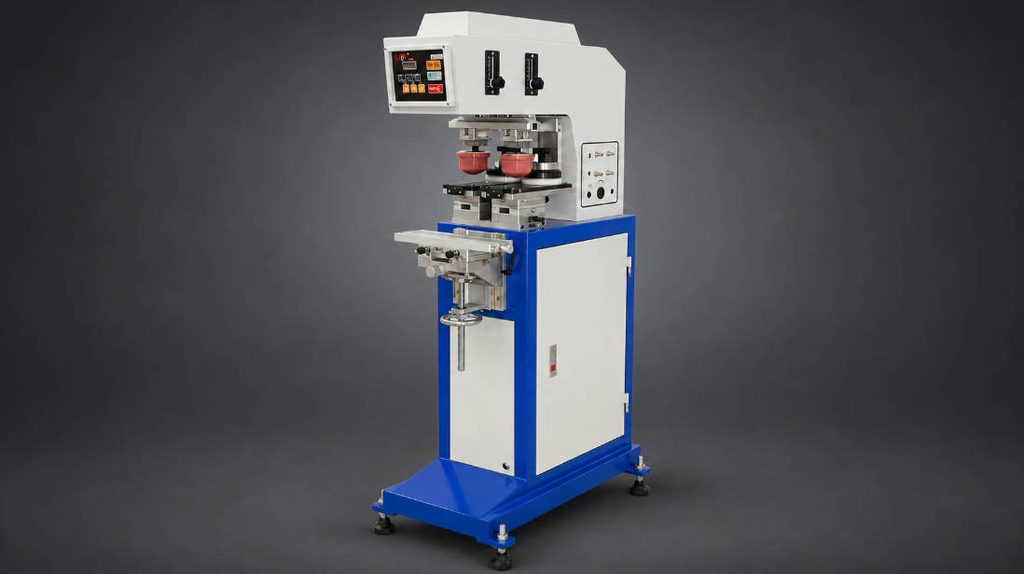
Understand the Different Levels of Pad Printing Automation
The term “automatic pad printer” covers several different machine architectures.
They should not be treated as interchangeable.
| Machine Configuration | Product Movement | Operator Involvement | Best Fit |
|---|---|---|---|
| Semi-automatic | Operator loads each part | High | Short runs and frequent changeovers |
| Automatic fixed station | Machine cycles automatically | Operator still loads/unloads | Stable medium-volume production |
| Shuttle system | Fixture moves between positions | Moderate | Flexible medium-to-high volume |
| Rotary indexing table | Product moves through stations | Low to moderate | Repetitive multi-station production |
| Conveyor system | Fixtures travel continuously | Low | High-volume repeated products |
| Fully automatic line | Automatic feeding, printing and unloading | Minimal | Long-run mass production |
| Robotic integrated system | Robot handles product orientation and transfer | Minimal | Complex products or multiple operations |
The correct system depends on how your product needs to move.
Semi-Automatic vs Fully Automatic Pad Printing Machine
Before upgrading, understand what automation actually changes.
A semi-automatic operator may perform this sequence:
- Pick up the component
- Place it into the fixture
- Start the print cycle
- Wait for the machine
- Remove the product
- Place the part into the next process
The machine may print quickly, but the equipment remains idle during loading and unloading.
A fully automated system can remove some or all of those manual steps.
Automation may include:
- bowl feeding;
- conveyor transport;
- automatic orientation;
- product detection;
- rotary indexing;
- robotic loading;
- automatic unloading;
- drying;
- surface treatment;
- inspection.
However, every additional automation function adds:
- cost;
- engineering complexity;
- maintenance;
- setup time.
The objective should therefore be to automate the steps that provide measurable value.
Conveyor Pad Printing Machine: Best for Continuous Product Flow
A conveyor is one of the most common ways to increase pad printing production capacity.
Products are held in fixtures positioned along the conveyor.
The conveyor moves them through different stages such as:
loading → printing → drying → additional printing → unloading
This architecture works well when:
- the same product runs for long periods;
- fixtures can hold the product consistently;
- production volume is high;
- multiple printing stations are required;
- operators should load continuously rather than stop for each cycle.
ENGY’s automatic pad printing machine with conveyor guide explains in more detail when conveyor automation makes sense.
Main Conveyor Advantage
The biggest advantage is not necessarily a faster pad stroke.
It is parallel processing.
While one component is being printed, another product can be:
- loaded;
- drying;
- waiting for a second color;
- unloaded.
This reduces idle time.
Conveyor Limitation
Changeover becomes more complicated.
A different product may require:
- new fixtures;
- conveyor adjustment;
- different pad;
- different cliché;
- different machine parameters.
That makes conveyor systems particularly attractive for high-volume, relatively stable product families.
Rotary Table Pad Printer: Compact Multi-Station Automation
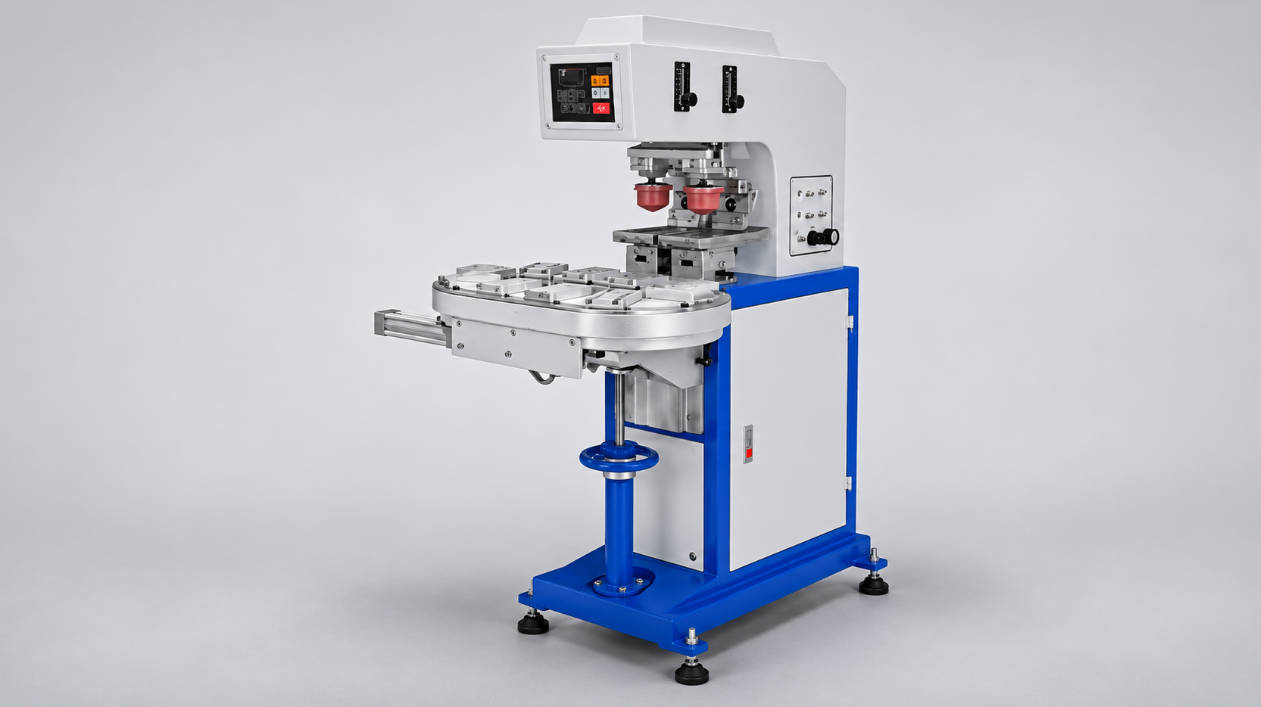
A rotary indexing table arranges multiple fixtures around a circular table.
The table indexes between stations.
For example:
Station 1: LoadingStation 2: First colorStation 3: Second colorStation 4: DryingStation 5: Unloading
Several operations can take place during the same machine cycle.
Rotary systems are often suitable for:
- bottle caps;
- power-tool components;
- electronic parts;
- cosmetic components;
- relatively compact molded products.
ENGY’s two-color rotary table pad printer is an example of this architecture.
When Rotary Makes Sense
Choose a rotary table when:
- product size is relatively compact;
- multiple stations are required;
- floor space is important;
- product orientation is repeatable;
- production runs are long enough to justify dedicated fixtures.
Conveyor vs Rotary Table: Which Is Better?
There is no universal winner.
| Factor | Conveyor | Rotary Table |
|---|---|---|
| Production flow | Linear | Circular/indexing |
| Footprint | Longer | More compact |
| Multiple stations | Excellent | Excellent |
| Adding drying sections | Easier | More limited by table space |
| Fixture count | Often higher | Fixed by table stations |
| Long production line integration | Strong | Moderate |
| Product size flexibility | Often greater | Depends on table dimensions |
| Changeover | Can require major fixture setup | Also fixture-dependent |
| Suitable for continuous production | Very strong | Strong |
| Multi-color printing | Strong | Strong |
Choose based on the process layout rather than assuming one is more advanced.
Automatic Feeding: The Feature That Changes the Economics
There is a major difference between:
automatic printing
and
automatic product handling.
A machine can complete printing automatically while still requiring one person to manually load every product.
For true high-volume manufacturing, feeding may become the main bottleneck.
Automatic feeding methods can include:
- vibratory bowl feeders;
- belt feeders;
- magazines;
- pick-and-place systems;
- robots;
- custom mechanical feeders.
Feeding works best when products have:
- consistent geometry;
- predictable orientation;
- sufficient rigidity;
- repeatable dimensions.
Irregular products can be much more difficult to feed automatically.
Before requesting automatic feeding, provide real products to the machine supplier.
Do Not Buy From the “Cycles per Hour” Number Alone
One of the most important specifications in pad printing is also one of the easiest to misunderstand.
Machine brochures may publish:
- cycles/hour;
- pieces/hour;
- impressions/hour.
These are not always equivalent.
Suppose a machine completes 1,000 cycles per hour.
That does not necessarily mean it produces 1,000 finished products per hour.
Example A: One Part per Cycle
1,000 cycles/hour × 1 part= approximately 1,000 printing operations per hour before other production losses.
Example B: Four Parts per Cycle
1,000 cycles/hour × 4 parts= theoretically 4,000 part impressions per hour.
Example C: Four-Color Product
If the same product requires four sequential printing operations, finished output may be constrained by the complete four-color cycle rather than one machine movement.
Other losses include:
- loading;
- drying;
- inspection;
- changeover;
- maintenance;
- rejected parts.
For purchasing decisions, compare finished acceptable parts per hour—not only machine cycles per hour.
Calculate the Output You Actually Need
A useful equipment specification begins with required finished production.
Suppose your factory needs:
24,000 printed parts per day
and operates:
2 shifts × 8 hours = 16 hours
The required average output is:
24,000 ÷ 16 = 1,500 finished parts/hour
But the machine should not be specified exactly at 1,500 parts/hour.
Production includes:
- breaks;
- ink adjustment;
- pad cleaning;
- fixture changes;
- maintenance;
- quality inspection.
The required equipment capacity therefore needs reasonable production margin.
Rather than using a universal percentage, calculate margin from your actual factory operating data.
Can You Print Multiple Parts at the Same Time?
This is one of the most effective ways to increase production.
Instead of making the entire machine move faster, one pad holder may carry several small pads.
One cycle can then print:
- 2 components;
- 4 components;
- 8 components;
- more components where the product permits.
ENGY’s automatic equipment range includes machines configured with multiple small pads per printing position and automatic unloading for high-output applications. The exact quantity depends on the product and machine design.
This strategy works particularly well for:
- bottle caps;
- small molded plastic components;
- buttons;
- tags;
- compact repetitive products.
The fixture and artwork arrangement become especially important because every part must maintain consistent alignment.
Number of Colors Changes the Entire Machine Design
A one-color production line is much simpler than an eight-color line.
Each additional color can require:
- another cliché;
- another ink cup;
- another printing head;
- drying time;
- another registration step.
For multi-color production, evaluate:
- registration accuracy;
- fixture stability;
- ink drying between colors;
- individual head adjustment;
- cycle synchronization.
ENGY’s eight-color automatic pad printing production line illustrates the type of architecture used when multiple independently controlled printing heads are required.
However, do not buy more colors than the product requires.
Unused printing stations increase:
- equipment cost;
- footprint;
- setup complexity;
- maintenance.
Servo or Pneumatic Control?
High-volume buyers frequently compare pneumatic and servo systems.
Pneumatic systems can be practical for many repetitive printing operations.
Servo-driven movement provides greater programmability for applications requiring controlled:
- position;
- acceleration;
- movement speed;
- stroke.
Servo control can be valuable when:
- registration is demanding;
- products change;
- movement parameters need storing;
- automation integration is complex.
The drive system should be selected according to the actual precision and flexibility requirements—not simply because servo technology sounds more advanced.
Fixture Design Can Determine Maximum Output
A fast automatic machine with a poor fixture is still a slow production system.
Fixtures need to:
- position parts accurately;
- allow rapid loading;
- prevent movement;
- avoid scratching the product;
- survive repeated cycling;
- support automatic unloading.
High-volume automation also requires enough fixtures.
For conveyor lines, fixtures circulate continuously.
If too few fixtures are available, the conveyor cannot remain fully loaded.
Fixture quantity should therefore be included in the original machine quotation.
Surface Pretreatment May Need to Be Automated
Materials such as PP and PE may require surface treatment before printing.
If production volume is high, treating parts manually beside the machine can introduce variability.
An automated line can potentially integrate:
feeding → flame/plasma treatment → printing → drying → unloading
This provides more consistent:
- treatment distance;
- exposure;
- timing before printing.
ENGY’s customized pad printing machine solutions are more appropriate when printing needs to be integrated with product handling, treatment, or other special processes.
Drying and Curing Can Become the Hidden Bottleneck
A machine may print faster than the ink can safely move to the next operation.
That creates a problem.
Increasing conveyor speed will not improve finished output if products leave the printing station:
- wet;
- tacky;
- insufficiently cured.
Drying capacity must match printing capacity.
Depending on the ink and product, the line may require:
- hot air;
- flash drying;
- UV curing;
- additional conveyor distance;
- controlled waiting time.
The fastest printer in the line does not determine output—the slowest required process does.
This is one of the most common mistakes when specifying automatic equipment.
When Should You Add Automatic Unloading?
Automatic unloading becomes valuable when:
- products are easy to release from the fixture;
- output is high;
- unloading consumes significant operator time;
- products must enter another process immediately.
Possible unloading methods include:
- mechanical pushers;
- pick-and-place systems;
- pneumatic transfer;
- robotic handling.
For simple parts, the mechanism may be relatively straightforward.
For delicate or irregular products, unloading can require substantially more engineering.
Should You Add Vision Inspection?
Vision systems can help with:
- product presence detection;
- orientation;
- print position;
- missing graphics;
- certain obvious print defects.
But vision should solve a specific quality-control requirement.
Adding a camera without defining:
- what defect must be detected;
- acceptable tolerance;
- required inspection speed
can increase cost without delivering useful control.
Before requesting vision inspection, write a clear acceptance standard.
High Volume Does Not Always Mean Fully Automatic
This is important.
A factory may produce large annual quantities while still running many short batches.
For example:
- 100 product models;
- different artwork every day;
- frequent color changes;
- small production lots.
A fully automatic dedicated line may lose too much time during changeover.
A flexible semi-automatic or rotary solution may achieve better overall utilization.
Automatic equipment is most attractive when there is enough repetitive volume to justify:
- dedicated fixtures;
- feeding setup;
- process validation;
- longer changeovers.
Calculate Total Cost, Not Machine Price
Automatic equipment costs more than the base printing machine.
The complete investment may include:
- printing heads;
- fixtures;
- feeding systems;
- conveyors;
- rotary tables;
- curing equipment;
- surface treatment;
- robots;
- safety guarding;
- extraction;
- compressors;
- inspection;
- spare pads and plates.
Operating cost also includes:
- ink;
- thinner;
- pads;
- clichés;
- ink cup rings;
- electricity;
- compressed air;
- maintenance;
- changeover labor.
The correct comparison is therefore not:
Automatic machine price vs semi-automatic machine price
It is:
Cost per acceptable finished part under the required production volume.
A Simple Automation ROI Framework
You do not need a complicated financial model to begin.
Compare:
Current Process
- Operators per shift
- Labor hours
- Output/hour
- Scrap rate
- Overtime
- Number of shifts
Proposed Automatic Process
- Operators required
- Expected acceptable output
- Changeover time
- Maintenance cost
- Consumables
- Equipment investment
Then ask:
What measurable cost or capacity problem does the automation remove?
Possible benefits include:
- fewer operators;
- higher production volume;
- reduced positioning errors;
- lower scrap;
- reduced overtime;
- fewer machines performing the same work.
If none of these improve materially, full automation may not be justified.
What Should You Send to a Supplier Before Requesting a Quote?
A useful high-volume machine quotation needs real production information.
| Information | Why It Matters |
|---|---|
| Product samples | Determines handling feasibility |
| Product dimensions | Determines machine and fixture layout |
| Material | Determines ink and pretreatment |
| Artwork | Determines pad and cliché |
| Number of colors | Determines printing stations |
| Printing locations | Determines product movement |
| Daily/annual volume | Determines automation level |
| Required parts/hour | Defines capacity |
| Batch size | Determines changeover importance |
| Number of product models | Defines flexibility requirement |
| Current process | Identifies actual bottleneck |
| Available floor space | Influences conveyor vs rotary |
| Upstream/downstream equipment | Determines integration |
| Quality requirement | Determines inspection strategy |
For customized projects, ENGY’s custom pad printing machine service uses product requirements and samples to develop the equipment configuration and perform sample printing before final approval.
Automatic Pad Printer Buying Checklist
Before issuing a purchase order, confirm the following:
Production
- Required finished parts/hour
- Shift pattern
- Annual production
- Number of SKUs
- Average batch size
Printing
- Number of colors
- Artwork size
- Registration tolerance
- Ink system
- Drying requirement
Handling
- Manual or automatic feeding
- Fixture quantity
- Product orientation
- Unloading method
Machine
- Conveyor, rotary, shuttle, or fixed station
- Pneumatic or servo motion
- PLC control
- Stroke
- Print area
Factory Integration
- Floor space
- Compressed air
- Electrical supply
- Extraction
- Safety guarding
Acceptance
- Sample quality
- Output target
- Scrap criteria
- Registration tolerance
- Run-off testing
- Operator training
A serious automatic-equipment project should define acceptance criteria before the machine is built.
FAQ
What is an automatic pad printing machine?
An automatic pad printing machine combines automated printing cycles with some level of automated product movement or handling. Depending on the configuration, it may include conveyors, rotary tables, feeders, unloading systems, drying, or robotic handling.
When should I upgrade from a semi-automatic to an automatic pad printer?
Upgrade when manual loading, unloading, positioning, or other handling steps consistently limit output and the production volume is stable enough to justify dedicated automation.
Is a conveyor pad printer suitable for high-volume production?
Yes. Conveyor systems are particularly useful for repetitive products that move through several printing or drying stations. They are less attractive when product changeovers are extremely frequent.
Is a rotary pad printing machine faster than a conveyor machine?
Not automatically. Rotary and conveyor systems use different layouts. Actual output depends on printing cycle, number of parts per fixture, colors, drying time, loading, and product geometry.
How many parts per hour can an automatic pad printing machine produce?
There is no universal number. Output depends on machine configuration, number of pads, colors, handling system, curing, and product design. Always compare acceptable finished parts per hour rather than machine cycle rate alone.
Can an automatic pad printer print several products in one cycle?
Yes. Some systems use multiple pads and multi-part fixtures so several small products can be printed during one machine cycle.
Can pad printing be integrated with automatic feeding?
Yes. Automatic feeding can use bowl feeders, conveyors, magazines, pick-and-place devices, or robotic systems depending on product geometry.
Do I need servo control for high-volume pad printing?
Not always. Servo control is useful when programmable motion, positioning accuracy, multiple stored settings, or complex automation is required. Pneumatic systems can still be appropriate for many repetitive applications.
Can surface treatment be integrated into an automatic pad printing line?
Yes. For materials requiring pretreatment, flame, plasma, or other compatible treatment can be integrated before printing where the product and process allow.
What information is required to quote a fully automatic pad printing machine?
Provide product samples, dimensions, material, artwork, colors, printing positions, required output, batch size, automation expectations, floor space, and quality requirements.
Conclusion
An automatic pad printing machine should not be purchased simply because production volume is increasing.
First identify what is slowing production.
If the machine waits for the operator, automate handling.
If product positioning creates scrap, improve fixtures or indexing.
If drying limits output, increase curing capacity.
If several colors create excessive manual movement, use a multi-station system.
If the same small part runs continuously at very high volume, automatic feeding and unloading may justify a fully dedicated production line.
The correct automatic pad printing system is the one that balances finished-product output, print quality, labor reduction, changeover time, flexibility, and total cost per part.
For some manufacturers, that means a conveyor.
For others, a rotary table is more efficient.
For a highly repetitive bottle-cap or precision plastic-part application, a fully customized line may be justified.
The best buying decision starts with the product and production data—not with the machine catalog.
Related Reading
- Automatic Pad Printing Machine with Conveyor: When Should You Upgrade?
- How to Choose the Right Pad Printing Machine Stroke Size
- 125mm vs 160mm vs 200mm Pad Printer: Which Stroke Do You Need?
- Servo Pad Printing Machine vs Pneumatic Pad Printer
- Rotary Pad Printing Machine vs Shuttle Pad Printer
- Pad Printing Machine Maintenance Schedule