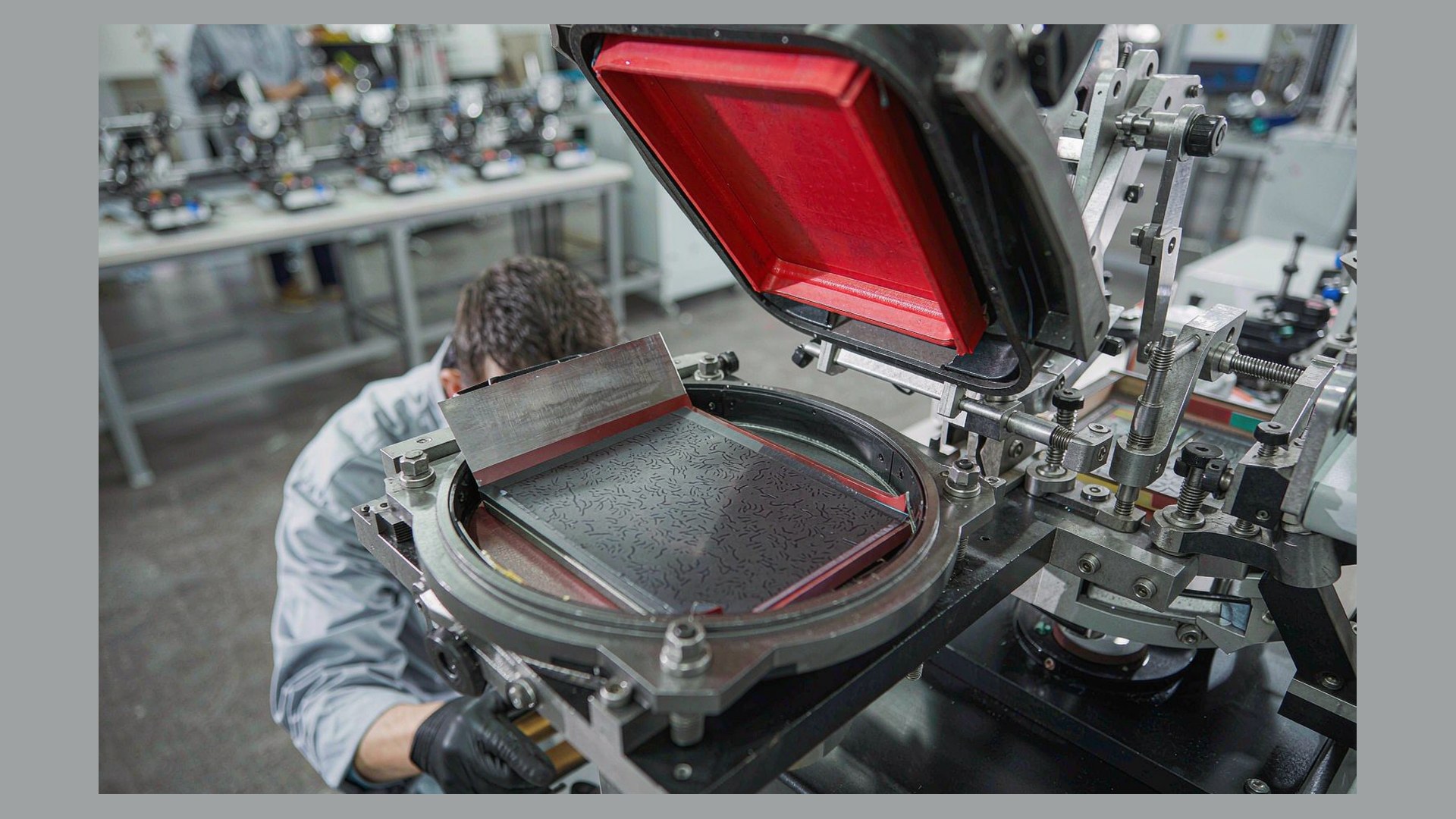
You should upgrade to an automatic pad printing machine with conveyor when the operator, not the machine, has become the bottleneck — that is, when the pad printing cycle finishes faster than a person can unload, reload and re-orient the next part, and when that same part number will run for weeks rather than hours. A conveyor does not make the print stroke faster; it removes the waiting time around it.
A conveyor pad printer pays for itself when part handling time, not print time, is what limits your daily output. If your machine sits idle between prints while an operator loads fixtures, or if you are running a second shift purely to keep up, the constraint is handling — and that is exactly what a conveyor addresses.
This guide is written for production managers, manufacturing engineers and purchasing teams who already run semi-automatic or standalone automatic pad printers and are weighing the next step. It sets out the trigger signals, what a conveyor actually changes in the process, what it does not fix, the integration items that are usually underestimated, and a practical way to estimate payback before you commit capital.
What a Conveyor Actually Adds to an Automatic Pad Printer
The most common misunderstanding about a conveyor pad printing machine is that it prints faster. It usually does not. The pad stroke, dwell time and transfer mechanics are essentially the same as on a standalone automatic machine of comparable specification.
What changes is when the handling happens. On a machine without a conveyor, the sequence is: load → print → unload → load again. The print head is blocked during loading and unloading. On a conveyor line, parts sit on fixtures carried by a belt; while one part is under the pad, the operator is loading the next fixture further up the belt, and a printed part is already moving downstream to cure. Loading, printing and curing overlap instead of queuing.
That has three practical consequences:
- Effective throughput rises without changing the print process. The gain comes from masked handling time, not from a faster stroke.
- The operator’s job changes from cycling the machine to feeding it. One person can often keep several print stations supplied, because the belt buffers the work.
- The line becomes a process, not a workstation. Pre-treatment, printing, curing and unloading are linked by belt speed, so the slowest station — very often curing — sets the pace for everything.
Five Trigger Signals That Mean It Is Time to Upgrade
None of these signals is decisive on its own. Two or three appearing together is usually the point at which a conveyor line starts to make commercial sense.
| Signal | What it looks like on the floor | Practical threshold to test against |
|---|---|---|
| Operator is the constraint | The pad head finishes and waits; the operator is the reason the cycle pauses | Total handling time per part is at least comparable to, and often longer than, the print cycle itself |
| Volume is stable and repetitive | The same part number and artwork run for days or weeks at a time | Changeovers are measured per week, not per shift |
| Labour cost or availability is tightening | Overtime, a second shift, or difficulty recruiting and training operators | The labour released by the line is worth more than the capital and running cost of the conveyor |
| Consistency problems come from handling | Mis-oriented parts, fingerprints, scuffing, variable placement | A meaningful share of scrap is traceable to loading rather than to ink or plate |
| Downstream processes want steady flow | Curing, assembly or packaging are fed in batches and then starved | Downstream stations are waiting on the printer, or the printer is waiting on them |
If your situation is the opposite of most of these — artwork changes weekly, part numbers are short runs, and the printer is idle waiting for orders rather than for hands — the honest answer is that a conveyor will add cost and complexity without adding output. That is not a reason to avoid automation for ever; it is a reason to sequence it correctly, and the comparison of manual, semi-automatic and automatic pad printer cost and output is the right place to check where you sit on that path.
What a Conveyor Does Not Fix
Being clear about this saves more money than most of the rest of the evaluation. A conveyor line will not solve:
- An unstable print process. If viscosity, plate condition or ink adhesion are not under control, automating them simply produces inconsistent results faster. Fix the process first, then the handling.
- A curing bottleneck. On many lines the cure step, not the print step, sets the maximum belt speed. A faster conveyor does not shorten cure time; it just moves uncured parts further.
- Poor part presentation. A conveyor needs parts that arrive in a predictable orientation. If parts come to the line randomly oriented from a hopper or a previous process, an automatic feeder or orienting device is a separate project.
- High-mix, low-volume work. Every fixture set and belt setup is a changeover. Short runs spend more time being set up than being printed.
- Artwork and approval churn. Automation rewards stability. If the graphic is still changing, plates are being remade anyway.
The pattern behind all five: a conveyor multiplies the throughput of a process that already works. It does not create one.
Where a Conveyor Sits on the Automation Path
“Automatic” covers several different machine architectures, and the right one depends on how your parts need to move. The comparison below is not about which is more advanced — it is about which handling model matches your product mix.
| Configuration | How parts move | Operator role | Best fit | Flexibility on changeover |
|---|---|---|---|---|
| Semi-automatic machine | Operator places and removes each part | Cycles the machine every print | Short runs, frequent changes, prototype work | Highest |
| Automatic machine, fixed station | Operator loads a fixture, machine prints and returns | Loads and unloads, one part at a time | Medium, stable runs | High |
| Automatic with shuttle table | Fixture moves between load position and print position | Loads away from the pad, better ergonomics and safety | Medium-to-high volume, parts awkward to reach | Moderate |
| Automatic with conveyor | Fixtures travel on a belt through print, cure and unload | Feeds the belt; one operator can serve multiple stations | High, repetitive volume with stable artwork | Lower — fixtures and belt setup are part of the changeover |
| Rotary indexing machine | Parts index on a rotating table through stations | Feeds the table | Very high volume, compact footprint, multi-colour in one cycle | Lower |
Conveyor and rotary are often evaluated against each other, and the choice is usually driven by footprint, number of colours and whether curing needs to happen mid-cycle. That trade-off is set out in more detail in the rotary versus shuttle pad printer efficiency comparison.
Before You Upgrade: The Prerequisites Most Projects Miss
Most conveyor installations that disappoint were specified before these items were settled. Treat them as gates, not as details to be resolved during commissioning.
Fixtures, not machines, decide line performance
A conveyor carries fixtures, and every part needs one that locates it repeatably. Fixture count is a capital line item in its own right: enough fixtures must be in circulation to fill the belt, sit in the cure zone and return to the loading position. Under-specifying fixture quantity is one of the most common reasons a new line never reaches its quoted rate.
Cure capacity must be sized to belt speed
Whether you use a UV curing unit or a hot-air tunnel, its capacity has to match the line speed the printer can sustain. If cure time is longer than the print cycle, the cure stage becomes the bottleneck and either the belt slows or parts leave under-cured. Size the cure stage from the ink system’s recommended cure parameters, then work backwards to belt speed.
Pre-treatment belongs on the line, not beside it
Many substrates — polypropylene, some polyethylenes, certain coatings — need surface treatment before ink will adhere reliably. Flame, corona or plasma treatment is most consistent when it is part of the line at a fixed distance and speed before the print station, rather than applied off-line with a variable delay.
Space, services and access
A conveyor line needs floor space for the belt run, the cure tunnel and safe operator access on at least one side, plus extraction for solvent-based inks and a compressed air supply sized for continuous duty rather than intermittent use. Measure the installed line length, not the machine footprint.
People and maintenance
The operator role shifts to feeding and inspecting, which is a different skill from cycling a machine. Plan training accordingly. Plan maintenance too: belts, fixtures, pads, plates and ink systems are all wear items, and on a continuous line their consumption is higher per week than on a machine that only runs in bursts.
How to Estimate Payback Without Guesswork
Payback on a conveyor line is a labour-and-throughput calculation, not a machine-price calculation. Build it from four numbers you can measure today.
| Input | How to get it | Why it matters |
|---|---|---|
| Current parts per operator-hour | Time a full shift: count good parts, count operator hours | The baseline the line has to beat |
| Current handling time per part | Stopwatch the load–print–unload sequence; subtract the print dwell | This is the time a conveyor removes or overlaps |
| Labour cost of the released time | Operator hours saved × loaded hourly cost, including overtime and shift premiums | The recurring saving that funds the capital |
| Scrap attributable to handling | Sort a week of rejects by cause | Often the largest and least expected saving |
Set those against the full installed cost — machine, conveyor, cure unit, pre-treatment, fixtures, installation, commissioning and training — not against the machine price alone. Fixtures and cure equipment can be a substantial share of the total, and they are where quotations most often diverge.
A simple way to frame it: divide the installed cost by the annual labour and scrap saving to get a payback period in years. Most buyers set an internal threshold for that figure; the point of the exercise is to know what yours is before you see a quotation, so the decision is made against your criteria rather than the supplier’s headline number.
Upgrade Mistakes That Cost More Than the Machine
- Automating an unstable process. Lock down ink, plate, pad and cure parameters on the existing machine first. If the process is not repeatable by hand, it will not be repeatable on a belt.
- Quoting the machine instead of the line. Cure capacity, pre-treatment, fixture count and extraction are what make a line work. A cheap machine with an undersized cure stage is slower than the machine it replaced.
- Ignoring changeover. If you run twenty part numbers, twenty fixture sets and twenty belt setups are part of the business case. High-mix shops should price flexibility explicitly.
- Over-specifying colours. Every additional colour adds a print station, a registration challenge and cure considerations. Confirm whether the artwork genuinely needs it.
- Forgetting consumables. Pads, plates, ink, thinner and blades are consumed faster on a continuous line. Include them in the running cost, and confirm lead times before you commit.
- No acceptance criteria. Agree what “running to rate” means — parts per hour at what quality level, over what period, on which part — before the machine ships.
What to Send a Supplier When You Request a Conveyor Line
The quality of a quotation tracks the quality of the enquiry. A supplier asked to price “a conveyor pad printer” has to guess at everything, and the guess shows up in the price. Send the following and the numbers become comparable between vendors:
- Part drawings or samples, including the surface to be printed and any geometry that complicates fixturing
- Substrate material and any existing surface treatment
- Artwork, number of colours, and print area dimensions
- Annual volume and typical batch size, plus expected growth
- Target parts per hour and the shift pattern
- Cure method available on site and the ink system you intend to use
- Available floor space, power and compressed air
- Upstream and downstream interfaces — what feeds the line and what takes parts away
- Acceptance criteria and quality standard for the printed result
ENGY manufactures pad printing machines and consumables and supplies OEM and customised pad printing equipment for industrial decoration lines. Conveyor configurations are usually built around the part rather than bought off the shelf, and existing examples include the two color closed ink cup pad printer with conveyor, the two color pad printing machine with conveyor for bottle caps and the four color pad printer with conveyor for cosmetics. If your part does not match a standard configuration, send the list above to the ENGY team and ask for a line concept rather than a machine price.
FAQ: Upgrading to a Conveyor Pad Printing Machine
When should I upgrade to an automatic pad printing machine with conveyor?
When handling time has become the constraint and the work is repetitive enough to keep the belt running the same job for extended periods. In practice: the machine waits on the operator, the same part number runs for days or weeks, and labour cost or labour availability is starting to limit output.
How much output does a conveyor add compared with a semi-automatic machine?
It depends entirely on how much of your current cycle is handling rather than printing. If loading and unloading already take longer than the print dwell, the improvement can be substantial; if the print dwell dominates, the gain is smaller. Measure your own load–print–unload sequence first — that measurement is more reliable than any published figure.
Is a conveyor pad printer suitable for high-mix, low-volume production?
Usually not as the first step. Every part number needs its own fixtures and belt setup, so short runs spend a disproportionate share of time on changeover. High-mix shops are generally better served by flexible semi-automatic or shuttle-based machines, and by reserving conveyor lines for the few part numbers that justify them.
What floor space does a conveyor pad printing line need?
More than the machine footprint. Allow for the belt run, the cure tunnel, operator access on at least one side, extraction where solvent-based inks are used, and space to load and unload at the ends. Ask suppliers for an installed line drawing with overall length before you allocate floor space.
Can I add a conveyor to my existing pad printing machine later?
Sometimes, but it is usually a machine-design question rather than a bolt-on. The print head, indexing and control system need to synchronise with belt movement, and the frame needs to accept it. It is worth asking the manufacturer, but budget on the basis that a purpose-built line is the more predictable route.
How do I calculate the payback on a conveyor pad printer?
Measure current parts per operator-hour and the handling time per part, value the operator hours released at your loaded labour rate, add the scrap saving from fewer handling defects, and divide the installed cost of the line by that annual saving. Include fixtures and cure equipment in the installed cost — excluding them is what makes payback estimates optimistic.
Does an automatic conveyor pad printer still need an operator?
Yes, in most configurations. The role changes from cycling the machine to feeding fixtures and inspecting output. Fully automatic loading and unloading is possible, but it is a separate level of investment and makes sense only once the part presentation is consistent enough to feed automatically.
What causes a conveyor pad printing line to underperform after installation?
Most commonly: cure capacity smaller than the achievable belt speed, too few fixtures in circulation to keep the belt full, and a print process that was never stabilised before it was automated. All three are design-stage issues rather than commissioning issues.
Conclusion
The decision to move to an automatic pad printing machine with conveyor is a decision about handling, not about print speed. Upgrade when the operator is the reason the machine waits, when the same part number runs long enough to amortise the setup, and when labour cost, labour availability or handling-related scrap is the constraint you are actually trying to remove.
Before you ask for a price, measure your own load–print–unload sequence, sort a week of scrap by cause, and confirm that curing can keep pace with the belt speed you are expecting. Those three checks turn a machine purchase into an engineering decision, and they are the difference between a conveyor line that pays back and one that simply costs more.
If you would like a line concept rather than a catalogue price, contact ENGY with your part samples, substrate, artwork, annual volume and available floor space, and we will propose a configuration matched to your product.