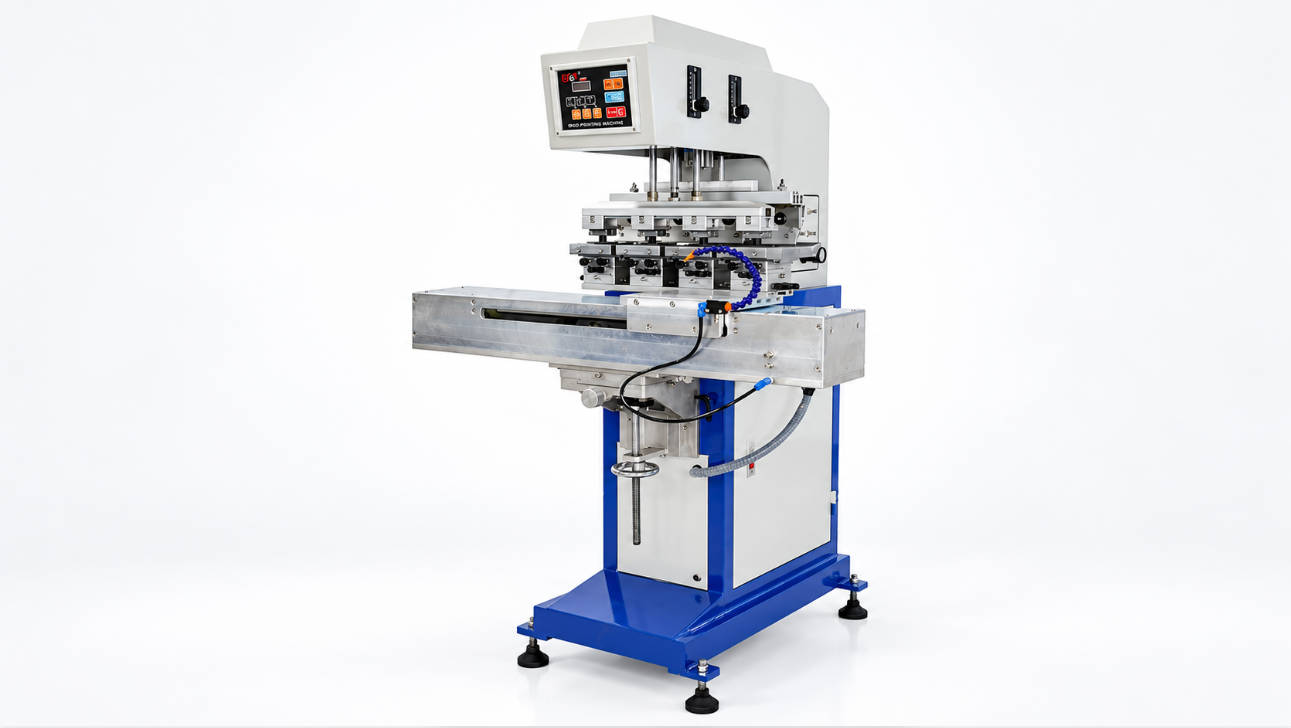
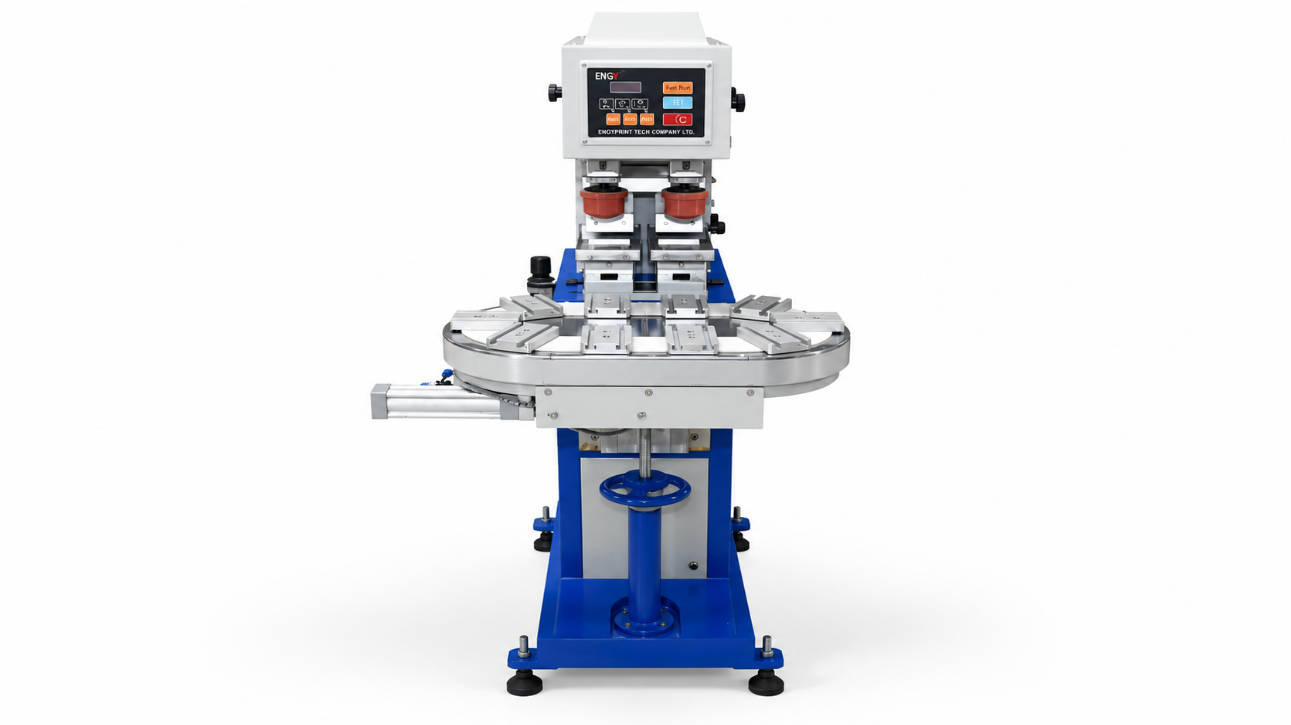
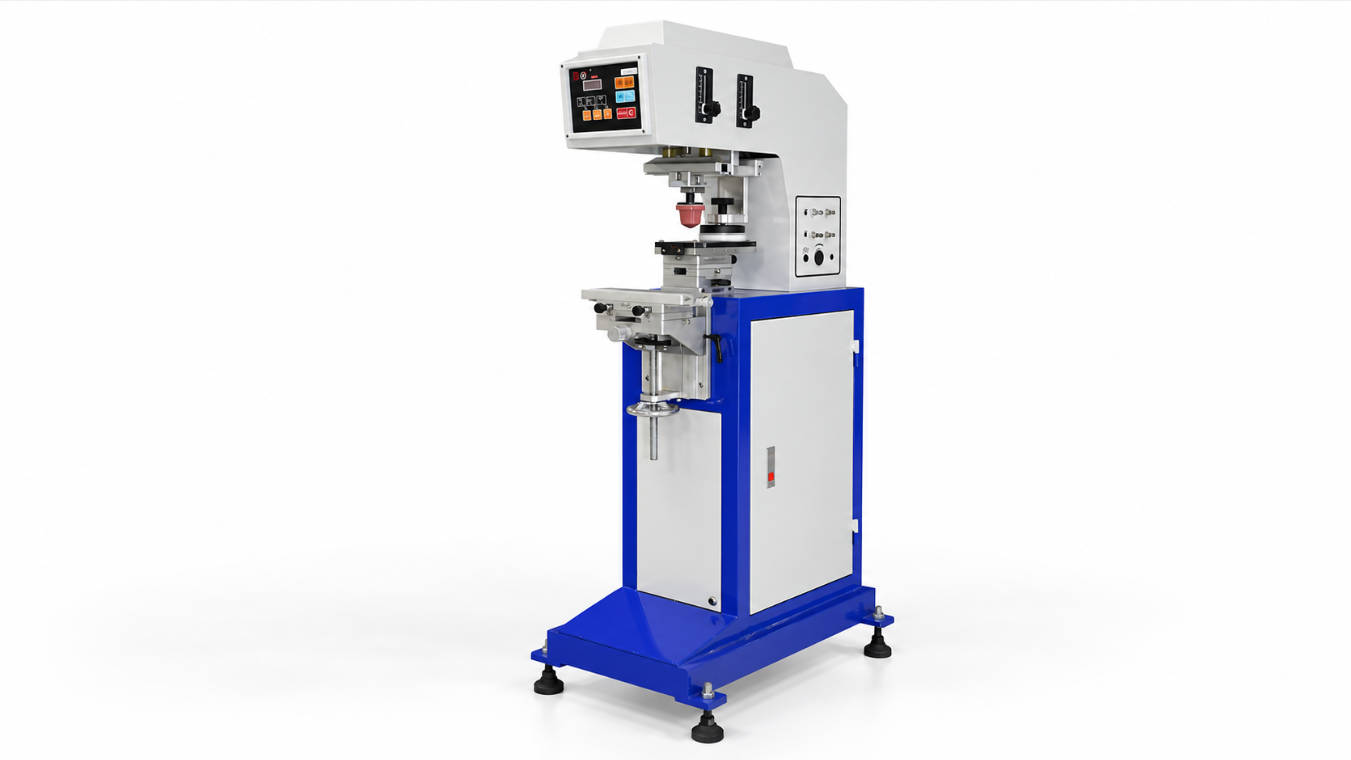
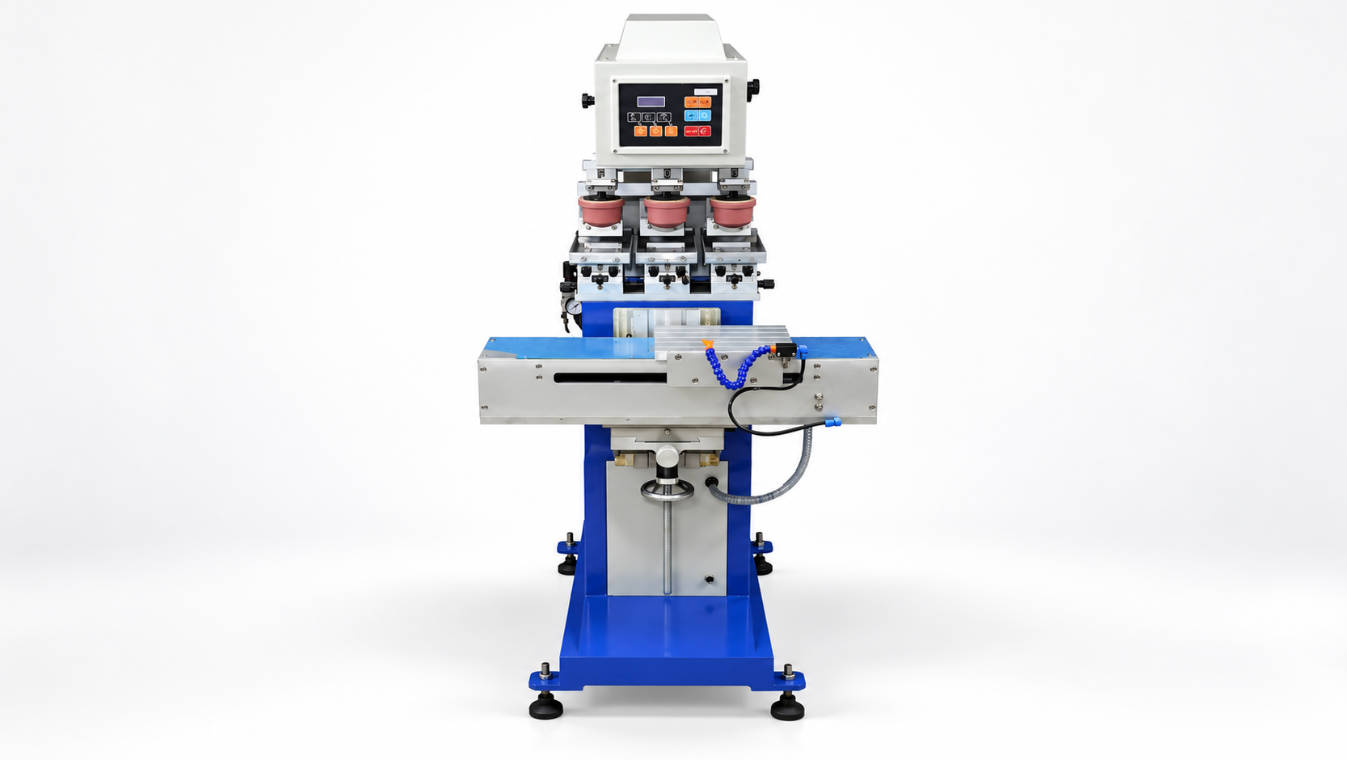
A toy pad printing machine should be selected based on toy material, surface shape, logo size, color count, fixture design, ink adhesion, safety requirements, and production output. For plastic toy logo printing, the machine must do more than transfer ink. It must print clearly on curved, irregular, textured, or small toy parts while keeping the image stable during repeated production.
Toy products often have complex shapes. A toy may have a rounded body, small eyes, recessed buttons, raised decorative areas, uneven plastic surfaces, or multi-color graphics. These features make pad printing a practical method because a silicone pad can transfer ink from a flat plate onto three-dimensional surfaces.
However, durable toy printing depends on the full process: machine structure, pad shape, plate quality, ink system, surface treatment, fixture stability, drying method, and safety compliance. This guide explains how to choose a toy pad printing machine for plastic toys and what buyers should check before requesting a quote or printing test.
ENGY provides pad printing machine solutions for one-color, multi-color, closed ink cup, open tray, and customized product decoration applications.
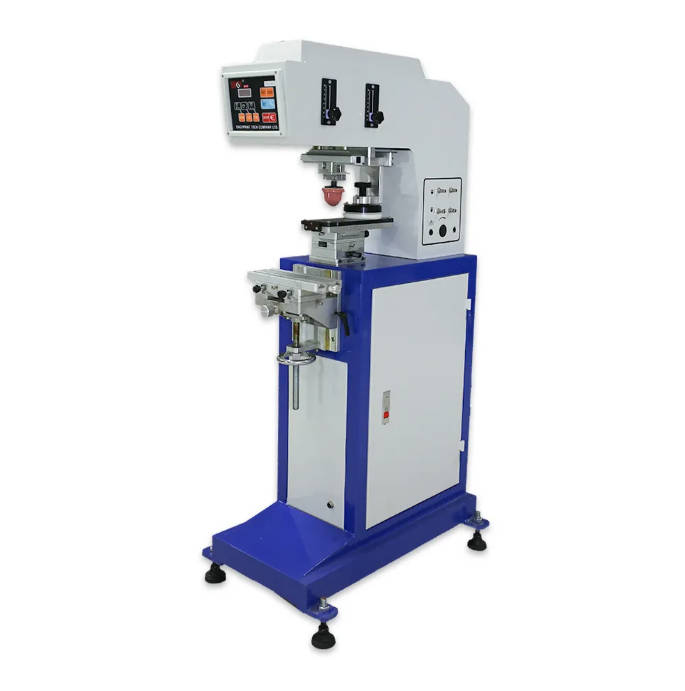
What Is a Toy Pad Printing Machine?
A toy pad printing machine is a pad printing machine configured to print logos, eyes, mouths, symbols, patterns, brand names, decorative marks, or functional graphics onto toy parts. It uses an etched printing plate, ink system, silicone pad, and fixture to transfer the artwork onto plastic, rubber-like, coated, or painted toy surfaces.
The process normally includes:
- Artwork is etched into a cliché plate.
- Ink fills the etched image area.
- Excess ink is removed from the plate.
- A silicone pad picks up the inked image.
- The pad transfers the image onto the toy surface.
- The printed part is dried, cured, or tested depending on ink and material.
Pad printing is suitable for toys because it can print on small, curved, recessed, and irregular plastic surfaces where flat printing methods may be difficult.
Common toy printing applications include:
| Toy Product | Typical Printing Requirement |
| Plastic figures | Eyes, mouth, clothing details, brand marks |
| Toy cars | Logos, windows, decorative stripes |
| Building blocks | Symbols, numbers, letters |
| Dolls and action figures | Facial features, accessories, clothing graphics |
| Educational toys | Numbers, icons, letters, instruction marks |
| Promotional toys | Brand logo and campaign graphics |
| Electronic toys | Buttons, function icons, product marks |
Why Durable Logo Printing on Plastic Toys Is Difficult
Printing on plastic toys is not always straightforward. A logo may look clear immediately after printing but fail after handling, rubbing, packaging friction, or toy safety testing. Toys are often touched, dropped, scratched, cleaned, and handled by children, so print durability is important.
Several factors affect durability:
| Factor | Why It Matters |
| Plastic material | PP, PE, ABS, PVC, and other plastics need different ink systems |
| Surface energy | Low-surface-energy plastics may require pretreatment |
| Surface shape | Curved or textured areas affect ink transfer |
| Ink adhesion | Determines whether the logo resists rubbing or peeling |
| Pad pressure | Too much pressure can distort the image |
| Fixture stability | Movement causes misalignment and blurry print |
| Drying or curing | Incomplete curing can reduce adhesion |
| Safety requirements | Toy inks and coatings must meet applicable market rules |
Durable toy logo printing requires matching the ink, pretreatment, pad, fixture, and drying process to the actual plastic material.
For toy manufacturers, this means machine selection should not be separated from material testing. A plastic toy printing machine may work well on ABS but need pretreatment for PP or PE. A flat toy part may print easily, while a curved figure face may require a different pad shape and fixture.
Key Factors When Choosing a Toy Pad Printing Machine
1. Toy Material: ABS, PP, PE, PVC, TPR, or Coated Plastic
Toy parts can be made from many plastics. Material affects ink adhesion more than many buyers expect.
| Material | Printing Consideration |
| ABS | Commonly used for toys; often easier to print than PP/PE, but ink testing is still needed |
| PP | Low surface energy; may require flame, corona, ion, or plasma pretreatment |
| PE | Similar to PP; adhesion testing is important |
| PVC | Ink compatibility and safety requirements must be checked |
| PC | Requires compatible ink and controlled drying |
| TPR / soft plastic | Flexibility may affect ink cracking or adhesion |
| Painted or coated plastic | Coating type determines ink bonding performance |
For toy printing, do not only ask whether the machine can print on plastic. The better question is: can the selected ink system bond to this exact toy material under real handling conditions?
If the toy is made from PP or PE, pretreatment may be required before printing. For painted or coated toys, the coating layer should be tested because ink may bond to the coating rather than the base plastic.
2. Toy Surface Shape and Printing Position
Toys often have complex surfaces. A logo may need to be printed on a flat toy block, a curved toy car body, a doll face, a small button, or an irregular molded part.
Surface shape affects:
- Pad shape
- Pad hardness
- Pad pressure
- Fixture design
- Printing angle
- Image distortion
- Ink transfer consistency
| Surface Type | Machine and Process Consideration |
| Flat toy surface | Easier to print with standard pad setup |
| Curved surface | Requires suitable pad shape and controlled pressure |
| Recessed area | Pad must reach the print zone without distortion |
| Textured surface | Ink transfer and edge sharpness may be affected |
| Small molded detail | Requires accurate positioning and fine plate quality |
| Flexible toy part | Fixture must support the part without deformation |
For irregular toy surfaces, fixture design and silicone pad selection are often more important than machine size alone.
A supplier should review the toy sample, not only the logo file. Real samples help determine whether the pad can contact the surface correctly.
3. Logo Size and Artwork Detail
The logo size determines the print area, plate layout, ink cup size, and pad size. A small toy eye requires different machine settings than a large decorative logo on a toy vehicle.
Before machine selection, provide:
- Logo width and height
- Print position
- Number of colors
- Fine line thickness
- Text size
- Solid color areas
- Artwork file format
- Tolerance for image distortion
Fine details require stable plate quality and controlled ink behavior. Large solid areas may require a larger pad, proper ink release, and careful doctoring.
If the artwork is small or medium-sized, a closed ink cup pad printer may be suitable. If the artwork is large or the product requires a wider image area, an open tray system may be considered.
4. One-Color or Multi-Color Toy Printing
Many toys use colorful decoration, so color count is a major selection factor. A one-color machine can print simple logos or marks, while a multi-color pad printer is used for toy faces, decorative icons, brand graphics, and premium toy details.
| Color Requirement | Suggested Machine Direction |
| One-color logo or code | One-color pad printing machine |
| Eyes or simple two-color graphics | Two-color pad printer |
| Toy face or decorative pattern | Two-color or four-color pad printer |
| Complex colorful logo | Four-color or customized multi-color system |
| High-volume multi-color toy parts | Semi-automatic or automatic multi-color machine |
Multi-color toy printing requires registration accuracy. If one color shifts, the final toy decoration may look defective. For toy faces, even a small misalignment can be visible.
A multi-color toy pad printing machine should be selected only after checking artwork complexity, fixture repeatability, and registration requirements.
5. Closed Ink Cup or Open Tray System
Toy pad printing machines can use closed ink cup or open tray ink systems. The correct choice depends on print area, cleanliness, ink stability, and operator preference.
| Ink System | Suitable Toy Printing Situation | Main Advantage | Main Limitation |
| Closed ink cup | Small to medium logos, repeat production, cleaner workshop needs | Better ink containment and stable operation | Print size limited by cup and stroke |
| Open tray | Larger toy graphics, special print areas, flexible artwork | More flexible for large image areas | More exposed ink and more operator control needed |
For many plastic toy logos, a closed ink cup system is practical because it keeps the process cleaner and helps maintain ink stability. For larger decorative graphics or special shapes, an open tray machine may offer more flexibility.
ENGY’s pad printing machine category includes different machine structures for product decoration applications.
Fixture Design for Plastic Toy Printing
Fixture design is critical for toy printing. A fixture holds the toy part in the same position during each print cycle. Without a stable fixture, even a good machine may produce poor results.
A good toy printing fixture should:
- Hold the toy part securely
- Prevent movement during pad contact
- Support irregular or curved surfaces
- Avoid scratching or deforming the toy
- Allow fast loading and unloading
- Keep the print area accessible
- Maintain repeatability for multi-color registration
For complex toys, the fixture may need to be customized according to the actual part. Toy figures, small molded parts, and flexible components often require more careful fixture engineering than simple flat products.
For multi-color printing, fixture accuracy is even more important. The toy must return to the same position for each color, or the graphics will not align correctly.
Silicone Pad Selection for Toy Logo Printing
The silicone pad transfers ink from the plate to the toy surface. Pad selection affects print quality, distortion, and durability.
Important pad factors include:
| Pad Factor | Impact |
| Pad shape | Determines how the pad contacts curved or recessed surfaces |
| Pad hardness | Affects image distortion and ink release |
| Pad size | Must cover the full artwork area |
| Pad angle | Helps avoid air trapping |
| Pad surface condition | Worn or contaminated pads can reduce print quality |
For toy faces or curved toy bodies, the pad must deform correctly without stretching the image too much. If the pad is too hard, it may not contact the surface fully. If it is too soft, it may distort fine details.
Ink Adhesion, Drying, and Safety Considerations
Toy printing requires careful ink selection. The ink must adhere to the plastic surface and meet applicable safety requirements for the target market.
Buyers should consider:
- Material compatibility
- Surface pretreatment
- Drying temperature
- Curing method
- Abrasion resistance
- Chemical resistance
- Heavy metal restrictions
- Toy safety standards
- Supplier documentation
- Third-party testing requirements where applicable
Common durability checks may include:
| Test or Check | Purpose |
| Tape adhesion test | Checks whether ink peels from the surface |
| Rub test | Simulates handling and friction |
| Scratch test | Evaluates resistance to surface damage |
| Alcohol wipe test | Checks chemical resistance when required |
| Aging or packaging test | Simulates storage and transport |
| Compliance testing | Verifies applicable toy safety requirements |
Toy manufacturers should work with ink suppliers and testing labs when compliance is required. Pad printer suppliers can help with machine setup, but final toy safety compliance depends on the complete product, material, ink, coating, and market regulations.
Manual, Semi-Automatic, or Automatic Toy Pad Printing Machine?
The right automation level depends on output, toy part shape, operator cost, and loading difficulty.
| Machine Type | Suitable Use | Buyer Consideration |
| Manual toy pad printer | Samples, small batches, low-volume custom toys | Lower investment and flexible setup |
| Semi-automatic toy pad printer | Regular production with manual loading | Balanced cost and productivity |
| Automatic toy pad printer | High-volume repeated toy parts | Higher output and lower manual handling |
| Customized toy printing system | Complex parts, multi-color decoration, special fixtures | Requires sample evaluation and engineering |
For small toy parts with high production volume, automatic loading and unloading may improve efficiency. However, not every toy part is easy to feed automatically. Irregular shapes, soft materials, mixed orientations, or lightweight parts can make automatic feeding more complex.
Automation should be selected after reviewing real toy samples, expected output, and part orientation requirements.
Common Mistakes When Buying a Toy Logo Printing Machine
Mistake 1: Choosing by Machine Price Only
A low-cost machine may not meet the real application if the toy requires special fixtures, multi-color registration, or pretreatment. Buyers should compare total printing suitability, not only machine price.
Mistake 2: Ignoring Toy Material
Different plastics behave differently. PP and PE may need pretreatment. Soft plastics may require flexible ink. Coated toys may need adhesion testing. Material confirmation should come before machine finalization.
Mistake 3: Underestimating Fixture Requirements
Toy parts are often irregular. A simple flat fixture may not hold the product accurately. Poor fixture design causes misalignment, distortion, and unstable output.
Mistake 4: Treating Sample Success as Mass Production Success
A single good sample does not always mean stable production. Buyers should consider repeated print consistency, operator loading, drying time, and durability testing.
Mistake 5: Ignoring Toy Safety Documentation
Toy printing is not only a decoration process. In many markets, printed toy surfaces may need to meet safety requirements. Ink selection and compliance documentation should be discussed early.
How to Choose the Right Supplier
A reliable supplier should help evaluate the actual toy printing application before recommending a machine. For toy pad printing, supplier experience matters because surface shape, material, fixture, pad, ink, and safety concerns are closely connected.
Before requesting a quote, prepare:
- Toy photos or physical samples
- Material information
- Logo artwork file
- Logo size
- Printing position
- Number of colors
- Expected production output
- Required durability tests
- Target market or safety standard requirements
- Manual or automatic loading preference
A supplier should help review whether the project needs a one-color machine, multi-color machine, closed ink cup system, open tray system, semi-automatic machine, or customized fixture.
You can review ENGY’s plastic product decoration pad printers and send toy samples or drawings for printing evaluation. To learn more about ENGY’s equipment background, visit the ENGY homepage.
Toy Pad Printing Machine Selection Checklist
| Selection Item | What to Confirm |
| Toy material | ABS, PP, PE, PVC, TPR, coated plastic, or other material |
| Surface shape | Flat, curved, recessed, textured, or irregular |
| Logo size | Width, height, fine details, and solid color areas |
| Color count | One-color, two-color, or multi-color printing |
| Ink system | Closed ink cup or open tray |
| Pretreatment | Flame, corona, ion, plasma, or none after testing |
| Fixture design | Stable holding and repeatable positioning |
| Pad selection | Shape, hardness, size, and contact behavior |
| Durability | Adhesion, rub, scratch, and packaging tests |
| Safety | Applicable toy safety and ink documentation |
| Output | Manual, semi-automatic, automatic, or customized system |
FAQ
1. What is a toy pad printing machine used for?
A toy pad printing machine is used to print logos, eyes, mouths, symbols, numbers, patterns, and decorative graphics on plastic toy parts. It is suitable for curved, small, recessed, and irregular toy surfaces.
2. Can pad printing be used on plastic toys?
Yes, pad printing can be used on many plastic toys. The final result depends on the toy material, ink selection, surface treatment, silicone pad, fixture design, and drying process.
3. How do you print durable logos on plastic toys?
To print durable logos on plastic toys, use compatible ink, proper surface pretreatment when needed, stable fixtures, suitable silicone pads, controlled drying or curing, and adhesion testing before mass production.
4. What plastics can a toy logo printing machine print on?
A toy logo printing machine can print on many plastics such as ABS, PP, PE, PVC, PC, and coated plastic surfaces, depending on ink compatibility and surface treatment. PP and PE often need additional pretreatment.
5. Is multi-color pad printing suitable for toy decoration?
Yes, multi-color pad printing is suitable for toy faces, decorative graphics, colorful logos, and premium toy decoration. It requires accurate registration, stable fixtures, and careful setup.
6. Do toy printing inks need to meet safety standards?
Toy printing inks and coatings may need to meet applicable safety standards depending on the target market. Buyers should confirm requirements with ink suppliers, testing labs, and compliance teams before mass production.
7. What information should I provide before buying a plastic toy printing machine?
Send toy samples or photos, material information, logo artwork, print size, number of colors, print position, expected output, and durability or safety requirements. This helps the supplier recommend the right machine and process.
Conclusion
Choosing a toy pad printing machine requires evaluating the complete printing application, not only the machine model. For durable logos on plastic toys, buyers should check toy material, surface shape, logo size, color count, fixture design, silicone pad selection, ink adhesion, pretreatment, safety requirements, and production output.
A one-color toy pad printer may be enough for simple logos or marks. A multi-color pad printer is more suitable for toy faces, colorful decoration, and higher-value branding. A closed ink cup system is often practical for clean, repeatable printing, while an open tray system may be considered for larger graphics or special print areas.
Before buying, send your toy samples, logo file, material details, and production target for technical review. ENGY can help evaluate your application and recommend a suitable toy pad printing machine solution for plastic toy logo printing.