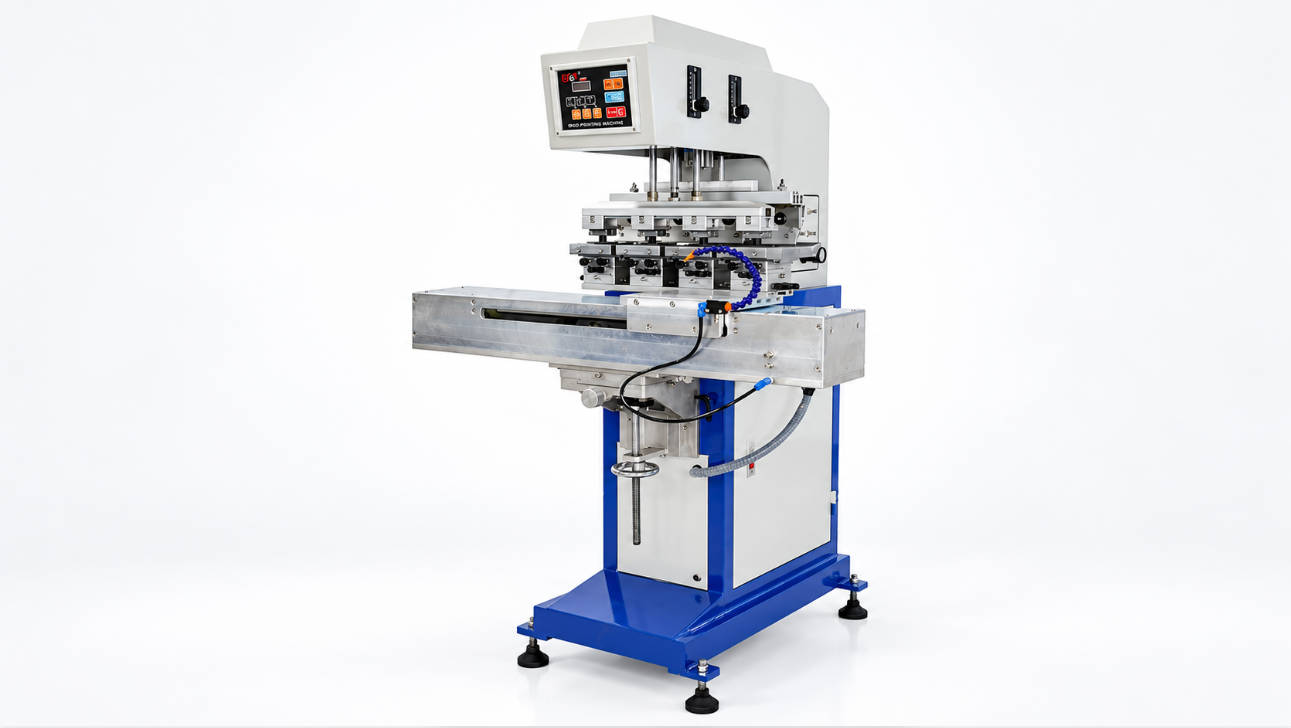
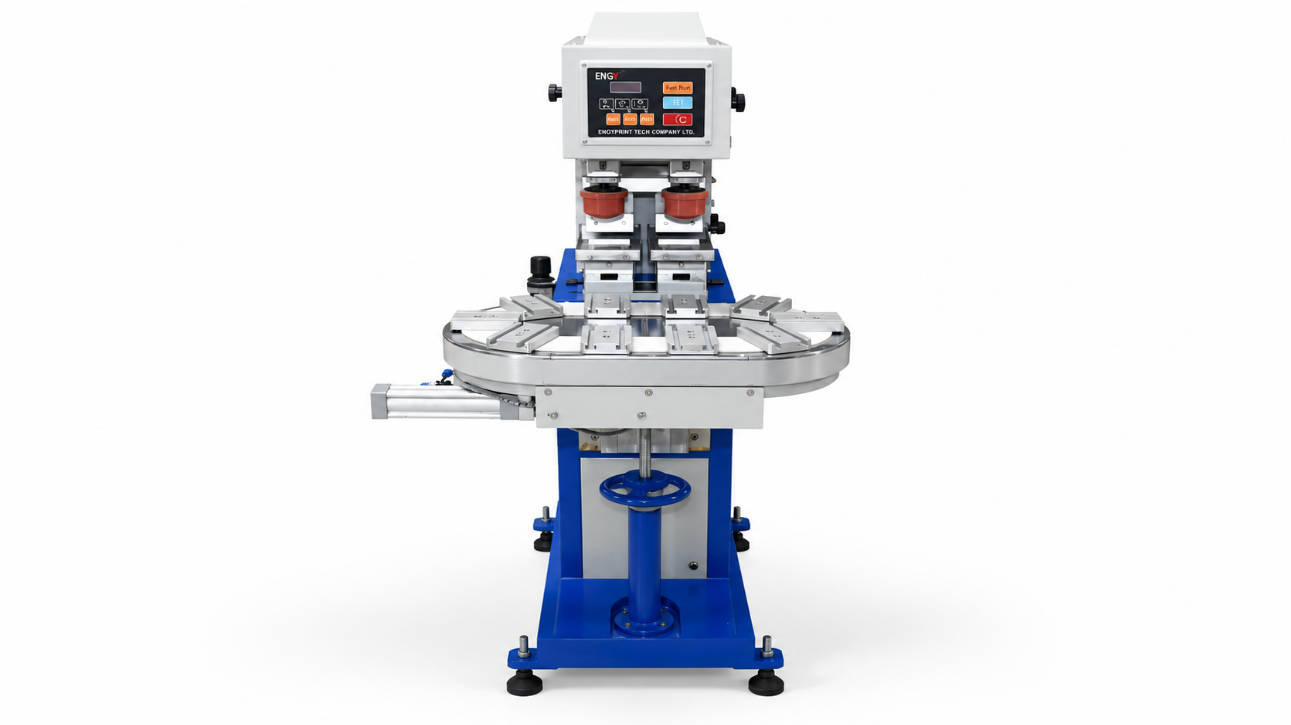
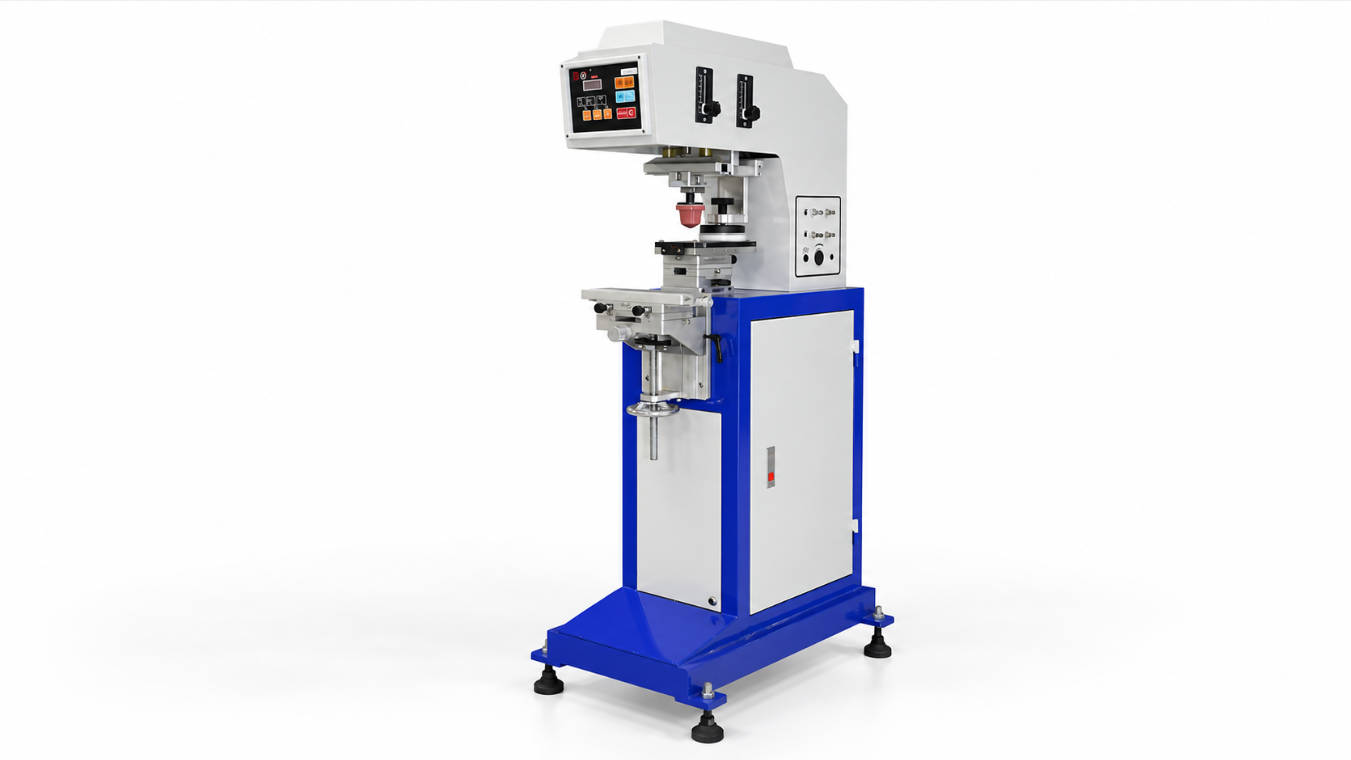
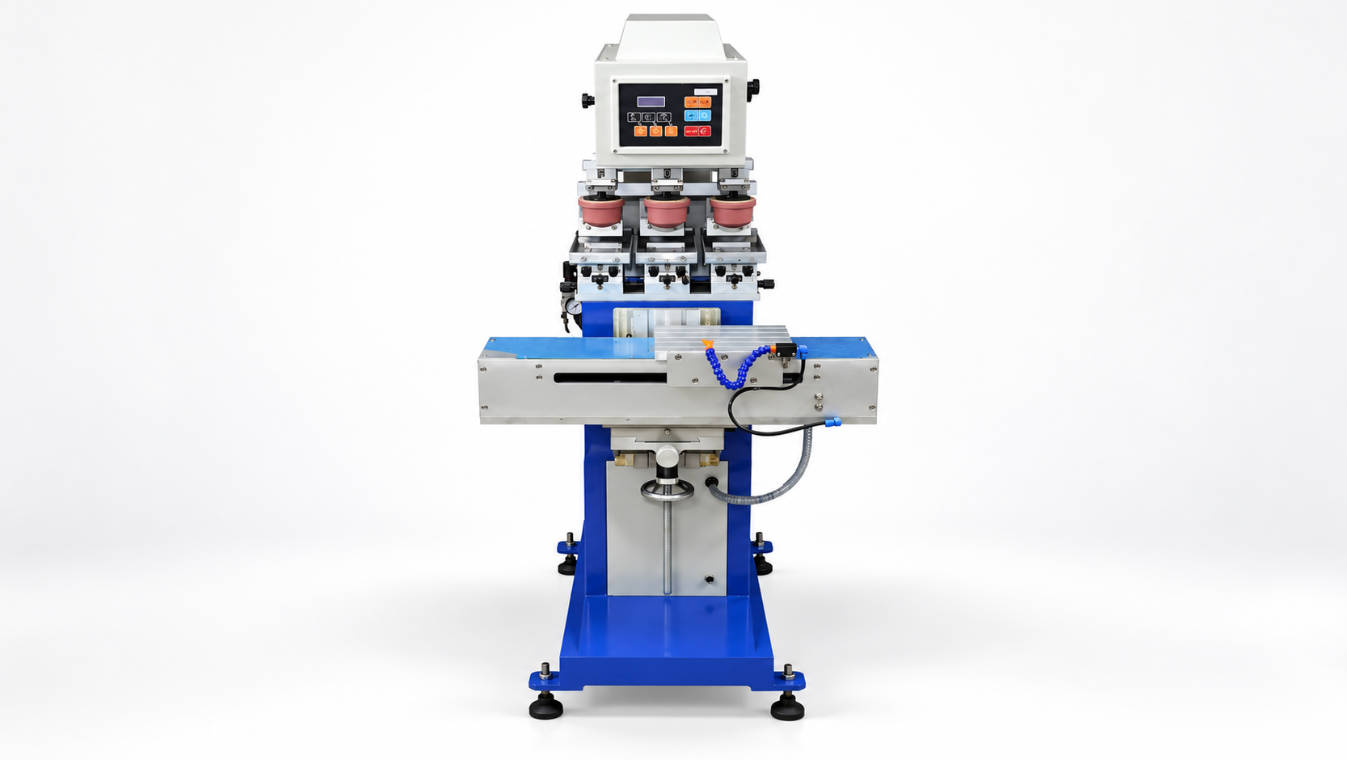
A bottle cap pad printing machine should be selected based on cap diameter, cap height, logo size, plastic material, surface curvature, fixture design, ink adhesion requirements, color count, and production output. For most plastic cap logo printing projects, buyers need more than a standard pad printer. They need a machine setup that can hold small caps consistently, transfer ink onto a curved or slightly uneven surface, and maintain stable print quality during repeated production.
Bottle caps are small, but they are not always easy to print. A cap may be made from PP, PE, PET, ABS, or other plastic materials. The surface may be flat, domed, textured, ribbed, glossy, matte, or coated. The logo may be one color, two colors, or multiple colors. The production may require manual loading for small batches or automatic loading for higher output.
This guide explains how to choose a bottle cap pad printing machine for plastic cap logo printing, including machine type, ink cup system, fixture design, ink adhesion, cap material, production speed, and supplier selection. If you are comparing equipment options, you can review ENGY’s pad printing machine range for different cap printing applications.
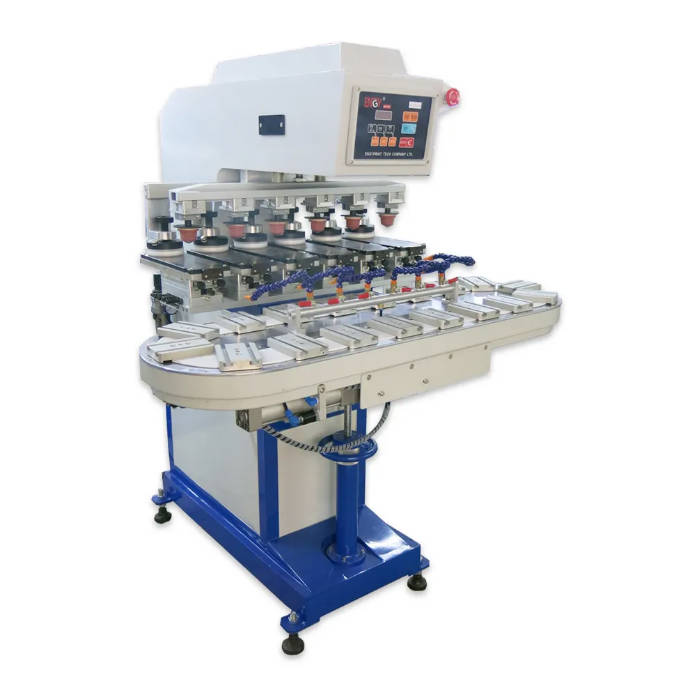
What Is a Bottle Cap Pad Printing Machine?
A bottle cap pad printing machine is a pad printing machine configured to print logos, text, marks, icons, symbols, or decorative graphics onto bottle caps and closures. It uses an etched plate, ink system, silicone pad, and cap fixture to transfer the artwork onto the cap surface.
Pad printing is widely used for cap decoration because it can print on small, curved, recessed, or slightly irregular surfaces. Unlike flat printing methods, pad printing uses a flexible silicone pad that can conform to the cap surface and transfer the image with controlled pressure.
A cap pad printer is commonly used for:
| Cap Type | Common Printing Requirement |
| Beverage bottle caps | Brand logo, promotional code, product mark |
| Cosmetic bottle caps | Logo, decorative icon, premium branding |
| Medicine or healthcare caps | Symbols, batch marks, warning text |
| Industrial container caps | Product code, safety mark, brand name |
| Perfume caps | High-value decorative printing |
| Plastic closures | Logo, size mark, functional identification |
The main purpose of a cap pad printer is to print a clear, repeatable logo on a small cap surface without causing visible distortion, misalignment, or poor adhesion.
Why Pad Printing Is Suitable for Plastic Cap Logo Printing
Bottle caps are often too small or curved for many direct printing processes. Pad printing is useful because the silicone pad can pick up the inked image from a flat plate and transfer it onto the cap surface. This makes it suitable for cap tops, slightly domed caps, side areas, and other small product surfaces.
Pad printing is especially practical when:
- The cap surface is not completely flat.
- The logo area is small or medium-sized.
- The cap requires one-color or multi-color branding.
- The buyer needs repeated printing quality.
- The product surface needs accurate logo positioning.
- The cap material requires specific ink adhesion control.
- The production line needs flexible artwork changeover.
For many cap manufacturers and packaging suppliers, pad printing provides a balance between print quality, flexibility, and production cost. However, successful cap printing depends heavily on machine selection, fixture design, pad choice, ink selection, and pretreatment.
Key Factors When Choosing a Bottle Cap Pad Printing Machine
1. Cap Size and Shape
The first step is to confirm the cap dimensions. A supplier cannot recommend the right plastic bottle cap printing machine without knowing the cap diameter, height, printing position, and logo size.
Important cap information includes:
| Item | Why It Matters |
| Cap diameter | Determines fixture size and loading method |
| Cap height | Affects clearance under the pad |
| Top surface shape | Flat, domed, recessed, or textured surfaces need different pad choices |
| Side wall shape | Side printing may require a different fixture or rotary support |
| Cap weight | Affects automatic feeding stability |
| Logo position | Determines pad movement and fixture orientation |
Cap size is not only a product dimension; it directly affects fixture design, pad shape, machine stroke, and automation feasibility.
For simple top printing on flat caps, a standard pad printing machine may be enough. For domed, tall, irregular, or side-printed caps, the machine setup may need special fixtures or customized movement.
2. Logo Size and Print Area
The logo size must fit within the machine’s effective print area. Buyers should provide the artwork width and height, not only the cap diameter.
For example, two caps may both have a 30 mm diameter, but one may need a small 10 mm logo while another needs a larger top decoration. These two jobs may require different pad sizes, plate layouts, and ink cup considerations.
Before buying, confirm:
- Logo width
- Logo height
- Print location
- Number of colors
- Line thickness
- Fine text size
- Required edge sharpness
- Whether the image is solid, detailed, or gradient-like
If the artwork is too large for a closed ink cup system, an open tray system may be considered. If the logo is small or medium-sized, a closed ink cup machine is often practical for cleaner and more stable operation.
3. Cap Material and Ink Adhesion
Plastic cap material is one of the most important factors in pad printing on caps. Many bottle caps are made from PP or PE, which can be difficult for ink adhesion without proper surface treatment. Other materials, coatings, or additives may also affect print durability.
Common cap materials include:
| Material | Printing Consideration |
| PP | Often needs pretreatment for better adhesion |
| PE | Often needs pretreatment and suitable ink selection |
| PET | Ink compatibility should be tested |
| ABS | Usually easier than PP/PE, but testing is still needed |
| PC | Requires compatible ink and drying method |
| Coated plastic | Coating type affects adhesion |
Ink adhesion should not be judged only by appearance immediately after printing. A printed cap may look clear at first but fail rubbing, tape, scratch, alcohol, or packaging tests later.
For PP and PE bottle caps, pretreatment such as flame treatment or ion/plasma treatment may be needed before pad printing to improve ink adhesion.
The final process should be confirmed by sample testing whenever the cap material or end-use requirement is strict.
4. Closed Ink Cup or Open Tray System
Bottle cap pad printing machines can use a closed ink cup or open tray ink system. The right choice depends on logo size, production environment, ink stability needs, and cost expectations.
| Ink System | Suitable Situation | Main Advantage | Main Limitation |
| Closed ink cup | Small to medium cap logos, repeat production | Cleaner operation and better ink containment | Print area limited by cup size |
| Open tray | Larger cap graphics or special artwork | More flexible for larger print areas | More exposed ink and more operator control needed |
For most cap logo printing applications, a closed ink cup pad printer is commonly used because bottle cap logos are usually small or medium-sized. It helps keep the work area cleaner and reduces ink exposure during repeated production.
However, if the cap decoration is large, covers a wide area, or requires a special plate layout, an open tray pad printer may be more suitable. You can compare available pad printing machine options and send cap size details for machine selection.
5. One Color or Multi-Color Printing
Many bottle caps use one-color logo printing. However, cosmetic, beverage, promotional, and premium packaging caps may require two-color or multi-color decoration.
| Color Requirement | Suggested Machine Direction |
| One-color logo | One color cap pad printer |
| Logo + accent color | Two color pad printer |
| Multi-color brand graphic | Four color or customized multi-color system |
| High-volume cap decoration | Automatic or semi-automatic system may be considered |
Multi-color cap printing requires accurate registration. The cap must remain stable between color stations, and the fixture must ensure repeatable positioning. If the cap moves during printing, the second or third color may shift.
For multi-color cap printing, buyers should pay special attention to:
- Cap holding accuracy
- Fixture repeatability
- Plate alignment
- Pad shape consistency
- Machine indexing or shuttle accuracy
- Operator setup ability
- Drying time between colors
A one-color cap logo may be simple. A two-color or four-color cap design requires more careful engineering.
Manual, Semi-Automatic, or Automatic Cap Pad Printer?
The production output requirement determines whether a manual, semi-automatic, or automatic bottle cap pad printing machine is more suitable.
| Machine Type | Suitable Use | Typical Buyer Concern |
| Manual cap pad printer | Samples, small batches, low budget | Low investment and simple operation |
| Semi-automatic cap pad printer | Regular production with manual loading | Balance between cost and efficiency |
| Automatic cap pad printer | High-volume cap printing | Feeding, positioning, output, and labor saving |
| Customized cap printing system | Special caps or complex process | Integrated handling and stable production |
For small or medium production, operators may manually load caps into a fixture. For high-volume cap printing, automatic feeding systems such as vibrating bowls, conveyors, rotary tables, or special loading devices may be considered depending on cap shape and size.
Automatic cap feeding is useful when the cap is small, production volume is high, and manual loading becomes the bottleneck.
However, automation should be evaluated carefully. Some caps are light, unstable, or difficult to orient. The supplier may need real cap samples to confirm whether automatic loading is practical.
Fixture Design for Plastic Bottle Cap Printing
Fixture design is one of the most important parts of bottle cap pad printing. The fixture holds the cap in the correct position so the logo is printed consistently.
A good cap fixture should:
- Hold the cap securely
- Avoid cap movement during pad contact
- Keep the print area level and accessible
- Prevent cap deformation
- Allow easy loading and unloading
- Match the cap diameter and height
- Support repeatable positioning for every cycle
For bottle caps, the fixture may be made from metal, acrylic, engineering plastic, or other suitable materials depending on production needs. The fixture should be designed according to real cap samples, not only drawings, because small differences in cap shape can affect positioning.
For multi-color cap printing, fixture accuracy becomes even more important. If the cap shifts between colors, registration problems will appear immediately.
Silicone Pad Selection for Cap Logo Printing
The silicone pad is the transfer tool that picks up ink from the plate and presses it onto the cap surface. Pad selection affects image clarity, distortion, and ink release.
Important pad factors include:
| Pad Factor | Impact on Cap Printing |
| Pad shape | Must match cap top or curved surface |
| Pad hardness | Affects contact pressure and distortion |
| Pad size | Must fully cover the logo area |
| Pad angle | Helps avoid trapped air and incomplete transfer |
| Surface condition | Worn pads may cause poor image pickup |
For flat cap tops, a standard pad shape may work. For domed or recessed caps, a more carefully selected pad is needed. If the pad is too hard, it may not conform well. If it is too soft, the image may distort.
Ink, Drying, and Pretreatment Requirements
Ink selection depends on cap material, end-use environment, and durability requirement. A cap used for cosmetics may need abrasion resistance. A beverage cap may need packaging and handling durability. An industrial cap may need chemical or scratch resistance.
Common tests may include:
- Tape adhesion test
- Finger rub test
- Alcohol wipe test
- Scratch resistance check
- Packaging friction check
- Heat or drying compatibility
- Product-specific durability testing
For some materials, pretreatment may be needed before printing. After printing, heat drying or UV curing may be required depending on the ink system.
Buyers should not assume one ink works on all plastic caps. Material testing is important, especially for PP, PE, coated caps, or caps that will be handled frequently.
Production Speed and Output Planning
Production speed depends on machine structure, number of colors, loading method, operator skill, ink drying behavior, and cap positioning.
Factors that affect output include:
| Factor | Effect on Output |
| Manual loading speed | Operator-dependent |
| Automatic feeding | Can improve consistency for high-volume jobs |
| Number of colors | More colors usually require more process time |
| Drying requirement | May affect cycle time |
| Fixture design | Easy loading improves efficiency |
| Cap orientation | Complex orientation slows automation |
| Artwork complexity | Fine details may require slower, more controlled printing |
A buyer should not only ask “How fast is the machine?” A better question is: how many acceptable printed caps can the full process produce per hour under real working conditions?
Common Mistakes When Buying a Cap Pad Printer
Mistake 1: Choosing the Machine Before Confirming Cap Material
Cap material affects ink adhesion. If the cap is PP or PE, pretreatment may be needed. Buying a machine without testing adhesion can lead to failed prints.
Mistake 2: Ignoring Fixture Design
A cap pad printer cannot produce stable results if the fixture does not hold the cap accurately. For small caps, positioning errors can become very visible.
Mistake 3: Only Comparing Machine Price
A lower-cost machine may become expensive if it causes high scrap, slow loading, poor adhesion, or unstable registration. Buyers should compare total production suitability, not only equipment price.
Mistake 4: Underestimating Multi-Color Registration
Two-color or four-color cap printing requires accurate alignment. If the cap moves or the machine setup is unstable, the print may look misregistered.
Mistake 5: Not Sending Real Samples
Bottle caps may look simple, but small differences in diameter, surface curve, texture, and material can change the recommended machine setup. Real samples help the supplier make a more reliable recommendation.
How to Choose the Right Supplier
A reliable supplier should not only sell a standard machine. For cap logo printing, the supplier should help evaluate the cap, logo, ink, fixture, and production method.
Before choosing a supplier, check whether they can support:
- Cap size review
- Logo size evaluation
- Ink cup or open tray selection
- One-color or multi-color machine recommendation
- Fixture design guidance
- Silicone pad selection
- Ink and pretreatment advice
- Sample testing support
- Automatic loading system evaluation
- After-sales training and troubleshooting
ENGY provides pad printing machines for different product decoration applications, including standard and customized options. For bottle cap projects, buyers should prepare cap samples, logo files, material information, and expected output before requesting a machine recommendation. You can also visit the ENGY homepage to learn more about the company and its printing equipment range.
Bottle Cap Pad Printing Machine Selection Checklist
| Selection Item | What to Confirm |
| Cap diameter | Needed for fixture and loading design |
| Cap height | Affects machine clearance and pad movement |
| Logo size | Determines print area and plate layout |
| Print location | Top, side, recessed, or curved area |
| Cap material | Determines ink and pretreatment |
| Surface texture | Affects ink transfer and adhesion |
| Number of colors | Determines machine stations and registration needs |
| Output requirement | Determines manual, semi-automatic, or automatic setup |
| Fixture design | Controls positioning and repeatability |
| Ink adhesion test | Confirms final durability |
FAQ
1. What is a bottle cap pad printing machine used for?
A bottle cap pad printing machine is used to print logos, text, symbols, and decorative graphics on plastic bottle caps and closures. It is suitable for small, curved, flat, or slightly irregular cap surfaces.
2. Can pad printing be used on plastic bottle caps?
Yes, pad printing can be used on many plastic bottle caps. The final result depends on cap material, surface treatment, ink selection, fixture stability, and silicone pad design.
3. What is the best printing method for plastic cap logo printing?
Pad printing is often suitable for plastic cap logo printing because it can transfer ink onto small and curved surfaces. However, the right method depends on logo size, material, color count, output, and durability requirements.
4. Does PP bottle cap printing need pretreatment?
In many applications, PP bottle caps may need flame, ion, plasma, or other surface pretreatment to improve ink adhesion. Actual requirements should be confirmed by sample testing.
5. How do I choose between closed ink cup and open tray cap pad printer?
Choose a closed ink cup cap pad printer for cleaner operation and stable small to medium logo printing. Consider an open tray machine if the cap artwork is larger or requires a special plate and print area setup.
6. Can a cap pad printer print two-color logos?
Yes, a cap pad printer can print two-color logos if the machine has the correct color stations, plates, pads, fixtures, and registration control. Multi-color printing requires more accurate positioning than one-color printing.
7. What information should I send before buying a plastic bottle cap printing machine?
Send cap diameter, cap height, material, logo size, print position, number of colors, expected output, and sample photos or real caps. This helps the supplier recommend the correct machine, fixture, pad, and ink system.
Conclusion
Choosing a bottle cap pad printing machine requires more than selecting a standard pad printer. Buyers need to evaluate cap size, logo size, plastic material, surface shape, fixture design, ink adhesion, color count, and production output.
For small and medium cap logos, a closed ink cup pad printer is often suitable because it offers cleaner operation and stable ink control. For larger cap graphics or special artwork, an open tray system may be considered. For high-volume cap production, automatic loading and unloading may improve efficiency when the cap shape is suitable for automation.
Before buying, send the cap size, cap material, artwork file, print position, and expected output for technical review. ENGY can help evaluate your bottle cap application and recommend a suitable cap pad printing machine solution for plastic cap logo printing.
我按你给的 ENGY 内链做了应用型采购文章:ENGY 的分类页确实包含 pad printing machine、Closed Ink Cup Pad Printer、Open Tray Pad Printer,并把 bottle caps 列为 pad printer 应用之一;页面也提到小产品如 bottle cap 可考虑特殊上料系统,PP/PE 等塑料材料可能需要火焰或离子预处理。(ENGYPRINT)
1. SEO Strategy Summary
| Item | Recommendation |
| Primary Keyword | bottle cap pad printing machine |
| Secondary Keywords | cap pad printer, plastic bottle cap printing machine, pad printing on caps, pad printing machine for caps |
| Long-tail Keywords | bottle cap pad printing machine for plastic caps, how to print logos on plastic bottle caps, pad printing on PP bottle caps, cap logo printing machine, automatic bottle cap pad printer |
| Search Intent | Transactional + Application Research |
| Buyer Stage | Decision |
| Target Audience | Plastic cap manufacturers, beverage packaging suppliers, cosmetic packaging factories, promotional product printers, industrial product decoration buyers |
| Reader’s Main Concern | How to choose a pad printing machine that can print clear logos on curved plastic caps with stable positioning, ink adhesion, and suitable production output |
| Suggested Word Count | 1,900–2,300 words |
2. Full SEO Article
Bottle Cap Pad Printing Machine: How to Choose for Plastic Cap Logo Printing
A bottle cap pad printing machine should be selected based on cap diameter, cap height, logo size, plastic material, surface curvature, fixture design, ink adhesion requirements, color count, and production output. For most plastic cap logo printing projects, buyers need more than a standard pad printer. They need a machine setup that can hold small caps consistently, transfer ink onto a curved or slightly uneven surface, and maintain stable print quality during repeated production.
Bottle caps are small, but they are not always easy to print. A cap may be made from PP, PE, PET, ABS, or other plastic materials. The surface may be flat, domed, textured, ribbed, glossy, matte, or coated. The logo may be one color, two colors, or multiple colors. The production may require manual loading for small batches or automatic loading for higher output.
This guide explains how to choose a bottle cap pad printing machine for plastic cap logo printing, including machine type, ink cup system, fixture design, ink adhesion, cap material, production speed, and supplier selection. If you are comparing equipment options, you can review ENGY’s pad printing machine range for different cap printing applications.
What Is a Bottle Cap Pad Printing Machine?
A bottle cap pad printing machine is a pad printing machine configured to print logos, text, marks, icons, symbols, or decorative graphics onto bottle caps and closures. It uses an etched plate, ink system, silicone pad, and cap fixture to transfer the artwork onto the cap surface.
Pad printing is widely used for cap decoration because it can print on small, curved, recessed, or slightly irregular surfaces. Unlike flat printing methods, pad printing uses a flexible silicone pad that can conform to the cap surface and transfer the image with controlled pressure.
A cap pad printer is commonly used for:
| Cap Type | Common Printing Requirement |
| Beverage bottle caps | Brand logo, promotional code, product mark |
| Cosmetic bottle caps | Logo, decorative icon, premium branding |
| Medicine or healthcare caps | Symbols, batch marks, warning text |
| Industrial container caps | Product code, safety mark, brand name |
| Perfume caps | High-value decorative printing |
| Plastic closures | Logo, size mark, functional identification |
The main purpose of a cap pad printer is to print a clear, repeatable logo on a small cap surface without causing visible distortion, misalignment, or poor adhesion.
Why Pad Printing Is Suitable for Plastic Cap Logo Printing
Bottle caps are often too small or curved for many direct printing processes. Pad printing is useful because the silicone pad can pick up the inked image from a flat plate and transfer it onto the cap surface. This makes it suitable for cap tops, slightly domed caps, side areas, and other small product surfaces.
Pad printing is especially practical when:
- The cap surface is not completely flat.
- The logo area is small or medium-sized.
- The cap requires one-color or multi-color branding.
- The buyer needs repeated printing quality.
- The product surface needs accurate logo positioning.
- The cap material requires specific ink adhesion control.
- The production line needs flexible artwork changeover.
For many cap manufacturers and packaging suppliers, pad printing provides a balance between print quality, flexibility, and production cost. However, successful cap printing depends heavily on machine selection, fixture design, pad choice, ink selection, and pretreatment.
Key Factors When Choosing a Bottle Cap Pad Printing Machine
1. Cap Size and Shape
The first step is to confirm the cap dimensions. A supplier cannot recommend the right plastic bottle cap printing machine without knowing the cap diameter, height, printing position, and logo size.
Important cap information includes:
| Item | Why It Matters |
| Cap diameter | Determines fixture size and loading method |
| Cap height | Affects clearance under the pad |
| Top surface shape | Flat, domed, recessed, or textured surfaces need different pad choices |
| Side wall shape | Side printing may require a different fixture or rotary support |
| Cap weight | Affects automatic feeding stability |
| Logo position | Determines pad movement and fixture orientation |
Cap size is not only a product dimension; it directly affects fixture design, pad shape, machine stroke, and automation feasibility.
For simple top printing on flat caps, a standard pad printing machine may be enough. For domed, tall, irregular, or side-printed caps, the machine setup may need special fixtures or customized movement.
2. Logo Size and Print Area
The logo size must fit within the machine’s effective print area. Buyers should provide the artwork width and height, not only the cap diameter.
For example, two caps may both have a 30 mm diameter, but one may need a small 10 mm logo while another needs a larger top decoration. These two jobs may require different pad sizes, plate layouts, and ink cup considerations.
Before buying, confirm:
- Logo width
- Logo height
- Print location
- Number of colors
- Line thickness
- Fine text size
- Required edge sharpness
- Whether the image is solid, detailed, or gradient-like
If the artwork is too large for a closed ink cup system, an open tray system may be considered. If the logo is small or medium-sized, a closed ink cup machine is often practical for cleaner and more stable operation.
3. Cap Material and Ink Adhesion
Plastic cap material is one of the most important factors in pad printing on caps. Many bottle caps are made from PP or PE, which can be difficult for ink adhesion without proper surface treatment. Other materials, coatings, or additives may also affect print durability.
Common cap materials include:
| Material | Printing Consideration |
| PP | Often needs pretreatment for better adhesion |
| PE | Often needs pretreatment and suitable ink selection |
| PET | Ink compatibility should be tested |
| ABS | Usually easier than PP/PE, but testing is still needed |
| PC | Requires compatible ink and drying method |
| Coated plastic | Coating type affects adhesion |
Ink adhesion should not be judged only by appearance immediately after printing. A printed cap may look clear at first but fail rubbing, tape, scratch, alcohol, or packaging tests later.
For PP and PE bottle caps, pretreatment such as flame treatment or ion/plasma treatment may be needed before pad printing to improve ink adhesion.
The final process should be confirmed by sample testing whenever the cap material or end-use requirement is strict.
4. Closed Ink Cup or Open Tray System
Bottle cap pad printing machines can use a closed ink cup or open tray ink system. The right choice depends on logo size, production environment, ink stability needs, and cost expectations.
| Ink System | Suitable Situation | Main Advantage | Main Limitation |
| Closed ink cup | Small to medium cap logos, repeat production | Cleaner operation and better ink containment | Print area limited by cup size |
| Open tray | Larger cap graphics or special artwork | More flexible for larger print areas | More exposed ink and more operator control needed |
For most cap logo printing applications, a closed ink cup pad printer is commonly used because bottle cap logos are usually small or medium-sized. It helps keep the work area cleaner and reduces ink exposure during repeated production.
However, if the cap decoration is large, covers a wide area, or requires a special plate layout, an open tray pad printer may be more suitable. You can compare available pad printing machine options and send cap size details for machine selection.
5. One Color or Multi-Color Printing
Many bottle caps use one-color logo printing. However, cosmetic, beverage, promotional, and premium packaging caps may require two-color or multi-color decoration.
| Color Requirement | Suggested Machine Direction |
| One-color logo | One color cap pad printer |
| Logo + accent color | Two color pad printer |
| Multi-color brand graphic | Four color or customized multi-color system |
| High-volume cap decoration | Automatic or semi-automatic system may be considered |
Multi-color cap printing requires accurate registration. The cap must remain stable between color stations, and the fixture must ensure repeatable positioning. If the cap moves during printing, the second or third color may shift.
For multi-color cap printing, buyers should pay special attention to:
- Cap holding accuracy
- Fixture repeatability
- Plate alignment
- Pad shape consistency
- Machine indexing or shuttle accuracy
- Operator setup ability
- Drying time between colors
A one-color cap logo may be simple. A two-color or four-color cap design requires more careful engineering.
Manual, Semi-Automatic, or Automatic Cap Pad Printer?
The production output requirement determines whether a manual, semi-automatic, or automatic bottle cap pad printing machine is more suitable.
| Machine Type | Suitable Use | Typical Buyer Concern |
| Manual cap pad printer | Samples, small batches, low budget | Low investment and simple operation |
| Semi-automatic cap pad printer | Regular production with manual loading | Balance between cost and efficiency |
| Automatic cap pad printer | High-volume cap printing | Feeding, positioning, output, and labor saving |
| Customized cap printing system | Special caps or complex process | Integrated handling and stable production |
For small or medium production, operators may manually load caps into a fixture. For high-volume cap printing, automatic feeding systems such as vibrating bowls, conveyors, rotary tables, or special loading devices may be considered depending on cap shape and size.
Automatic cap feeding is useful when the cap is small, production volume is high, and manual loading becomes the bottleneck.
However, automation should be evaluated carefully. Some caps are light, unstable, or difficult to orient. The supplier may need real cap samples to confirm whether automatic loading is practical.
Fixture Design for Plastic Bottle Cap Printing
Fixture design is one of the most important parts of bottle cap pad printing. The fixture holds the cap in the correct position so the logo is printed consistently.
A good cap fixture should:
- Hold the cap securely
- Avoid cap movement during pad contact
- Keep the print area level and accessible
- Prevent cap deformation
- Allow easy loading and unloading
- Match the cap diameter and height
- Support repeatable positioning for every cycle
For bottle caps, the fixture may be made from metal, acrylic, engineering plastic, or other suitable materials depending on production needs. The fixture should be designed according to real cap samples, not only drawings, because small differences in cap shape can affect positioning.
For multi-color cap printing, fixture accuracy becomes even more important. If the cap shifts between colors, registration problems will appear immediately.
Silicone Pad Selection for Cap Logo Printing
The silicone pad is the transfer tool that picks up ink from the plate and presses it onto the cap surface. Pad selection affects image clarity, distortion, and ink release.
Important pad factors include:
| Pad Factor | Impact on Cap Printing |
| Pad shape | Must match cap top or curved surface |
| Pad hardness | Affects contact pressure and distortion |
| Pad size | Must fully cover the logo area |
| Pad angle | Helps avoid trapped air and incomplete transfer |
| Surface condition | Worn pads may cause poor image pickup |
For flat cap tops, a standard pad shape may work. For domed or recessed caps, a more carefully selected pad is needed. If the pad is too hard, it may not conform well. If it is too soft, the image may distort.
Ink, Drying, and Pretreatment Requirements
Ink selection depends on cap material, end-use environment, and durability requirement. A cap used for cosmetics may need abrasion resistance. A beverage cap may need packaging and handling durability. An industrial cap may need chemical or scratch resistance.
Common tests may include:
- Tape adhesion test
- Finger rub test
- Alcohol wipe test
- Scratch resistance check
- Packaging friction check
- Heat or drying compatibility
- Product-specific durability testing
For some materials, pretreatment may be needed before printing. After printing, heat drying or UV curing may be required depending on the ink system.
Buyers should not assume one ink works on all plastic caps. Material testing is important, especially for PP, PE, coated caps, or caps that will be handled frequently.
Production Speed and Output Planning
Production speed depends on machine structure, number of colors, loading method, operator skill, ink drying behavior, and cap positioning.
Factors that affect output include:
| Factor | Effect on Output |
| Manual loading speed | Operator-dependent |
| Automatic feeding | Can improve consistency for high-volume jobs |
| Number of colors | More colors usually require more process time |
| Drying requirement | May affect cycle time |
| Fixture design | Easy loading improves efficiency |
| Cap orientation | Complex orientation slows automation |
| Artwork complexity | Fine details may require slower, more controlled printing |
A buyer should not only ask “How fast is the machine?” A better question is: how many acceptable printed caps can the full process produce per hour under real working conditions?
Common Mistakes When Buying a Cap Pad Printer
Mistake 1: Choosing the Machine Before Confirming Cap Material
Cap material affects ink adhesion. If the cap is PP or PE, pretreatment may be needed. Buying a machine without testing adhesion can lead to failed prints.
Mistake 2: Ignoring Fixture Design
A cap pad printer cannot produce stable results if the fixture does not hold the cap accurately. For small caps, positioning errors can become very visible.
Mistake 3: Only Comparing Machine Price
A lower-cost machine may become expensive if it causes high scrap, slow loading, poor adhesion, or unstable registration. Buyers should compare total production suitability, not only equipment price.
Mistake 4: Underestimating Multi-Color Registration
Two-color or four-color cap printing requires accurate alignment. If the cap moves or the machine setup is unstable, the print may look misregistered.
Mistake 5: Not Sending Real Samples
Bottle caps may look simple, but small differences in diameter, surface curve, texture, and material can change the recommended machine setup. Real samples help the supplier make a more reliable recommendation.
How to Choose the Right Supplier
A reliable supplier should not only sell a standard machine. For cap logo printing, the supplier should help evaluate the cap, logo, ink, fixture, and production method.
Before choosing a supplier, check whether they can support:
- Cap size review
- Logo size evaluation
- Ink cup or open tray selection
- One-color or multi-color machine recommendation
- Fixture design guidance
- Silicone pad selection
- Ink and pretreatment advice
- Sample testing support
- Automatic loading system evaluation
- After-sales training and troubleshooting
ENGY provides pad printing machines for different product decoration applications, including standard and customized options. For bottle cap projects, buyers should prepare cap samples, logo files, material information, and expected output before requesting a machine recommendation. You can also visit the ENGY homepage to learn more about the company and its printing equipment range.
Bottle Cap Pad Printing Machine Selection Checklist
| Selection Item | What to Confirm |
| Cap diameter | Needed for fixture and loading design |
| Cap height | Affects machine clearance and pad movement |
| Logo size | Determines print area and plate layout |
| Print location | Top, side, recessed, or curved area |
| Cap material | Determines ink and pretreatment |
| Surface texture | Affects ink transfer and adhesion |
| Number of colors | Determines machine stations and registration needs |
| Output requirement | Determines manual, semi-automatic, or automatic setup |
| Fixture design | Controls positioning and repeatability |
| Ink adhesion test | Confirms final durability |
FAQ
1. What is a bottle cap pad printing machine used for?
A bottle cap pad printing machine is used to print logos, text, symbols, and decorative graphics on plastic bottle caps and closures. It is suitable for small, curved, flat, or slightly irregular cap surfaces.
2. Can pad printing be used on plastic bottle caps?
Yes, pad printing can be used on many plastic bottle caps. The final result depends on cap material, surface treatment, ink selection, fixture stability, and silicone pad design.
3. What is the best printing method for plastic cap logo printing?
Pad printing is often suitable for plastic cap logo printing because it can transfer ink onto small and curved surfaces. However, the right method depends on logo size, material, color count, output, and durability requirements.
4. Does PP bottle cap printing need pretreatment?
In many applications, PP bottle caps may need flame, ion, plasma, or other surface pretreatment to improve ink adhesion. Actual requirements should be confirmed by sample testing.
5. How do I choose between closed ink cup and open tray cap pad printer?
Choose a closed ink cup cap pad printer for cleaner operation and stable small to medium logo printing. Consider an open tray machine if the cap artwork is larger or requires a special plate and print area setup.
6. Can a cap pad printer print two-color logos?
Yes, a cap pad printer can print two-color logos if the machine has the correct color stations, plates, pads, fixtures, and registration control. Multi-color printing requires more accurate positioning than one-color printing.
7. What information should I send before buying a plastic bottle cap printing machine?
Send cap diameter, cap height, material, logo size, print position, number of colors, expected output, and sample photos or real caps. This helps the supplier recommend the correct machine, fixture, pad, and ink system.
Conclusion
Choosing a bottle cap pad printing machine requires more than selecting a standard pad printer. Buyers need to evaluate cap size, logo size, plastic material, surface shape, fixture design, ink adhesion, color count, and production output.
For small and medium cap logos, a closed ink cup pad printer is often suitable because it offers cleaner operation and stable ink control. For larger cap graphics or special artwork, an open tray system may be considered. For high-volume cap production, automatic loading and unloading may improve efficiency when the cap shape is suitable for automation.
Before buying, send the cap size, cap material, artwork file, print position, and expected output for technical review. ENGY can help evaluate your bottle cap application and recommend a suitable cap pad printing machine solution for plastic cap logo printing.
Related Reading
- Top 5 Industries That Rely on Pad Printing Technology
- Pad Printing Machine for Electronic Components and Plastic Housings
- Toy Pad Printing Machine: How to Print Durable Logos on Plastic Toys
- What Factors Influence the Choice of Pad Printing Machine Size
- Desktop Pad Printing Machine: Is It Suitable for Small Logo Printing