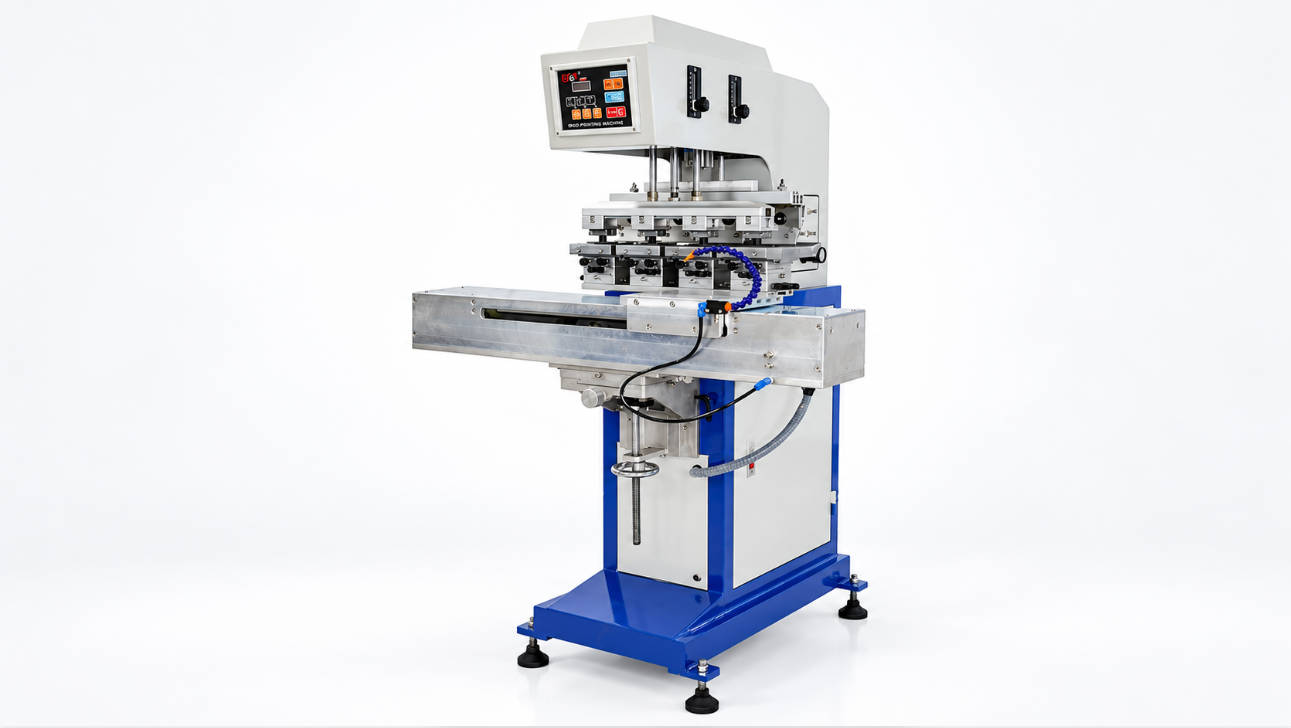
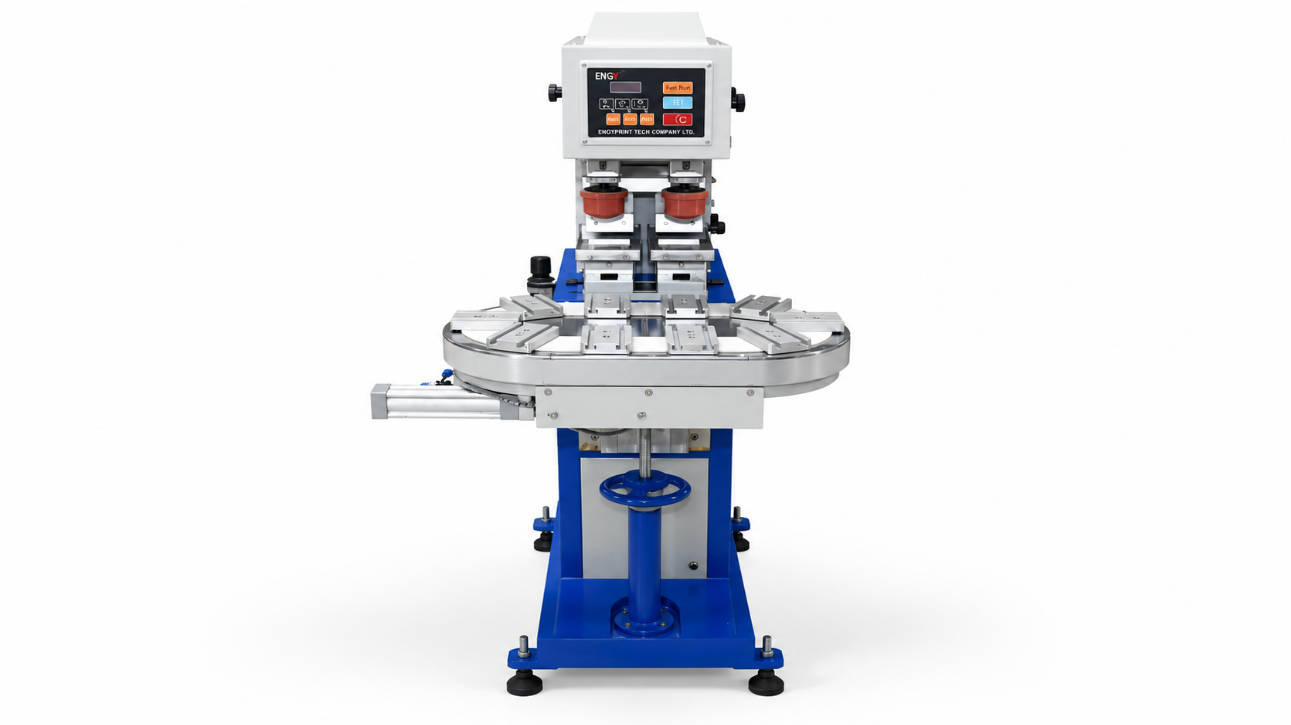
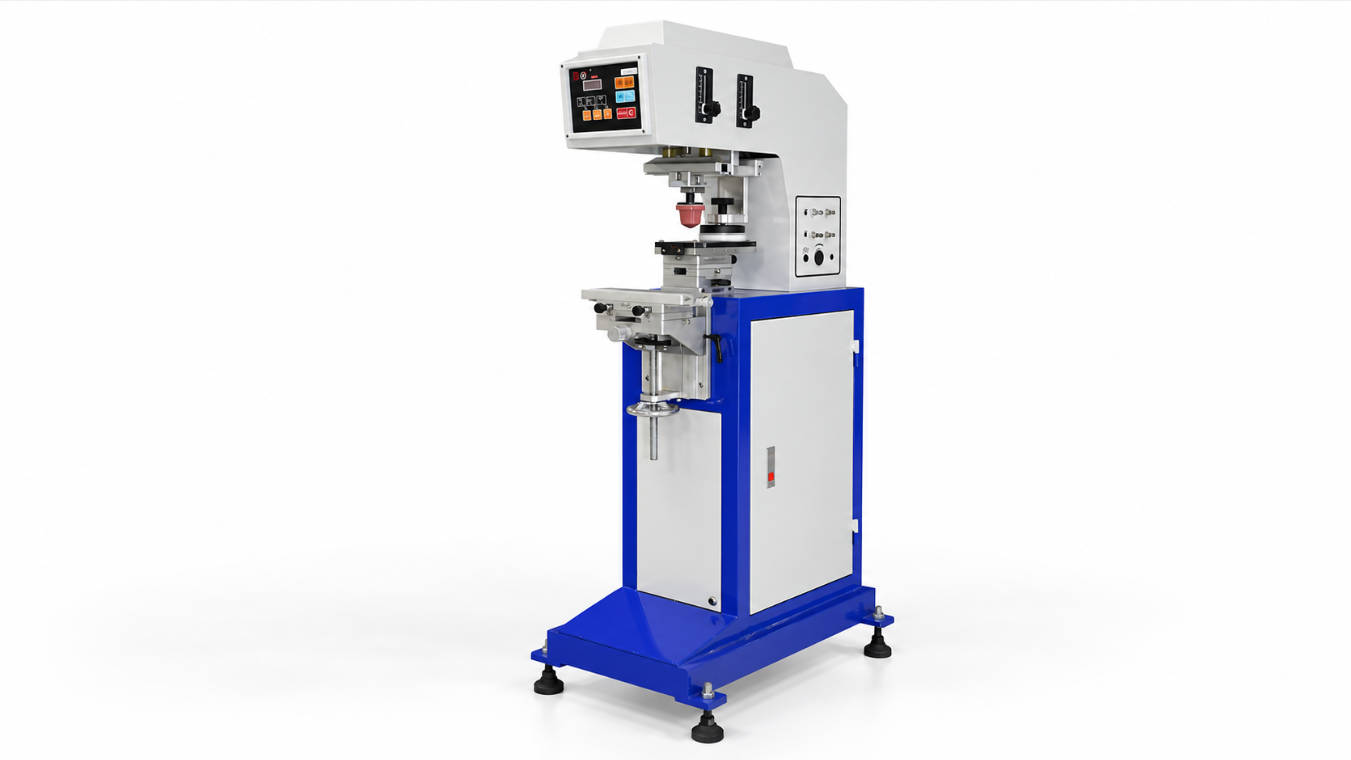
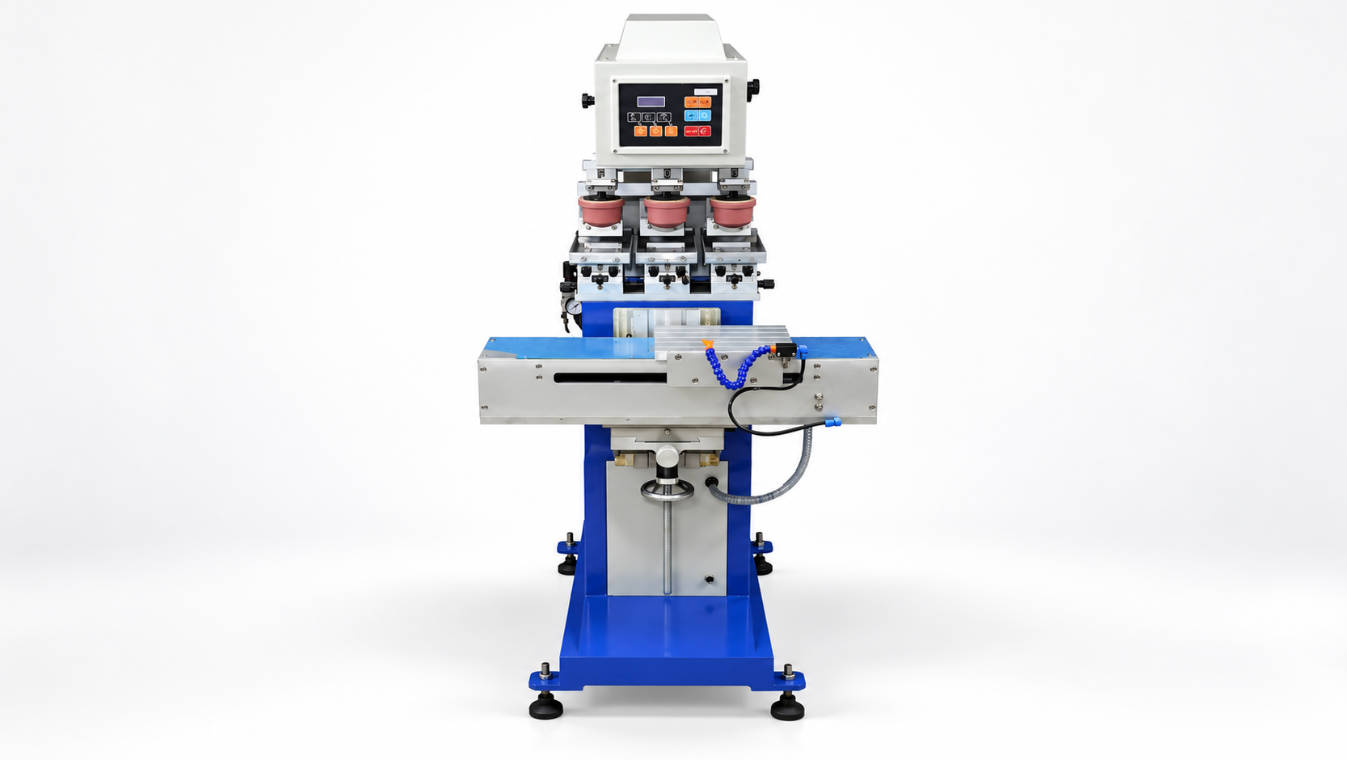
A sealed ink cup pad printer is usually the better choice for industrial product decoration when the buyer needs cleaner operation, better ink stability, reduced solvent exposure, and repeatable printing quality across medium to high-volume production. Compared with open ink tray systems, a sealed ink cup design keeps the ink more enclosed, helping operators maintain more consistent viscosity during production.
For manufacturers printing logos, marks, symbols, text, or decorative graphics on industrial products, choosing the right pad printing machine is not only about machine price. It affects print consistency, ink consumption, operator workload, maintenance cost, workplace cleanliness, and long-term production reliability.
This buying guide explains how a closed ink cup pad printer works, when it is suitable, what technical factors buyers should check, and how to select a reliable pad printing solution for industrial product decoration. If you are comparing machine options, ENGY offers pad printer models for different production needs.
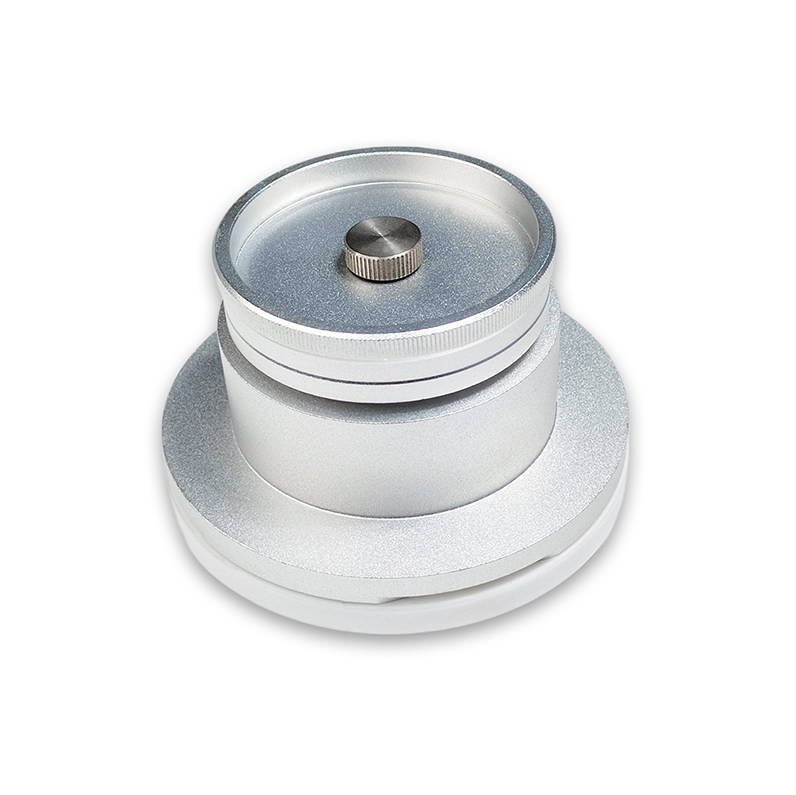
What Is a Sealed Ink Cup Pad Printer?
A sealed ink cup pad printer, also called a closed ink cup pad printer or closed cup pad printing machine, is a pad printing machine that uses an enclosed ink cup to hold and transfer ink across the etched printing plate.
The ink cup usually moves over the cliché plate. As it moves, the cup fills the etched artwork with ink and uses the cup ring to remove excess ink from the plate surface. The silicone pad then picks up the image from the plate and transfers it onto the product surface.
The key feature of a sealed ink cup system is that the ink is mostly contained inside the cup instead of being exposed in an open tray. This helps reduce solvent evaporation, keeps the work area cleaner, and makes the printing process easier to control in many industrial applications.
How Does a Closed Ink Cup Pad Printing Machine Work?
The working principle of a sealed cup pad printing machine can be understood in six steps:
| Step | Process | Purpose |
| 1 | Ink is placed inside the sealed ink cup | Keeps ink contained during production |
| 2 | The ink cup moves across the cliché plate | Fills the etched image with ink |
| 3 | The cup ring doctors the plate surface | Removes excess ink from the non-image area |
| 4 | Solvent flashes off from the etched ink layer | Prepares the ink for pad pickup |
| 5 | Silicone pad picks up the image | Transfers the image from plate to pad |
| 6 | Pad presses onto the product | Prints the image onto the part surface |
In an open tray system, a doctor blade and open ink reservoir are used. In a sealed ink cup system, the cup itself performs both ink storage and doctoring. This design is one reason closed cup systems are widely used for modern pad printing.
Why Sealed Ink Cup Technology Matters for Industrial Product Decoration
Industrial product decoration often requires repeatable results. A factory may need to print the same logo or marking thousands of times across plastic housings, electronic components, metal parts, cosmetic packaging, medical parts, tools, promotional items, or consumer goods.
In this situation, unstable ink behavior can cause production problems such as:
- Color variation
- Incomplete image transfer
- Pinholes
- Smearing
- Dirty print edges
- Excessive cleaning stops
- Operator-dependent quality fluctuation
- Higher ink and solvent waste
A sealed ink cup pad printer helps reduce these risks by limiting direct ink exposure to air. This does not remove the need for proper ink mixing, pad selection, plate quality, and fixture design, but it gives production teams a more controlled starting point.
For repeat industrial printing, the main value of a sealed ink cup pad printer is process stability rather than simply faster printing.
Sealed Ink Cup Pad Printer vs Open Ink Tray Pad Printer
Both sealed ink cup and open tray systems are used in pad printing. The better choice depends on print size, production volume, ink control requirements, cost expectations, and operator experience.
| Factor | Sealed Ink Cup Pad Printer | Open Ink Tray Pad Printer |
| Ink containment | Ink is mostly enclosed inside the cup | Ink is exposed in an open tray |
| Solvent evaporation | Lower in many applications | Higher due to open exposure |
| Ink viscosity stability | Easier to maintain during long runs | Requires more operator adjustment |
| Cleanliness | Cleaner production environment | More exposed ink around the machine |
| Print area | Limited by cup size and machine design | Often more flexible for larger images |
| Operator skill | Easier for repeatable production | Requires stronger ink control experience |
| Maintenance focus | Cup ring, cup seal, plate surface | Doctor blade, tray cleaning, ink exposure |
| Best use case | Medium to high-volume repeat printing | Large images, flexible jobs, special setups |
If your priority is cleaner, more repeatable production, a closed ink cup pad printer is usually more suitable. If your priority is very large artwork, an open tray system may still be practical.
Key Benefits of a Sealed Ink Cup Pad Printer
1. Cleaner Operation
A sealed cup system contains most of the ink inside the cup. This helps reduce exposed ink on the machine and surrounding work area. For factories that care about workshop cleanliness, operator comfort, or repeated production, this can be a major advantage.
Cleaner operation is especially important for:
- Electronics decoration
- Medical component marking
- Cosmetic packaging
- Appliance parts
- Precision plastic components
- Consumer goods with visible brand logos
A cleaner machine environment can also reduce contamination risk during printing, although good housekeeping and regular maintenance are still necessary.
2. Better Ink Viscosity Control
Pad printing ink needs to stay within a practical viscosity range. If the ink becomes too thick, the pad may fail to pick up the full image. If it becomes too thin, the print may spread, smear, or lose edge definition.
Because sealed ink cup systems reduce open exposure, ink viscosity can remain more stable during production compared with open tray systems in many applications.
Stable ink viscosity is one of the main reasons buyers choose a sealed ink cup pad printer for long production runs.
This is particularly useful when printing:
- Fine logos
- Small text
- Serial marks
- Technical symbols
- Multi-part batches
- Repeated customer branding
3. Reduced Solvent Exposure
Many pad printing inks use solvents or thinners to adjust drying behavior and transfer performance. When ink is exposed to air, solvents can evaporate more quickly. A sealed ink cup system helps reduce this exposure.
This can support a cleaner and more controlled work environment, especially when printing for several hours. Buyers should still follow the ink supplier’s safety guidance and local ventilation requirements, but the machine design can help reduce unnecessary open ink exposure.
4. More Repeatable Print Quality
Industrial buyers often care less about one successful sample and more about whether the machine can repeat the same result throughout production. Repeatability depends on many factors, including cliché quality, pad hardness, ink type, fixture precision, and operator control.
A sealed ink cup pad printer contributes to repeatability by improving ink containment and doctoring consistency.
Common repeatability requirements include:
| Requirement | Why It Matters |
| Logo clarity | Protects brand appearance |
| Edge sharpness | Important for small text and symbols |
| Color consistency | Reduces batch variation |
| Position accuracy | Critical for assembled parts |
| Stable transfer | Reduces rework and scrap |
5. Suitable for Medium to High-Volume Production
For short trial jobs, manual printing, or large graphics, other systems may be considered. But for repeat industrial decoration, closed cup machines are commonly selected because they support stable operation over longer runs.
A sealed ink cup pad printer is often suitable for:
- Product logo printing
- Industrial part marking
- Promotional product decoration
- Plastic housing decoration
- Control panel marking
- Electronic component printing
- Cosmetic package printing
- Appliance and tool branding
Buyers can review pad printing machines from ENGY and compare machine types based on print area, production volume, and part geometry.
Important Buying Factors Before Choosing a Sealed Ink Cup Pad Printer
1. Ink Cup Diameter and Print Area
The ink cup size directly affects the maximum practical artwork size. A closed ink cup must be large enough to cover the etched image area on the plate. If the logo or design is too large, the cup may not be able to ink the artwork properly.
Before buying, confirm:
- Artwork width and height
- Required print position
- Number of colors
- Plate size
- Ink cup diameter
- Effective image area
- Product surface shape
Do not choose a sealed ink cup pad printer only by machine appearance; always confirm whether the artwork fits the effective cup and plate area.
2. Number of Colors
Pad printing can be used for one-color or multi-color decoration. For multi-color printing, registration accuracy becomes more important. Buyers should check whether the machine supports the required number of colors and whether the product fixture can maintain stable positioning.
| Printing Requirement | Machine Consideration |
| One-color logo | Simple sealed cup model may be enough |
| Two-color logo | Registration structure becomes important |
| Multi-color decoration | Requires more careful machine and fixture design |
| Different SKUs | Quick setup and adjustment matter |
3. Product Shape and Fixture Design
Pad printing is often used because it can print on curved, uneven, recessed, or irregular surfaces. However, the machine alone does not solve every positioning problem. The fixture must hold the product securely and repeatedly.
A good fixture should:
- Hold the part without movement
- Support repeatable positioning
- Avoid surface damage
- Allow easy loading and unloading
- Match the printing angle
- Keep the print area accessible to the pad
For industrial product decoration, fixture quality can be as important as the pad printer itself.
4. Pad Selection
The silicone pad transfers the image from the plate to the product. Pad shape, hardness, size, and surface condition affect image quality.
General selection factors include:
| Pad Factor | Impact |
| Pad shape | Affects how the image contacts the product |
| Pad hardness | Influences image distortion and ink transfer |
| Pad size | Must cover the artwork properly |
| Product curvature | Determines pad compression behavior |
| Surface texture | Affects transfer and edge quality |
A sealed ink cup pad printer can provide stable ink control, but the wrong pad may still cause distortion, incomplete transfer, or uneven print quality.
5. Plate Quality
The cliché plate holds the etched image. Plate quality affects image sharpness, ink volume, and repeatability. Buyers should confirm the plate type and compatibility with the machine.
Important plate considerations include:
- Plate material
- Plate thickness
- Etching depth
- Image layout
- Plate lifespan
- Cleaning method
- Compatibility with cup ring
For fine text or high-detail logos, plate preparation should be handled carefully.
6. Ink and Substrate Compatibility
Industrial products are made from many materials, including ABS, PP, PE, PC, metal, glass, coated parts, rubber-like materials, and painted surfaces. Ink adhesion depends on substrate type, surface treatment, ink chemistry, drying conditions, and testing requirements.
Before ordering a machine, prepare information about:
- Product material
- Surface treatment
- Coating or paint layer
- Required adhesion standard
- Chemical resistance requirement
- Abrasion resistance requirement
- Indoor or outdoor use
The pad printer is only one part of the solution. Ink selection and testing are also critical.
7. Manual, Semi-Automatic, or Automatic Configuration
Sealed ink cup pad printers can be used in different production setups. The right configuration depends on production volume, labor cost, part handling, and automation requirements.
| Machine Type | Suitable Situation |
| Manual pad printer | Low-volume work, sample testing, simple jobs |
| Semi-automatic pad printer | Regular production with manual loading |
| Automatic pad printing system | High-volume or integrated production line |
| Multi-color pad printer | Branding or decorative graphics with color registration |
For many industrial buyers, a semi-automatic sealed ink cup pad printer offers a practical balance between cost, flexibility, and production efficiency.
Common Mistakes When Buying a Closed Ink Cup Pad Printer
Mistake 1: Ignoring Artwork Size
The most common mistake is choosing a machine before confirming the actual artwork dimensions. If the image is too large for the ink cup, the machine may not meet the application even if it looks suitable.
Mistake 2: Assuming All Ink Cups Are the Same
Ink cup diameter, ring material, magnet strength, sealing quality, and plate compatibility can affect performance. A low-quality cup system may cause leakage, uneven doctoring, or plate wear.
Mistake 3: Focusing Only on Machine Price
A cheaper machine may become expensive if it causes frequent downtime, unstable print quality, or high scrap rates. Buyers should consider total operating cost, not only purchase cost.
Mistake 4: Forgetting About Fixtures
For industrial decoration, accurate part positioning is essential. A good sealed ink cup pad printer still needs a stable fixture to produce repeatable results.
Mistake 5: Not Testing Ink Adhesion
The printed image may look good immediately after printing but fail adhesion or durability tests later. Always consider the material, ink system, drying method, and end-use conditions.
How to Choose the Right Supplier
A reliable pad printer supplier should help evaluate the application before recommending a machine. For sealed ink cup pad printers, the supplier should understand machine structure, ink cup sizing, pad selection, plate compatibility, fixture design, and industrial product decoration requirements.
When comparing suppliers, ask whether they can support:
- Artwork size evaluation
- Product sample review
- Ink cup size recommendation
- Plate and pad selection
- Fixture design advice
- One-color or multi-color machine selection
- Manual, semi-automatic, or automatic configuration
- Printing test guidance
- Spare parts and after-sales support
ENGY provides pad printer options for different decoration requirements. For a more accurate recommendation, buyers should send product photos, material details, artwork size, expected output, and print quality requirements.
Sealed Ink Cup Pad Printer Selection Checklist
| Selection Item | What to Check |
| Print area | Does the artwork fit the effective ink cup and plate area? |
| Product material | Is the ink suitable for the substrate? |
| Product shape | Can the pad contact the print area correctly? |
| Fixture | Can the part be positioned repeatedly? |
| Production volume | Manual, semi-automatic, or automatic? |
| Number of colors | Is registration required? |
| Ink system | Does the cup seal properly and doctor cleanly? |
| Maintenance | Are cup rings, plates, and pads easy to replace? |
| Supplier support | Can the supplier review the full application? |
FAQ
1. What is a sealed ink cup pad printer?
A sealed ink cup pad printer is a pad printing machine that uses a closed ink cup to hold ink and doctor the printing plate. It is commonly used for cleaner, more repeatable industrial product decoration.
2. What is the difference between a sealed ink cup and an open ink tray pad printer?
A sealed ink cup pad printer keeps most of the ink inside a closed cup, reducing open exposure. An open ink tray pad printer uses an exposed ink reservoir and doctor blade, which can be more flexible for large images but needs more ink management.
3. Is a closed ink cup pad printer better for industrial printing?
In many industrial applications, a closed ink cup pad printer is better for repeatable production because it supports cleaner operation, more stable ink behavior, and reduced solvent exposure compared with open ink tray systems.
4. How do I choose the right ink cup size for pad printing?
Choose the ink cup size based on the artwork width, height, plate layout, and machine design. The etched image must fit within the effective working area of the ink cup.
5. Can a sealed ink cup pad printer print on curved products?
Yes, sealed ink cup pad printers can print on many curved or irregular products when the correct silicone pad, fixture, ink, and plate are used. Product samples or drawings should be reviewed before machine selection.
6. What products can be decorated with an ink cup pad printer?
An ink cup pad printer can decorate plastic housings, electronic parts, cosmetic packaging, tools, appliances, promotional products, medical components, and many other industrial products, depending on ink and fixture compatibility.
7. What information should I provide to get a sealed ink cup pad printer quote?
Provide product photos, material, artwork size, print position, number of colors, expected production volume, and quality requirements. This helps the supplier recommend the right machine, ink cup size, pad, and fixture.
Conclusion
A sealed ink cup pad printer is a practical choice for industrial product decoration when the main goals are cleaner operation, stable ink viscosity, reduced solvent exposure, and repeatable print quality. It is especially suitable for medium to high-volume production, small to medium-sized logos, fine markings, and applications where consistency matters.
However, buyers should not choose the machine only by price or appearance. The correct selection depends on artwork size, ink cup diameter, product material, fixture design, pad selection, number of colors, and production volume.
If you are planning a new pad printing project, prepare your artwork size, product sample information, and expected output before requesting a quote. ENGY can help review your application and recommend a suitable sealed ink cup pad printer solution for your industrial decoration needs.
Related Reading
- Top 5 Industries That Rely on Pad Printing Technology
- Sealed Ink Cup Pad Printer Buying Guide for Industrial Product Decoration
- How does the Four Color Closed Ink Cup Pad Printer maintain quality prints
- How does the ink cup system design influence multi-color alignment
- Sealed Ink Cup for Pad Printing: A Complete Beginner’s Guide