I. Introduction: The Scale of Ambition
In the world of product decoration, “right-sizing” your equipment is the most effective way to protect your margins. If you are currently researching a pad printing machine, you are likely facing a fundamental dilemma: Should you prioritize the low entry cost and compact nature of a desktop unit, or is your production volume demanding the brute force of an industrial system?
It is easy to assume that the only difference is physical size, but that is a common misconception. The real distinction lies in the duty cycle, frame rigidity, and automation compatibility. The primary difference between a desktop and an industrial pad printing machine is the duty cycle and frame stability; desktop units are best suited for short runs, prototyping, and intermittent use, while industrial machines are engineered with heavy-cast frames for 24/7 continuous operation and high-precision registration.
In this guide, we will share the technical insights gathered from years of factory-floor implementation. Our goal is to move past the marketing fluff and help you invest in a solution that fits your current reality while respecting your future growth.
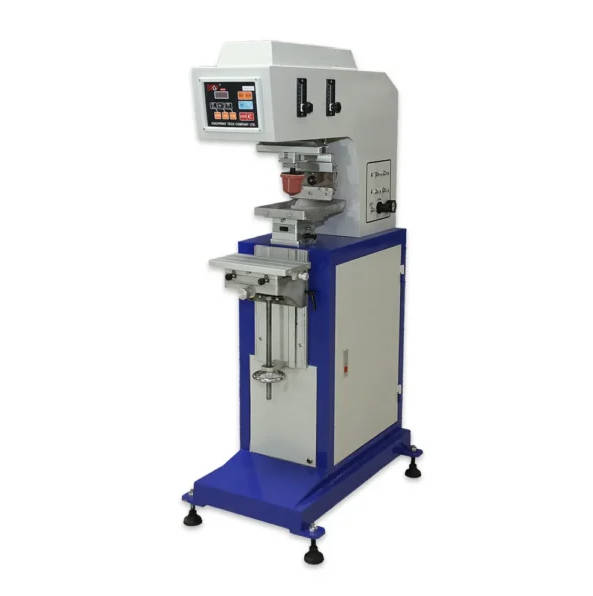
II. The Desktop Pad Printing Machine: Agility for the Modern Maker
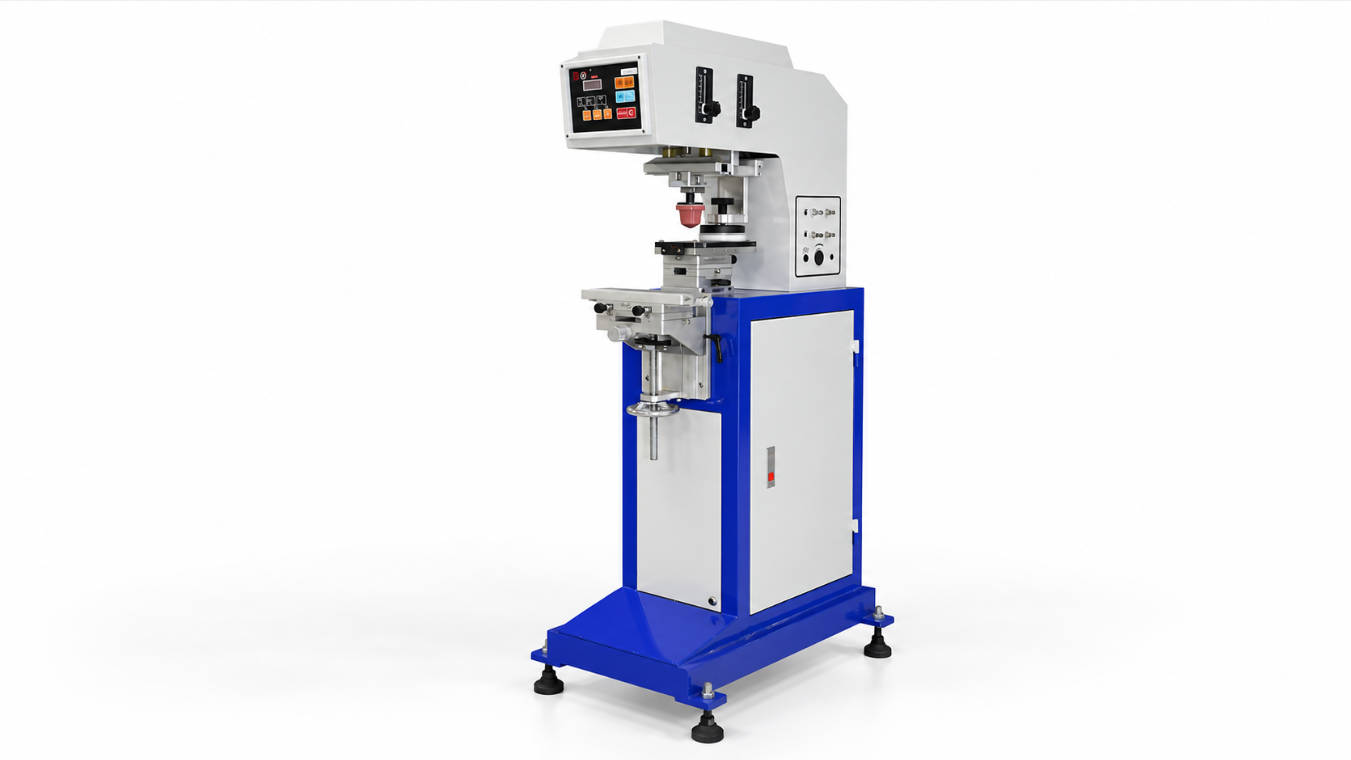
For many businesses, the desktop pad printing machine is the gateway to professional marking. These units are typically defined by their portability and “Plug and Play” nature.
1. When “Small” is the Best Choice
Desktop machines are not “lesser” versions of their industrial counterparts; they are specialized tools for specific environments. They are the ideal choice for:
- Startups and Boutique Operations: When your daily volume is under 1,000 parts, a desktop machine provides the highest ROI by keeping your initial capital expenditure (CAPEX) low.
- R&D and Prototyping Labs: Designers often use desktop units to test ink adhesion on new plastics or to finalize artwork placement before handing the project over to a mass-production facility.
- Limited Floor Space: If your facility is an office, a small lab, or a cleanroom with limited square footage, a desktop unit allows you to maintain professional standards without sacrificing space.
2. The “Setup Speed” Advantage
One of the most sincere pieces of advice I can offer is this: Desktop pad printers often have a faster setup time for short-run varied orders compared to large industrial systems because their smaller clichés (plates) and lighter components allow for rapid manual adjustments. If your business model involves printing 50 units of one design and then 100 units of another, a desktop machine will likely be more “efficient” than a large industrial monster that takes an hour to dial in.
3. Cost-Effective Entry
A professional desktop unit allows you to control your quality in-house for a fraction of the cost of a floor-standing system. This allows you to prove your business model before committing to heavy industrial automation.
III. The Industrial Pad Printing Machine: Engineering for Endurance
When your production moves from “batches” to “shifts,” the desktop machine starts to show its limitations. This is where the industrial pad printing machine becomes a necessity.
1. The 24/7 Duty Cycle
The defining characteristic of an industrial machine is its ability to run without stopping. Industrial units are built with oversized air cylinders, high-torque motors, and hardened steel components. While a desktop machine might need to “rest” to avoid overheating or seal degradation, an industrial unit is engineered to run three shifts a day, 365 days a year, with zero loss in print quality.
2. Stability and Precision (0.01mm Registration)
Vibration is the enemy of a sharp print. Desktop machines, being lightweight, can sometimes vibrate during high-speed cycles, which leads to “ghosting” or blurry edges. Industrial pad printing machines utilize heavy-duty cast iron or reinforced steel frames to dampen vibration, ensuring that even at speeds of 3,000 cycles per hour, the registration accuracy remains within +/- 0.01mm. This is critical for 4-color process printing where colors must align perfectly to create a high-resolution image.
3. Automation and PLC Control
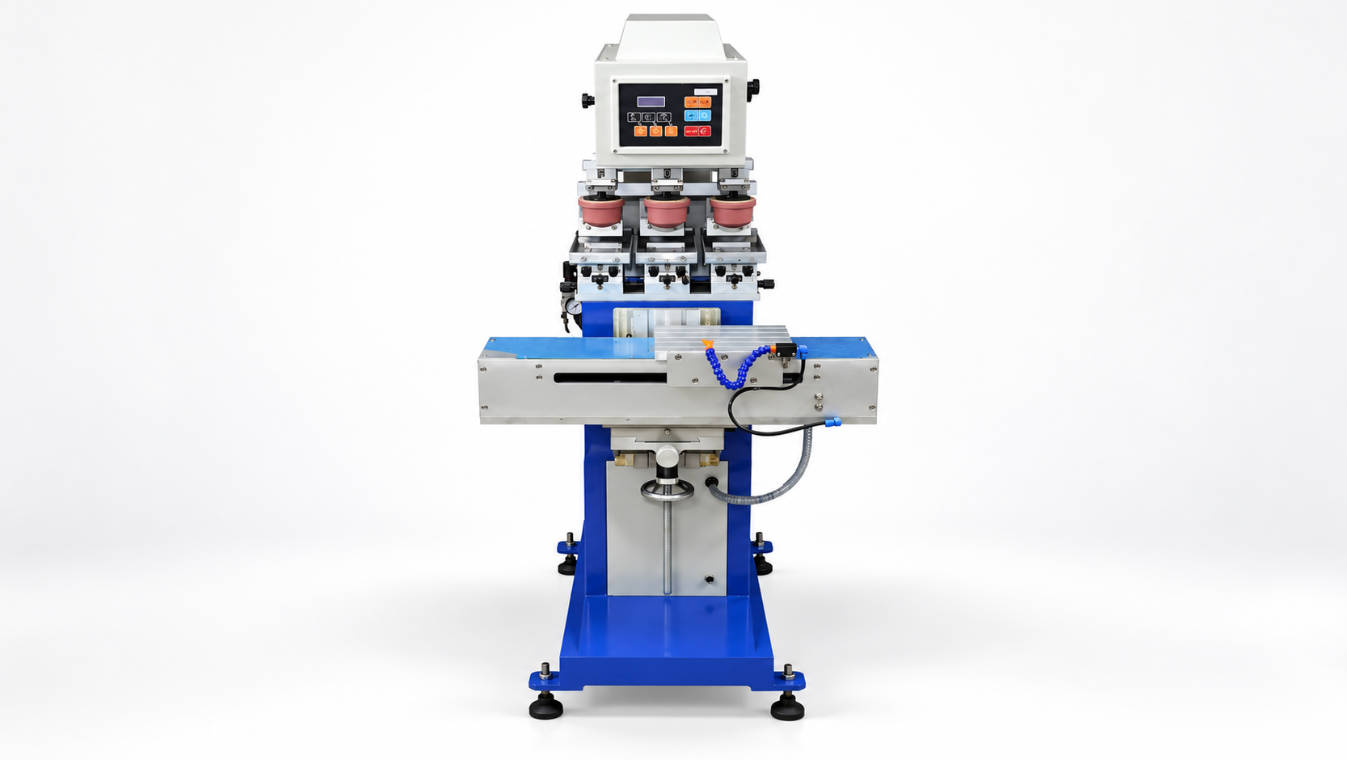
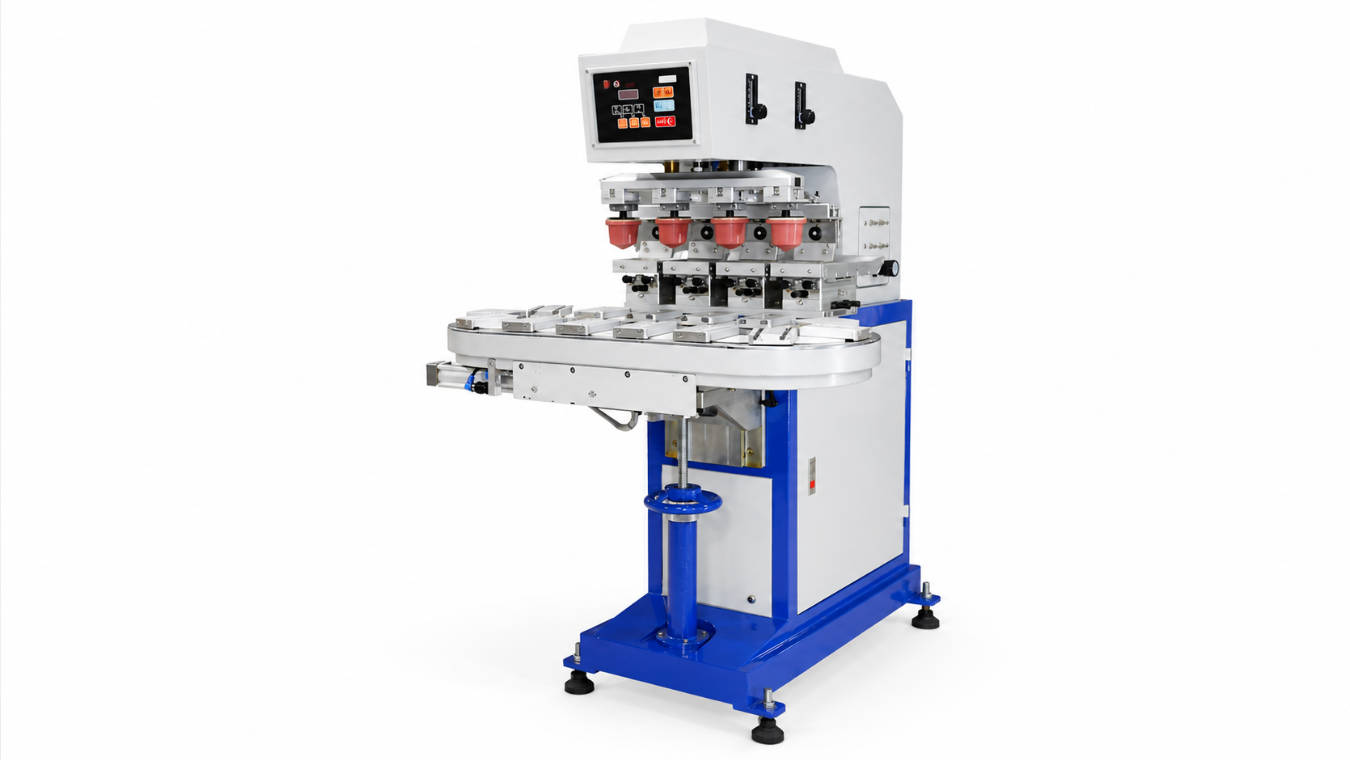
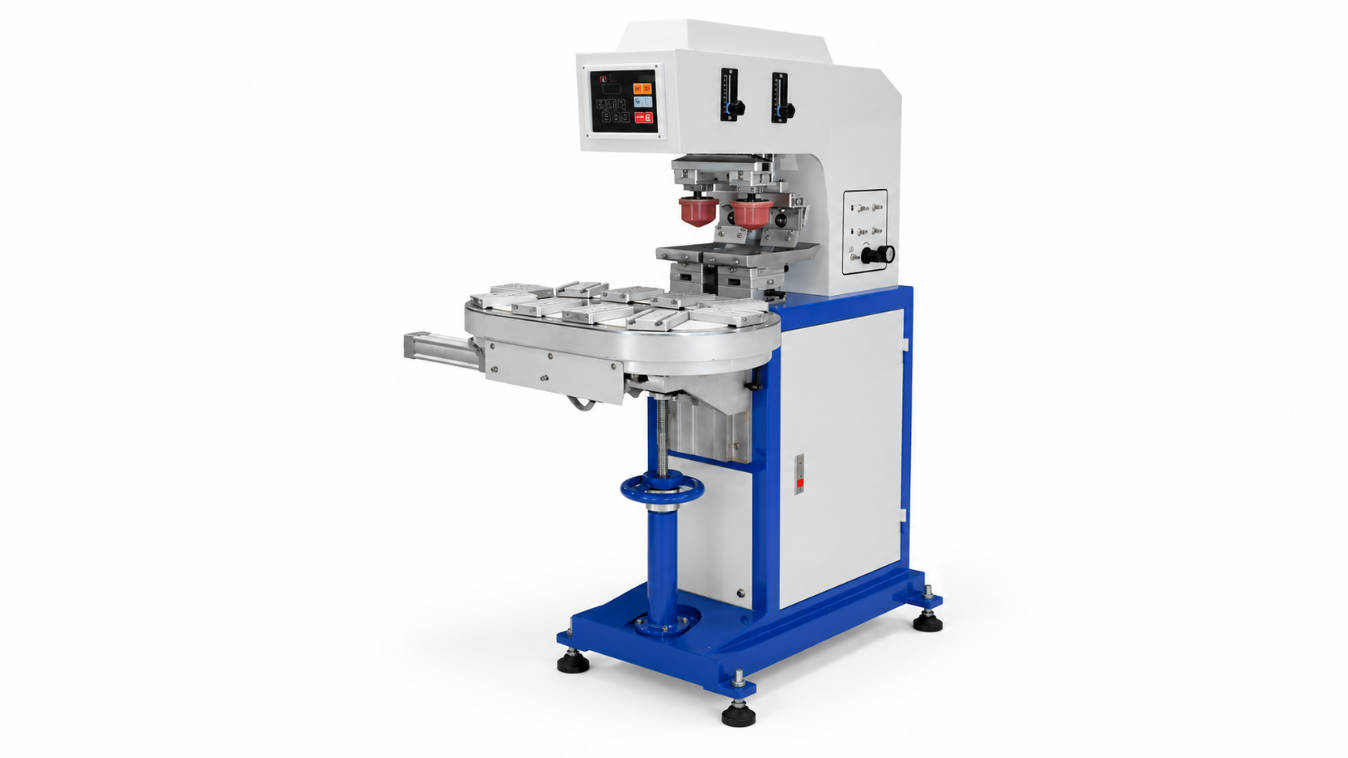
Industrial machines are “intelligent.” They typically feature advanced PLC (Programmable Logic Controller) systems that can “talk” to the rest of your factory. If you plan to use a robotic arm for loading parts, or if you need a rotary table to print multiple colors in one pass, you need an industrial-grade controller that can sync these movements with millisecond precision.
IV. Performance Head-to-Head: Comparing the Specs
To help your procurement team make an objective decision, I have compiled this comparison of standard performance metrics.
Technical Performance Matrix
| Metric | Desktop Pad Printer | Industrial Pad Printer |
| Max Cycle Speed | 1000 – 1,500 pph | 1,500 – 3,500+ pph |
| Frame Material | Light Steel | Cast Iron / Solid Steel Plate |
| Weight | 30kg – 80kg | 250kg – 500kg+ |
| Cliché (Plate) Size | Up to 100x200mm | Up to 250x600mm+ |
| Max Ink Cup Size | 60mm – 90mm | 90mm – 250mm |
| Automation Compatibility | Standalone / Basic | High (PLC / Robotics Ready) |
| Power Requirement | Standard 110/220V | Often 3-Phase + High CFM Air |
1. Image Area Capabilities
If you are printing a large logo on a laptop housing or a piece of automotive trim, a desktop machine simply won’t have the “reach.” Industrial machines accommodate much larger ink cups and clichés, allowing you to decorate larger surfaces in a single hit.
2. Multi-Color Sophistication
Most desktop machines are single-color or two-color. Industrial machines are the “gold standard” for complex multi-color work. They allow for independent pad stroke adjustments for each color, ensuring that the “pick-up” and “deposit” for every ink is optimized for that specific design element.
V. Operational Constraints: Infrastructure and Utilities
Before you sign the purchase order, you must look at your building. An industrial machine is not just a printer; it is a piece of infrastructure.
1. Air and Power Requirements
A desktop machine can often run on a small, portable “silent” compressor. Industrial pad printing machines require a significant volume of clean, dry, and regulated compressed air (CFM), which usually necessitates a centralized industrial air system and a dedicated electrical circuit. If your facility does not already have these utilities, the “hidden cost” of installing them can be higher than the price of the machine itself.
2. Ergonomics and Floor Space
Industrial machines are floor-standing and require clearance for operators and maintenance. They are designed with ergonomics in mind for long shifts—integrated foot pedals, adjustable control panels, and height-optimized working areas. Desktop machines require a sturdy, vibration-free workbench, which is an additional consideration for your shop layout.
VI. The Financial Reality: CAPEX vs. OPEX
When purchasing a pad printing machine, most buyers focus on the “Price Tag” (Capital Expenditure, or CAPEX). However, the “Cost to Run” (Operating Expenditure, or OPEX) is what will actually appear on your monthly profit and loss statement.
1. The Desktop CAPEX Advantage
There is no denying that desktop units are easier on the initial budget. A professional-grade desktop pad printing machine typically costs between $2,000 and $7,000, making it an accessible investment for businesses testing a new market or moving away from outsourcing. For a startup, this low barrier to entry is often the deciding factor.
2. The Industrial OPEX Advantage
While industrial machines are more expensive to buy—often ranging from $15,000 to over $100,000 for fully automated systems—their cost per print is significantly lower at scale.
- Labor Efficiency: On a desktop machine, an operator typically loads and unloads every part manually. On an industrial machine equipped with a rotary table or conveyor, one operator can manage multiple machines, or the machine can run autonomously.
- Reject Rates: Because industrial pad printers offer superior vibration dampening and digital stroke control, they consistently produce a lower reject rate (scrap) compared to desktop units, which can save thousands of dollars in wasted substrates and ink over a single year.
3. Maintenance and Spare Parts
Maintenance on a desktop unit is usually a “DIY” affair. Parts are small and easy to swap. Industrial machines require a more disciplined “Preventative Maintenance” (PM) schedule. However, because industrial parts are “over-engineered,” you will find yourself replacing seals and pads less frequently than you would on a desktop unit being pushed beyond its limits.
VII. Expert Insights: 3 Sincere Questions to Ask Before Buying
Before you sign the purchase order, I want you to step away from the spreadsheets and ask yourself these three “real-world” questions.
1. “Where will I be in 24 months?”
The “2-Year Rule” is critical. If you buy a desktop machine because it fits your volume today, but your sales projections show a 300% growth by next year, you will likely find yourself with an obsolete machine very quickly. It is often more cost-effective to buy a mid-range industrial pad printing machine that you can “grow into” than to buy a desktop unit that you will “grow out of” in six months.
2. “Who is operating the machine?”
Desktop machines are very “tactile.” The operator needs to have a “feel” for the machine’s speed and pressure. Industrial machines, while more complex to set up, are actually easier for a low-skill operator to run once the program is locked in. If you have high staff turnover, the “Recipe Recall” feature of an industrial pad printing machine is a lifesaver.
3. “Does the product shape require high-pressure pads?”
Some large or high-durometer (hard) silicone pads require significant force to compress against the part. If your product has a deep recess or a large, flat surface area, a lightweight desktop machine may lack the “clamping force” required to achieve a clean ink transfer, whereas an industrial floor-standing unit has the structural mass to handle high-pressure pad compression without flexing.
VIII. Conclusion: Your Partner in Production
Choosing between a desktop and an industrial pad printing machine is not a choice between “cheap” and “expensive”—it is a choice between “flexibility” and “power.”
If you are a smaller operation with a focus on high-variety, low-volume orders, the desktop pad printer is a magnificent tool that will give you professional results without the industrial overhead. It allows you to be agile and responsive to your customers.
However, if you are building a production line where “seconds matter” and quality must be identical across millions of units, the industrial pad printing machine is the only logical choice. Its stability, automation potential, and heavy-duty engineering will protect your brand reputation and your profit margins over the long haul.
We always tell our clients: Don’t just buy a machine for the orders you have today; buy the machine that enables the orders you want tomorrow. Whether you choose the compact agility of a desktop or the massive endurance of an industrial system, ensure your supplier offers the technical support and ink chemistry expertise to match your ambition.
FAQ: Quick Review for Decision Makers
1. Can I add a conveyor to a desktop pad printing machine later?
Technically, some models allow basic shuttle attachments, but most desktop units lack the PLC (Programmable Logic Controller) brain to sync perfectly with a high-speed conveyor. If you plan to automate, it is better to start with an industrial-grade “Automation-Ready” unit.
2. Is an industrial machine harder to learn?
Actually, the opposite is often true. While the initial training takes longer, the industrial pad printing machine’s digital interface makes it much easier to achieve consistent results because it removes the “human element” of manual pressure and speed adjustments.
3. Does a desktop machine use the same ink and pads?
Yes. The consumables—silicone pads, ink cups, and clichés (plates)—are cross-compatible between desktop and industrial machines, provided the sizes match. This means you can test your ink on a desktop unit and then use the same formula on your industrial line.
4. Why is machine weight so important?
Weight equals stability. In pad printing, the pad hits the product with significant force. If the machine is too light (like some desktop units), it can “micro-vibrate,” which causes the ink to smear or the image to lose its sharp edges. Industrial machines are made of cast iron or solid steel to absorb this energy and keep the print perfectly crisp.
5. How long do these machines last?
A well-maintained desktop machine can last 5–7 years of intermittent use. A high-quality industrial machine can easily run for 15–20 years in a 24/7 environment with regular seal and bearing changes.