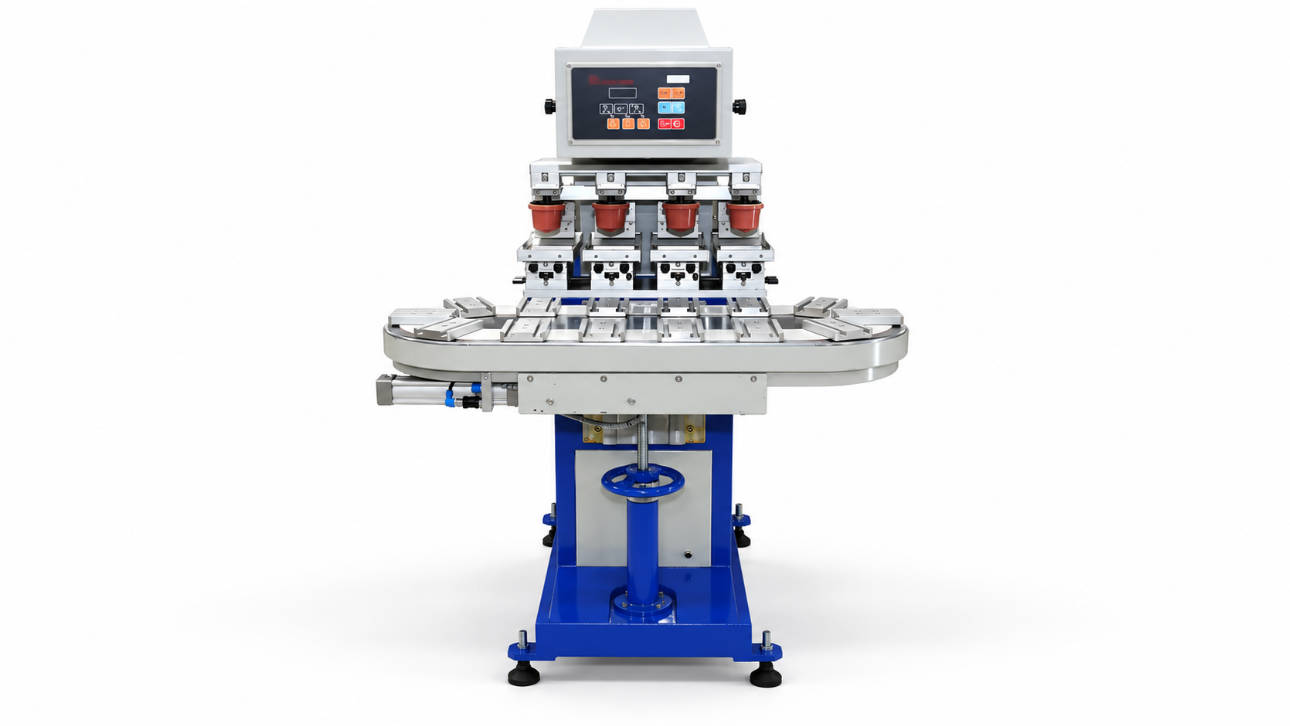
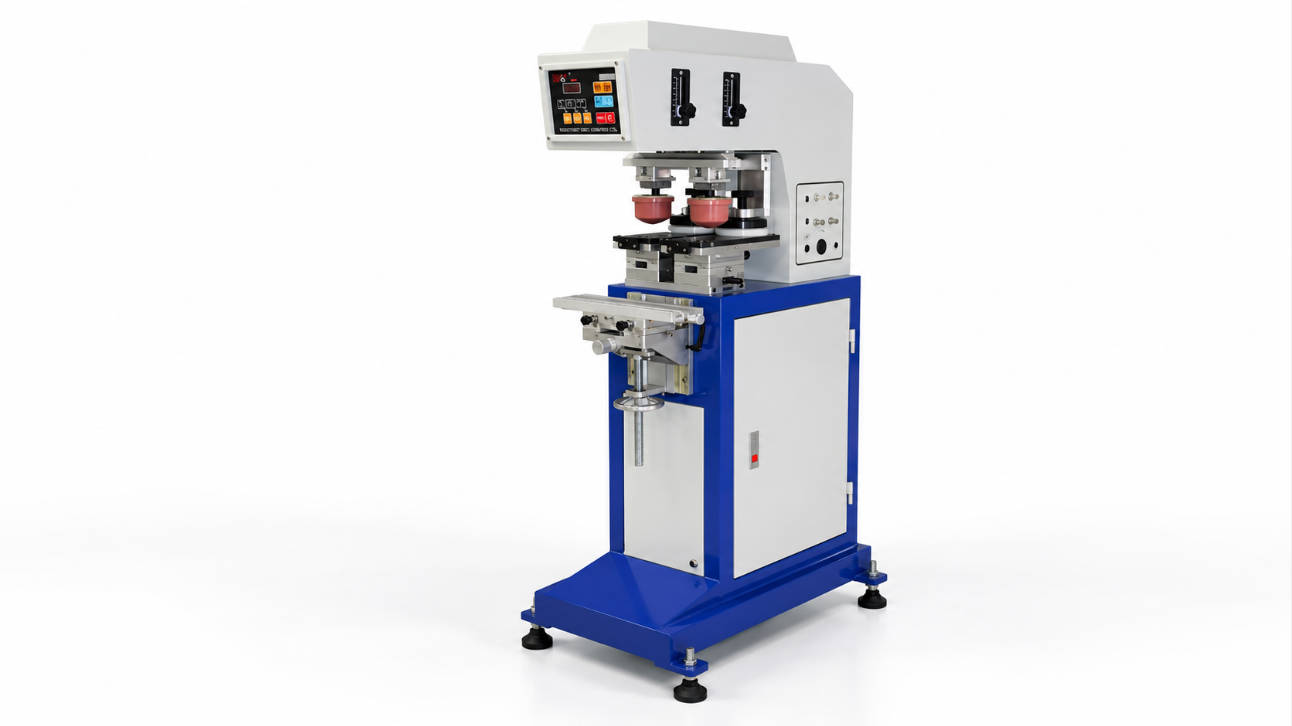
A closed ink cup pad printer requires regular cleaning, inspection, and adjustment to maintain stable printing quality and extend equipment service life. The key maintenance areas include the ink cup system, ceramic ring, printing plate, silicone pad, ink system, and pneumatic components.
A proper maintenance routine helps prevent common issues such as uneven ink transfer, blurred printing, ink leakage, and unexpected production downtime.
Compared with traditional open ink systems, a closed ink cup pad printing machine uses a sealed ink container to control ink exposure and improve ink stability during operation. However, the closed system still requires careful maintenance because the ink cup, sealing ring, and printing surface directly affect printing precision.
For manufacturers using pad printing equipment in continuous production environments, understanding how to maintain the closed ink cup system is an important part of ensuring consistent product marking quality.
This guide explains the practical maintenance steps for a closed ink cup pad printer, including daily cleaning procedures, component inspection, troubleshooting methods, and equipment care recommendations.

What Is a Closed Ink Cup Pad Printer?
A closed ink cup pad printer is a type of pad printing machine that uses a sealed ink cup instead of an open ink tray.
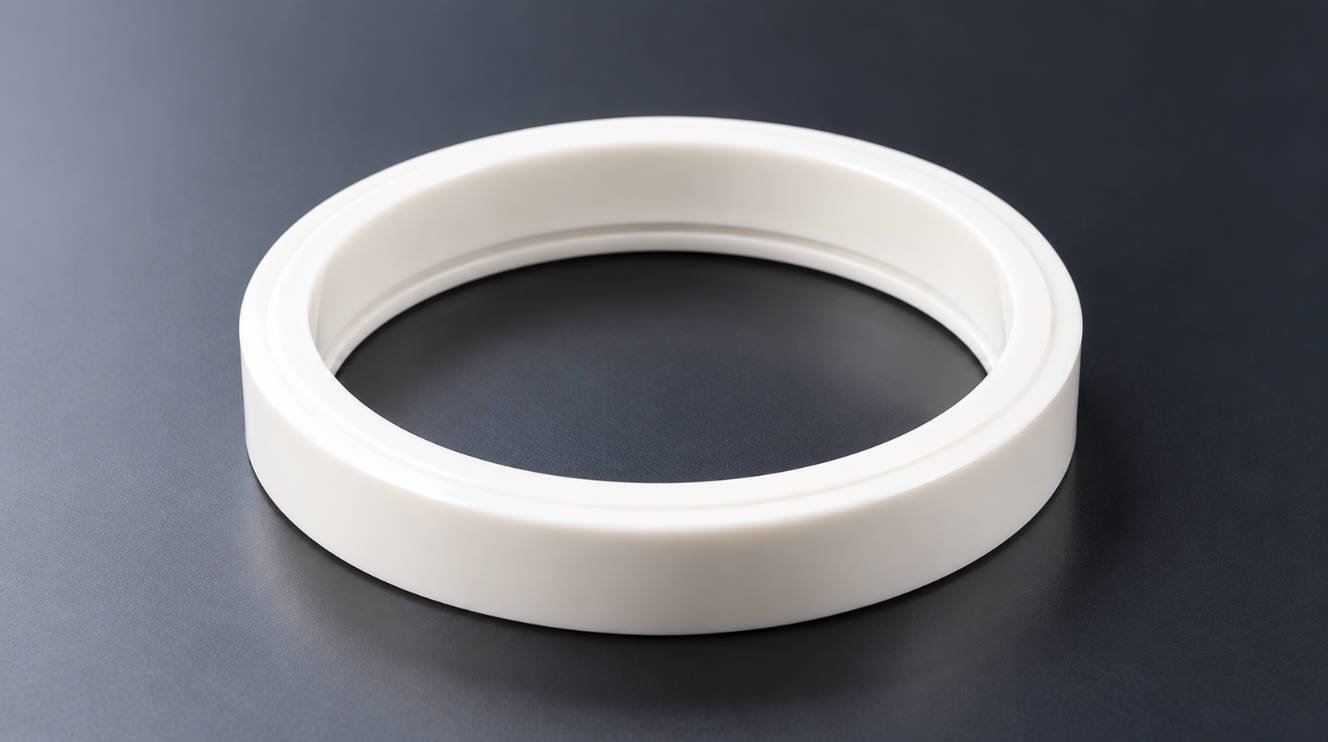
The ink cup contains printing ink and moves across the printing plate. During this process, the ceramic ring on the ink cup scrapes away excess ink while leaving ink inside the etched image area. The silicone pad then picks up the image and transfers it onto the product surface.
The closed ink cup system provides several advantages:
| Feature | Closed Ink Cup System | Open Ink System |
| Ink exposure | Lower exposure to air | Higher exposure |
| Ink evaporation | Reduced | More common |
| Ink consumption | More controlled | Higher possibility of waste |
| Working environment | Cleaner operation | More ink contact with air |
| Maintenance focus | Ink cup, ring, sealing surface | Ink tray and ink condition |
For factories requiring stable printing results, proper maintenance of the closed ink cup assembly is essential.
ENGY provides pad printing solutions including industrial pad printing machines designed for different production requirements. Learn more about ENGY’s pad printing machine solutions.
Why Closed Ink Cup Pad Printer Maintenance Matters
Many printing problems are not caused by machine defects but by insufficient maintenance.
During daily production, ink residue, dried ink particles, dust, and product contaminants can gradually affect the printing process.
Poor maintenance may lead to:
- Inconsistent ink transfer
- Missing printing details
- Blurred edges
- Uneven color density
- Ink leakage around the cup
- Faster wear of printing components
For B2B manufacturers, these problems can directly influence production efficiency and product appearance.
A regular maintenance schedule helps operators identify small problems before they become production interruptions.
The main purpose of closed ink cup pad printer maintenance is to keep the ink delivery system stable, maintain accurate ink scraping performance, and ensure reliable image transfer during production.
Key Components That Require Regular Maintenance
A closed ink cup pad printer contains several components that influence printing performance. Each part requires different maintenance attention.
1. Closed Ink Cup and Ceramic Ring Maintenance
The ink cup is one of the most important components in a pad printing system.
The ceramic ring creates a sealing surface against the printing plate. If the ring becomes damaged, dirty, or worn, the machine may experience:
- Ink leakage
- Uneven scraping
- Excess ink remaining on the plate
- Poor image quality
Recommended Maintenance Steps
- Remove ink residue from the ink cup after production.
- Clean the ceramic ring carefully with suitable cleaning materials.
- Check the ring edge for scratches or damage.
- Ensure the sealing surface remains smooth.
- Replace worn components when printing stability decreases.
The ceramic ring should be handled carefully because even small surface damage can influence ink scraping performance.
ENGY offers dedicated closed ink cup components for pad printing machines to support stable operation and replacement needs.
2. Printing Plate Cleaning and Inspection
The printing plate contains the etched image area where ink is transferred before reaching the silicone pad.
Ink residue inside the engraved pattern can reduce printing accuracy.
Operators should:
- Clean the plate surface regularly
- Remove dried ink from image areas
- Check for scratches or contamination
- Confirm correct ink coverage before production
A clean printing plate helps maintain sharper printing details and reduces unnecessary adjustments.
3. Silicone Pad Maintenance
The silicone pad directly contacts both the printing plate and product surface.
Over time, the pad may collect:
- Ink residue
- Dust
- Product particles
- Surface contaminants
Common signs of pad problems include:
| Problem | Possible Cause |
| Blurred image | Pad surface contamination |
| Missing details | Pad wear or deformation |
| Poor ink pickup | Incorrect pad condition |
| Printing inconsistency | Pad aging or improper cleaning |
Maintenance recommendations:
- Clean the pad surface regularly
- Avoid aggressive cleaning methods that damage silicone material
- Inspect pad shape and elasticity
- Replace pads when transfer performance decreases
Daily Maintenance Checklist for Closed Ink Cup Pad Printers
A simple daily inspection routine can significantly improve equipment reliability.
| Maintenance Item | Recommended Action |
| Ink cup | Remove remaining ink and clean residue |
| Ceramic ring | Check sealing condition and cleanliness |
| Printing plate | Clean ink buildup |
| Silicone pad | Remove contamination |
| Machine surface | Keep working area clean |
| Air system | Check abnormal pressure or movement |
Before shutting down the machine, operators should confirm that ink residue does not remain on critical contact surfaces.
Weekly and Periodic Maintenance Tasks
Daily cleaning focuses on preventing immediate problems, while periodic maintenance focuses on long-term equipment stability.
Weekly Inspection
Recommended weekly checks include:
- Inspect ink cup sealing performance
- Check screws and mechanical connections
- Clean ink contact areas
- Inspect pneumatic movement
- Verify printing alignment
Monthly Inspection
For production environments with frequent operation, monthly maintenance may include:
- Checking moving components
- Inspecting air cylinders
- Reviewing printing quality changes
- Checking worn parts
- Evaluating whether adjustments are required
The actual maintenance frequency depends on factors such as:
- Production volume
- Ink type
- Working environment
- Printing materials
- Machine operating conditions
Common Closed Ink Cup Pad Printer Maintenance Problems and Solutions
Even with regular maintenance, operators may encounter printing problems caused by incorrect cleaning methods, worn components, or improper adjustments.
Understanding these issues helps production teams troubleshoot faster and reduce unnecessary downtime.
1. Ink Leakage Around the Closed Ink Cup
Ink leakage is one of the most common problems in a closed ink cup system.
Possible Causes:
- Ceramic ring damage
- Ink residue on the sealing surface
- Incorrect installation of the ink cup
- Excessive pressure between the cup and printing plate
- Worn sealing components
Recommended Solutions:
- Clean the contact surface between the ink cup and printing plate
- Inspect the ceramic ring condition
- Confirm that the ink cup is installed correctly
- Replace damaged sealing components if necessary
A clean and properly adjusted ink cup system is essential for maintaining stable ink control and preventing production interruptions.
2. Uneven Ink Transfer During Printing
If printed images appear lighter in some areas or show inconsistent color density, the problem may come from the ink transfer process.
Potential reasons include:
- Dried ink inside the printing plate pattern
- Incorrect ink viscosity
- Contaminated silicone pad
- Poor contact between ink cup and plate
Recommended checks:
- Clean the printing plate.
- Confirm ink condition.
- Inspect the silicone pad.
- Check the ink cup scraping performance.
For factories producing high-volume parts, stable ink transfer is especially important because inconsistent printing can increase product rejection rates.
3. Excessive Ink Drying
Although a closed ink cup reduces ink exposure compared with an open ink system, ink can still dry under certain conditions.
Factors affecting ink drying include:
- Long machine idle periods
- High-temperature working environments
- Incorrect ink selection
- Improper machine shutdown procedures
Recommended practices:
- Cover or seal ink properly during downtime
- Clean ink residue after production
- Follow ink supplier recommendations
- Avoid leaving unused ink inside the system for extended periods
Closed Ink Cup Pad Printer Maintenance vs Replacement Cost Considerations
When operating industrial printing equipment, companies often consider whether to repair components or replace them.
The decision depends on the condition of the component and the impact on production.
| Component | Maintenance Method | When Replacement May Be Needed |
| Ink cup | Cleaning and inspection | Damaged sealing surface |
| Ceramic ring | Regular cleaning | Scratches or worn edge |
| Printing plate | Surface cleaning | Damaged image area |
| Silicone pad | Cleaning and adjustment | Loss of elasticity or shape |
| Pneumatic parts | Inspection and adjustment | Abnormal movement |
Regular maintenance can reduce unnecessary replacement frequency, but worn precision components should be replaced when they affect printing quality.
Common Maintenance Mistakes to Avoid
Many pad printing problems happen because operators use incorrect maintenance methods.
Mistake 1: Ignoring Ceramic Ring Condition
The ceramic ring directly affects ink scraping performance.
A small scratch or uneven edge may influence:
- Ink thickness
- Image clarity
- Printing consistency
Operators should inspect the ring regularly instead of waiting until printing defects appear.
Mistake 2: Cleaning Only the Visible Machine Areas
Some operators clean the external machine surface but ignore important ink-contact areas.
Critical areas include:
- Ink cup sealing surface
- Printing plate
- Pad contact area
- Ink residue points
Internal cleanliness directly affects printing stability.
Mistake 3: Using Incorrect Cleaning Materials
Strong solvents or unsuitable cleaning tools may damage components.
Maintenance teams should consider:
- Compatibility with printing ink
- Material safety
- Component durability
The cleaning process should remove contamination without damaging precision surfaces.
Mistake 4: Skipping Preventive Maintenance
Waiting until equipment failure occurs usually increases downtime.
A preventive maintenance approach allows operators to identify:
- Wear problems
- Ink system issues
- Mechanical abnormalities
before they affect production.
How to Improve Closed Ink Cup Pad Printer Performance Through Maintenance
Maintenance is not only about preventing failures. It also helps optimize the overall printing process.
Maintain Stable Ink Conditions
Ink viscosity has a direct influence on printing results.
Operators should monitor:
- Ink consistency
- Ink contamination
- Ink drying condition
Stable ink conditions support more consistent printing performance.
Keep Printing Components Properly Adjusted
A closed ink cup pad printer relies on the interaction between:
- Printing plate
- Ink cup
- Silicone pad
- Product fixture
If one part changes, printing quality may be affected.
Regular inspection helps maintain proper coordination between components.
Train Operators on Maintenance Procedures
Equipment performance depends not only on machine design but also on daily operation.
Effective operator training should include:
- Cleaning procedures
- Component inspection
- Basic troubleshooting
- Correct shutdown steps
For companies purchasing industrial pad printing equipment, choosing a supplier that can provide technical guidance and suitable equipment support is also an important consideration.
Maintenance Checklist Before Purchasing a Closed Ink Cup Pad Printer
For companies evaluating a new pad printing machine, maintenance requirements should be considered during the purchasing stage.
A suitable machine should provide:
| Evaluation Point | Why It Matters |
| Easy access to ink components | Reduces cleaning time |
| Stable closed ink cup design | Improves ink management |
| Replaceable wear parts | Simplifies maintenance |
| Clear operating procedures | Helps operator training |
| Suitable configuration options | Matches different production needs |
When selecting a pad printing equipment supplier, buyers should evaluate not only machine specifications but also after-sales support, spare parts availability, and technical assistance.
ENGY focuses on pad printing equipment solutions for industrial applications, helping customers select suitable machines based on different printing requirements. Visit the ENGY home page to learn more about available solutions.
How Often Should You Maintain a Closed Ink Cup Pad Printer?
The maintenance frequency depends on production conditions.
A general guideline:
| Production Situation | Recommended Maintenance Frequency |
| Low-volume production | Basic cleaning after operation |
| Medium production volume | Daily cleaning + regular inspection |
| Continuous industrial production | Daily maintenance and scheduled component checks |
There is no universal maintenance schedule because factors such as ink type, product material, working environment, and operating hours can influence equipment conditions.
The most important principle is maintaining consistent cleaning habits and checking key components before quality problems appear.
How to Choose a Reliable Pad Printing Machine Supplier
Maintenance performance is influenced by the machine design and supplier support.
Before purchasing a closed ink cup pad printer, buyers should consider:
1. Machine Configuration
Confirm whether the equipment matches:
- Product size
- Printing area
- Production requirements
- Automation level
2. Component Availability
Important replacement components include:
- Ink cups
- Ceramic rings
- Silicone pads
- Printing plates
A supplier with proper component support can help reduce long-term operation risks.
3. Technical Support
Industrial buyers should consider whether the supplier can provide:
- Installation guidance
- Operation instructions
- Maintenance recommendations
- Technical communication
A reliable supplier relationship helps companies maintain stable production after equipment installation.
Frequently Asked Questions (FAQ)
1. How do you maintain a closed ink cup pad printer?
A closed ink cup pad printer should be maintained through regular cleaning of the ink cup, ceramic ring, printing plate, silicone pad, and machine working areas. Operators should inspect wear parts regularly and remove ink residue after production.
2. How often should a closed ink cup system be cleaned?
A closed ink cup system should usually be cleaned after production or according to operating conditions. High-volume production environments may require more frequent cleaning and inspection.
3. Why does my pad printing machine have ink leakage around the ink cup?
Ink leakage may be caused by ceramic ring damage, contamination on the sealing surface, incorrect installation, or improper adjustment between the ink cup and printing plate.
4. What parts need regular maintenance on a pad printing machine?
The main maintenance parts include the closed ink cup, ceramic ring, printing plate, silicone pad, ink system, and pneumatic components.
5. Can regular maintenance improve pad printing quality?
Yes. Proper maintenance helps keep ink transfer stable, reduces contamination, improves printing consistency, and helps prevent unexpected production problems.
6. What should I check before buying a closed ink cup pad printer?
Buyers should evaluate machine configuration, maintenance requirements, availability of replacement parts, supplier technical support, and whether the equipment matches their production needs.
Conclusion
Maintaining a closed ink cup pad printer is an important part of achieving stable printing performance in industrial production.
Regular cleaning, ceramic ring inspection, ink control, and preventive maintenance help reduce printing defects and extend the service life of key components.
For manufacturers using pad printing equipment, maintenance should be considered as part of the complete production process rather than an occasional repair activity.
By selecting suitable equipment, following proper maintenance procedures, and working with an experienced supplier, companies can build a more reliable pad printing workflow.