The main difference between a manual, semi-automatic and automatic pad printer is not simply printing speed. It is how many production steps still depend on the operator.
A manual setup keeps most handling and cycle control in the operator’s hands. A semi-automatic pad printer automates the printing movement but usually still relies on an operator to load and unload the product. A fully automatic system can extend automation into feeding, positioning, printing, transferring and unloading.
For low-volume or frequently changing jobs, more automation does not automatically mean lower production cost. For stable, repetitive high-volume production, however, reducing operator handling can become more valuable than minimizing the initial machine price.
This gives buyers a more useful comparison:
Manual: lower initial investment, higher operator involvement
Semi-Automatic: balanced investment and flexibility
Automatic: higher initial investment, lower dependence on repetitive manual handling
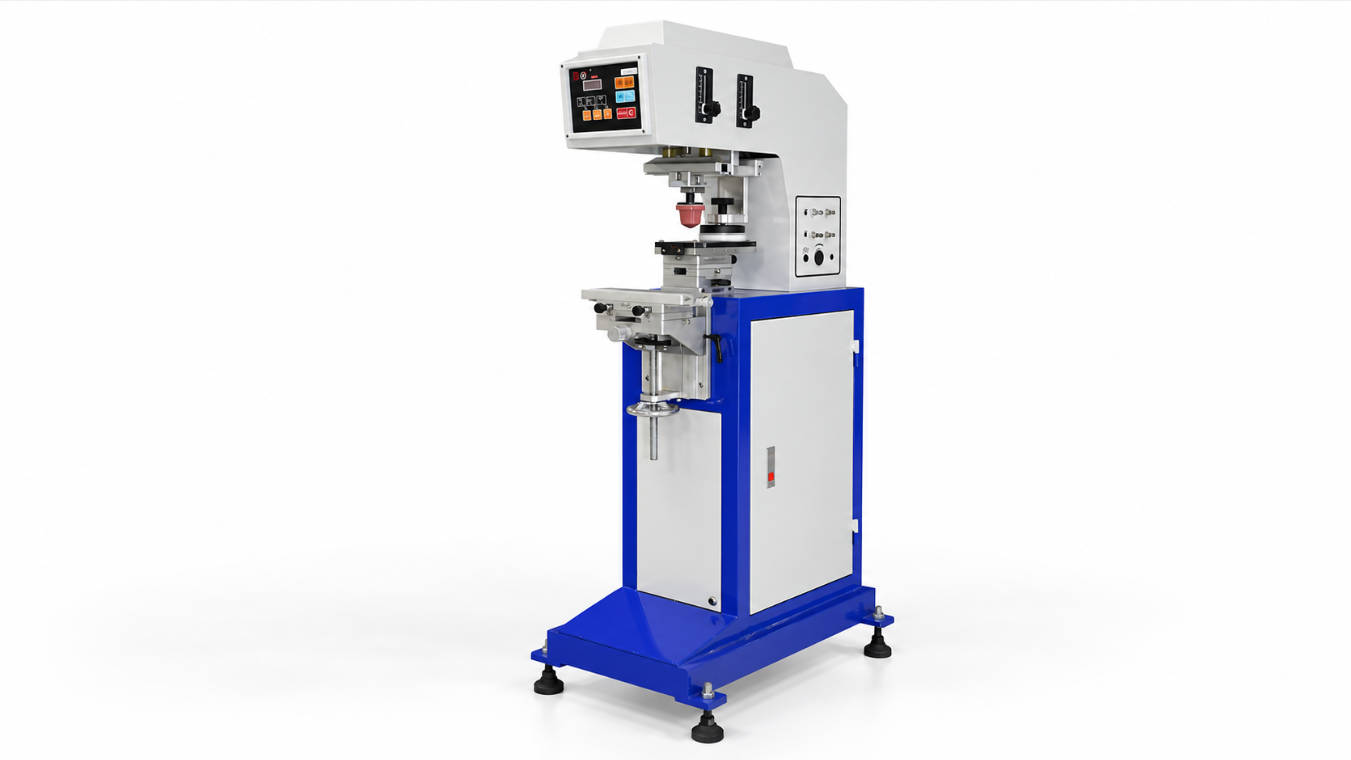
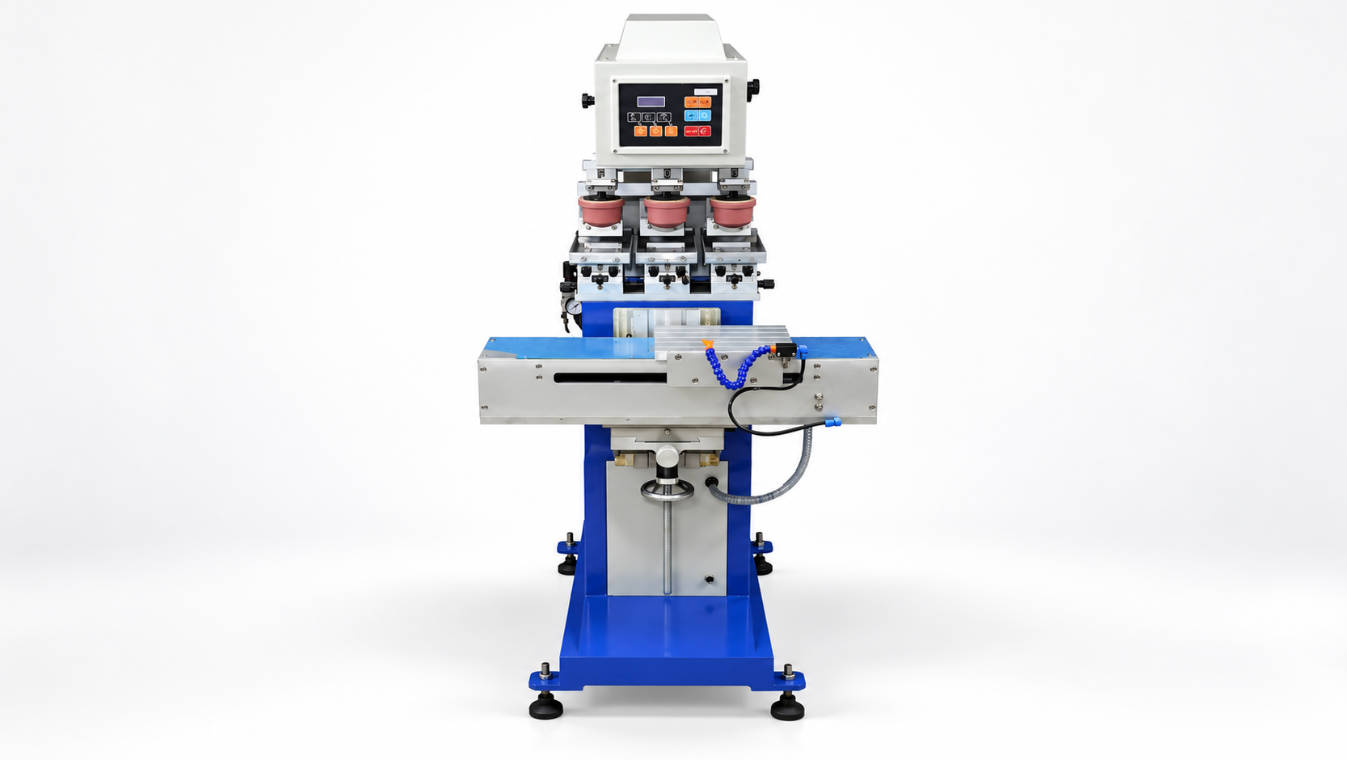
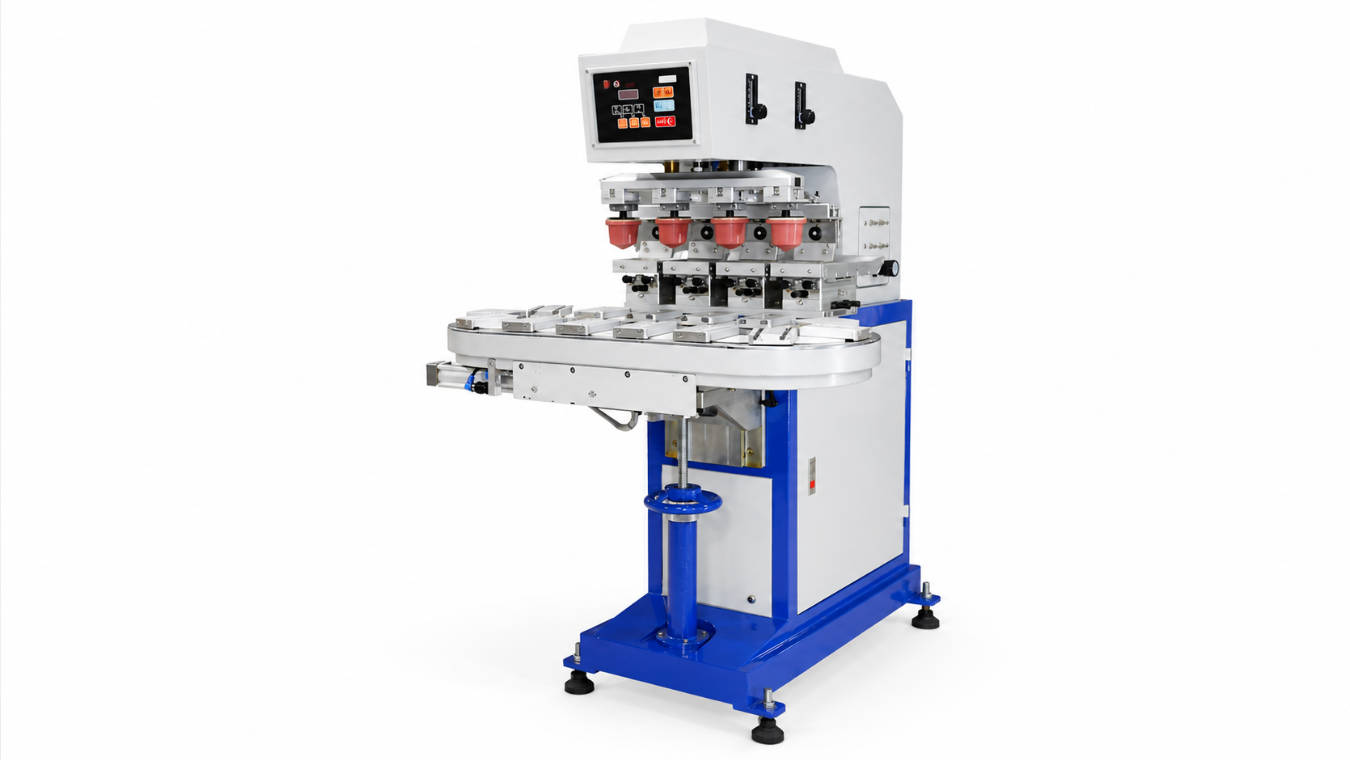
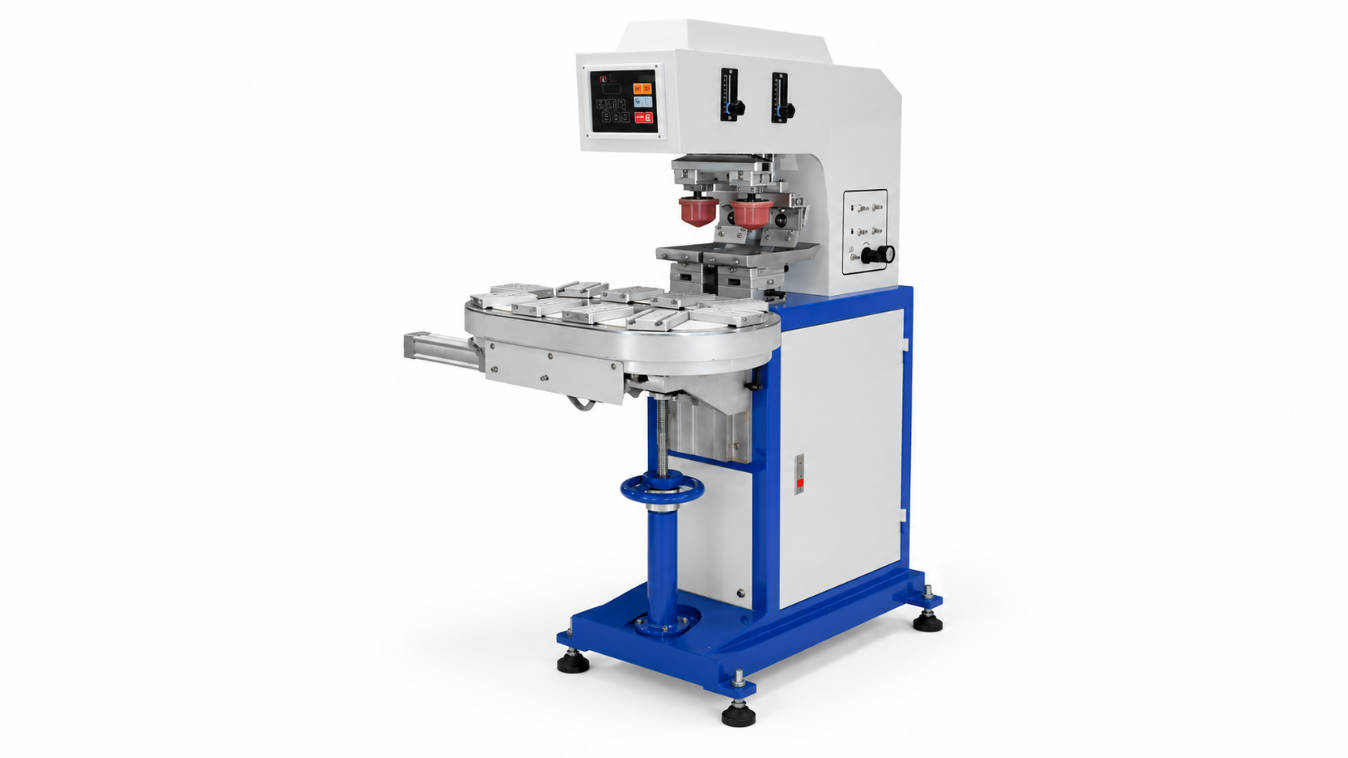
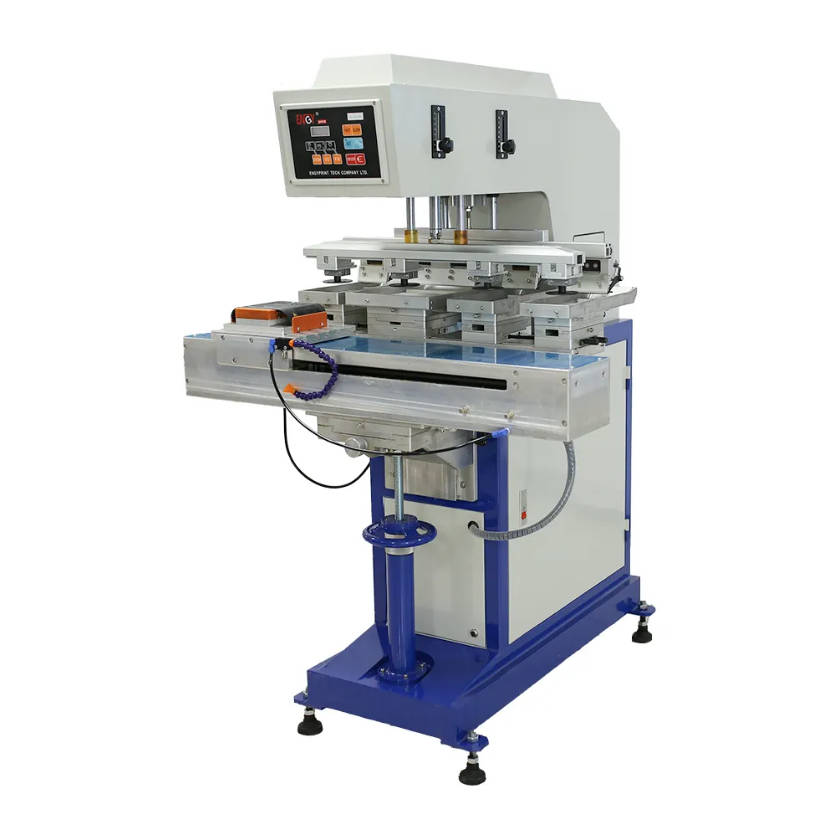
ENGY provides semi-automatic and automatic pad printing machine configurations ranging from one-color equipment to multi-color, shuttle, conveyor and customized systems.
The correct choice therefore depends less on which machine looks more advanced and more on one question:
How many times does an operator need to touch one product before printing is finished?
Think in Operator Touches, Not Machine Labels
A useful way to compare automation levels is to follow one product through the production cycle.
A typical pad printing process may involve:
- Pick up the product
- Check orientation
- Place it into the fixture
- Start the printing cycle
- Wait for printing
- Reposition the product if another print is required
- Remove the product
- Inspect it
- Transfer it to the next process
Now ask which steps the equipment performs.
Manual-Oriented Production
The operator may control most of the workflow.
This works well when:
- quantities are small
- jobs change frequently
- products vary significantly
- cycle time is not critical
- capital budget is limited
Semi-Automatic Production
The operator normally handles the product, while the machine performs the repetitive pad printing movement.
The cycle becomes:
Operator loads → Machine prints → Operator unloads
This removes much of the repetitive printing motion while retaining flexibility.
Automatic Production
More of the sequence becomes part of the machine:
Feed → Orient → Load → Print → Index → Unload
Some systems may also integrate other operations when production requires them.
ENGY’s pad printing platform supports configurations including conveyors and automatic loading/unloading systems for applications where production efficiency requires more automation.
Automation should be measured by the production steps it removes from the operator—not simply by whether the machine has a PLC or touchscreen.
The Three Levels Side by Side
| Factor | Manual-Oriented Pad Printer | Semi-Automatic Pad Printer | Automatic Pad Printer |
| Initial equipment investment | Lower | Medium | Higher |
| Operator involvement | High | Medium | Low to medium |
| Product loading | Manual | Usually manual | Can be automatic |
| Product unloading | Manual | Usually manual | Can be automatic |
| Printing stroke | Manual or operator-controlled depending on machine | Automatic | Automatic |
| Fixture positioning | Manual | Manual or assisted | Automated/indexed where required |
| Production flexibility | High | High | Lower for highly dedicated systems |
| Changeover | Usually simple | Relatively flexible | Can require more setup |
| High-volume suitability | Limited | Moderate to high | High when application is stable |
| Automation integration | Limited | Possible | Core design feature |
| Conveyor use | Uncommon | Possible | Common for suitable applications |
| Automatic feeding | Rare | Optional | Often considered |
| Engineering complexity | Low | Medium | High |
| Operator dependency | High | Medium | Lower |
| Best fit | Samples / low volume | Flexible production | Stable repetitive production |
This table should not be interpreted as saying that automatic is always superior.
Each level solves a different production problem.
Manual Pad Printing: When Flexibility Is Worth More Than Speed
Manual-oriented pad printing remains useful because not every production environment requires continuous output.
Imagine a workshop that handles:
- 50 parts of Product A
- 120 parts of Product B
- several customer samples
- another short custom order in the afternoon
In this environment, the greatest production challenge may be frequent changeover rather than cycle speed.
A highly dedicated automatic line could spend too much time being reconfigured.
Manual Makes Sense When the Job Changes Constantly
Typical conditions include:
- prototype printing
- artwork testing
- sampling
- occasional production
- highly variable products
- very low daily quantities
The operator’s involvement provides flexibility.
If product geometry changes, the operator can:
- replace the fixture
- adjust the product
- change the cliché
- change the pad
- make a short run
without needing to re-engineer an automated feeding system.
The Hidden Cost of Manual Printing
The machine may be inexpensive, but labor becomes part of every printed part.
If an operator must:
load + position + print + unload
for every product, then production cost grows directly with quantity.
The more pieces you print, the more important operator time becomes.
That is the point at which manual printing begins to lose its economic advantage.
Semi-Automatic Pad Printer: The Middle Ground Many Buyers Actually Need
For many factories, semi-automatic equipment provides the most practical balance.
The machine handles the repetitive printing cycle.
The operator still handles the product.
This means the worker can focus on:
- loading
- orientation
- quality checks
- unloading
rather than manually creating the pad movement.
ENGY’s machine range includes semi-automatic configurations alongside full automatic and customized solutions.
Why Semi-Automatic Equipment Is Flexible
Suppose the factory prints five different plastic housings.
Each housing uses a different fixture but follows the same basic printing process.
A semi-automatic machine can often switch between those products by changing:
- fixture
- cliché
- silicone pad
- ink
- machine settings
The fundamental machine architecture remains the same.
This makes semi-automatic equipment particularly useful for manufacturers with:
medium production volume + multiple SKUs
rather than one single product running continuously.
The Operator Can Still Become the Bottleneck
A semi-automatic machine can perform the printing cycle consistently, but it cannot automatically solve slow product handling.
Consider a small component that requires the operator to:
- Pick it from a box
- Rotate it to the correct orientation
- Place it carefully into a narrow fixture
- Wait for the print
- Remove it
- Place it into a finished-product tray
If product orientation takes longer than the printing stroke, improving the machine’s printing speed may produce little additional output.
When operator loading time exceeds or approaches machine cycle time, product handling—not printing—is becoming the real production bottleneck.
That is one of the clearest signs that further automation deserves evaluation.
Fully Automatic Pad Printing: Printing Becomes Only One Station
With a fully automatic machine, the printer becomes part of a production process rather than a stand-alone printing mechanism.
A possible workflow is:
Automatic feeding
↓
Product orientation
↓
Fixture loading
↓
Printing
↓
Indexing or conveyor transfer
↓
Additional colors or stations
↓
Unloading
ENGY notes that automatic loading and unloading can be integrated into pad printing systems, while its product range includes conveyor-based and multi-color configurations. (ENGYPRINT)
The important change is that the operator is no longer responsible for touching every individual part.
Instead, operator work shifts toward:
- replenishing materials
- monitoring the process
- adjusting ink
- checking print quality
- maintaining equipment
This is why automation becomes more attractive as volume increases.
Where Automatic Pad Printers Actually Save Labor
Automation is valuable when it removes a repeated operation.
Consider each step separately.
| Production Step | Semi-Automatic | Possible Automatic Solution |
| Parts arrive randomly | Operator sorts | Feeding system |
| Product orientation | Operator rotates | Orientation mechanism |
| Loading fixture | Operator places | Automatic loading |
| Printing | Machine | Machine |
| Move to second color | Operator/shuttle | Indexing or conveyor |
| Rotate product | Operator | Rotary fixture |
| Remove product | Operator | Automatic unloading |
| Transfer downstream | Operator/bin | Conveyor |
This is why automation cost can increase rapidly.
The buyer is no longer purchasing only a pad printer.
They are purchasing additional equipment to replace human handling.
Output: Do Not Compare Only “Cycles per Hour”
A machine speed number can be useful, but it does not tell you how many finished products will actually leave the line.
Three different numbers matter.
Machine Cycle Rate
How quickly the mechanical printing cycle can repeat.
Operator Cycle Rate
How quickly a worker can:
- locate
- load
- orient
- unload
the product.
Finished Product Rate
How many acceptable printed products are completed during actual production.
The slowest step determines real output.
A fast semi-automatic pad printer cannot achieve its theoretical machine rate if manual product loading takes longer than the printing cycle.
Similarly, an automatic machine will not reach its potential if:
- feeding jams
- product orientation is unstable
- drying requires additional time
- the next production station is slower
So output comparison should use the complete process.
Cost Comparison: CAPEX Is Only the First Layer
Automatic equipment generally requires higher initial investment because more mechanisms and controls are involved.
But machine price alone is not enough.
A useful comparison includes:
Equipment investment
Operator labor
Fixture and tooling
Consumables
Changeover time
Maintenance
Production losses
The balance changes with volume.
Low Volume
Labor represents relatively few total hours.
Saving capital expenditure can be more important.
Manual or semi-automatic direction often makes more economic sense.
Medium Volume
Operator workload becomes more visible, but flexibility may still matter.
Semi-automatic equipment often becomes the strongest compromise.
High Repetitive Volume
The same handling steps repeat thousands of times.
Reducing manual loading can create meaningful labor savings.
Automatic equipment becomes increasingly attractive.
A Better Break-Even Question
Buyers often ask:
How many pieces per hour justify automation?
There is no universal number.
The answer depends on:
- local labor cost
- product handling time
- automation investment
- number of shifts
- annual production days
- product life cycle
- scrap level
- machine utilization
A more useful calculation is:
Annual manual handling cost
versus
Annualized additional automation cost
For example, determine:
- How many operator hours does the current process require?
- What proportion could realistically be removed by automation?
- How much additional investment does the automatic system require?
- How many years is the product expected to remain in production?
Then compare the two.
This creates a project-specific ROI instead of relying on a generic output threshold.
Consistency: Automation Reduces Variation, But It Does Not Fix the Printing Process
Automatic handling can improve repeatability because product movement becomes more controlled.
It can reduce variation from:
- inconsistent loading
- different operator positions
- changing handling speeds
- manual repositioning
But automation cannot compensate for an unstable pad printing process.
If the system already suffers from:
- incorrect ink viscosity
- unsuitable silicone pad
- poor cliché preparation
- unstable fixture
- weak ink adhesion
automating the line may simply reproduce those defects faster.
Prove the printing process first; automate the stable process second.
ENGY’s pad printing equipment offering includes application-oriented configuration and sampling support alongside standard and customized machine options.
Changeover Is Where Automatic Equipment Can Lose Its Advantage
Imagine two factories.
Factory A
Prints one product every day for several years.
An automatic production system can be designed around:
- one product geometry
- one fixture concept
- one feeding direction
- stable artwork
This is a strong automation environment.
Factory B
Prints 20 different customer products.
Artwork changes every few hours.
Fixtures change daily.
Quantities range from 50 to 1,000 pieces.
An automatic feeding system customized to one product can reduce flexibility rather than improve it.
For Factory B, semi-automatic equipment may remain commercially stronger even if its maximum output is lower.
High product variety favors flexibility; high product repetition favors automation.
Conveyor or Shuttle? The Automation Architecture Also Matters
Automatic does not describe one machine structure.
Product movement can use different concepts.
ENGY’s pad printing machine range includes both shuttle and conveyor configurations for different printing requirements.
Shuttle
The product fixture moves between printing positions.
This can be useful for:
- multi-color registration
- compact equipment layouts
- applications where one part follows several printing steps
Conveyor
Fixtures move sequentially through multiple stations.
This becomes attractive when:
- products follow the same repeated sequence
- several stations operate simultaneously
- production volume is higher
- loading and unloading can occur while other parts are printing
A conveyor can therefore increase overall line productivity even if the mechanical print stroke itself is unchanged.
The gain comes from overlapping production steps.
Scenario Comparison: Which Automation Level Fits?
Scenario 1 — Prototype Workshop
Requirement
- 10–100 pieces per job
- products change frequently
- artwork changes frequently
- output is not critical
Direction
Manual-oriented or simple semi-automatic equipment.
Why?
Flexibility is more valuable than removing a few seconds of labor.
Scenario 2 — Contract Printer
Requirement
- several product types every day
- hundreds or low thousands per batch
- frequent fixture changes
- manual loading acceptable
Direction
Semi-automatic pad printer.
Why?
The machine automates the repetitive printing cycle without sacrificing product flexibility.
Scenario 3 — Manufacturer with One Stable Product
Requirement
- same component every day
- one or two logos
- high annual quantity
- repetitive operator loading
Direction
Evaluate automatic feeding and unloading.
Why?
The repeated product geometry makes automation easier to justify.
Scenario 4 — Multi-Color Continuous Production
Requirement
- same product
- multiple colors
- consistent registration
- continuous production
Direction
Automatic pad printer with suitable indexing, shuttle or conveyor architecture.
Why?
Product movement becomes part of the printing process.
When Should You Move from Semi-Automatic to Automatic?
Look for operational symptoms rather than an arbitrary production number.
Automation deserves serious consideration when:
Operators Are Waiting on Repetitive Handling
Most labor time is spent loading and unloading identical products.
The Machine Often Waits for the Operator
The printer is capable of starting the next cycle, but no product has been loaded.
Orientation Causes Errors
Workers sometimes place parts in the wrong direction.
Production Volume Is Stable
The same SKU runs repeatedly over long periods.
Several Stations Need Coordination
Products need to move through several colors or process steps.
Labor Availability Is Becoming a Constraint
Production expansion would otherwise require adding operators.
Output Must Increase Without Adding Several Machines
A more integrated line may improve utilization of each printing station.
If only one of these is present, automation may not yet be justified.
If several occur consistently, the business case becomes stronger.
When Should You Stay Semi-Automatic?
Do not automate because the factory wants a “more advanced” machine.
Stay semi-automatic when:
- production volume fluctuates heavily
- SKUs change frequently
- new products are introduced often
- part orientation is difficult to automate
- operators can load quickly
- the production bottleneck is elsewhere
- automatic tooling would be highly product-specific
This can keep equipment:
- simpler
- easier to change over
- easier to maintain
- less dependent on custom feeding equipment
A semi-automatic machine is not a temporary solution by definition.
For the right production mix, it can remain the economically correct long-term solution.
Do You Need to Jump Directly to Full Automation?
No.
Automation can be added in layers.
A useful expansion path is:
Stage 1 — Semi-Automatic Printing
Operator loads and unloads.
Stage 2 — Better Fixture
Improve positioning and shorten loading time.
Stage 3 — Multiple Fixtures or Shuttle
Reduce idle time and support multi-color printing.
Stage 4 — Conveyor
Allow products to move through several stations.
Stage 5 — Automatic Loading
Remove repeated manual loading.
Stage 6 — Automatic Unloading
Create continuous product flow.
This modular thinking is especially useful when future production volume is uncertain.
The correct automation level is the lowest level that removes your current production bottleneck while preserving the flexibility you still need.
What Should Be Included in a Machine Comparison?
Do not compare manual, semi-automatic and automatic quotations only by equipment price.
Use the same checklist.
| Evaluation Area | Questions to Ask |
| Product | Can the machine handle its dimensions and shape? |
| Artwork | Does the ink system support the print area? |
| Colors | How are multiple colors registered? |
| Loading | Who places the product into the fixture? |
| Orientation | Who controls product direction? |
| Transfer | How does the part move between stations? |
| Unloading | Who removes the finished part? |
| Output | What is realistic finished-product output? |
| Changeover | How long does another SKU require? |
| Labor | How much operator time is needed per shift? |
| Expansion | Can additional automation be integrated later? |
| Maintenance | How complex is the system to service? |
This comparison makes automation decisions much more objective.
Information to Send Before Requesting a Recommendation
A supplier cannot choose the right automation level from production volume alone.
Provide:
Product Information
- product photographs
- length × width × height
- product material
- physical samples where possible
Artwork
- logo dimensions
- number of colors
- print locations
- registration requirements
Production Information
- quantity per batch
- daily target
- shifts per day
- number of SKUs
- frequency of product changeover
Labor Information
- current loading method
- number of operators
- time spent loading/unloading
- current bottleneck
Automation Goal
Explain whether your priority is:
- lower initial investment
- fewer operators
- higher output
- better repeatability
- easier multi-color printing
- future production expansion
This allows the equipment recommendation to solve the actual production problem.
FAQ
What is the difference between a manual and automatic pad printer?
A manual-oriented pad printing setup relies heavily on the operator for product handling and cycle control. An automatic system can integrate functions such as feeding, positioning, printing, transfer and unloading with much less repetitive manual handling.
What is a semi-automatic pad printing machine?
A semi-automatic pad printer typically performs the mechanical printing cycle automatically while an operator loads, positions and unloads the product.
Is an automatic pad printer faster than a semi-automatic machine?
It can deliver higher finished-product output when manual loading is the bottleneck. Actual production speed depends on the entire process, including feeding, colors, product positioning and downstream operations.
Is a semi-automatic pad printer suitable for mass production?
It can be suitable for meaningful production volumes when manual loading is efficient and product variety is high. High-volume repetitive products may create a stronger case for automated handling.
When should I automate pad printing?
Automation becomes more attractive when the same product is produced repeatedly, operator loading limits output, orientation errors occur, multiple stations must be synchronized or labor requirements are increasing.
Does an automatic pad printer require no operator?
Usually not. Operators may still need to replenish parts and ink, monitor printing, perform quality checks, change consumables and maintain the system. Automation mainly reduces repetitive handling.
Is a manual pad printing machine cheaper?
The initial equipment investment is generally lower for simpler manual-oriented equipment. However, high production volumes can make operator labor a larger part of total production cost.
Is a conveyor pad printer better than a semi-automatic pad printer?
Not universally. Conveyor systems are useful when products need continuous movement through multiple stations. Semi-automatic equipment may be more practical for lower volumes or frequently changing products.
Can I upgrade from semi-automatic to automatic pad printing later?
Some production systems can be expanded with fixtures, conveyors, feeding or unloading systems, but upgrade potential depends on the original machine structure. Future expansion should therefore be discussed before purchase.
How do I compare pad printer cost correctly?
Compare total equipment investment together with labor, tooling, consumables, maintenance, changeover, realistic output and expected product life—not just the initial machine quotation.
Conclusion: Buy Automation Only Where It Removes Work
The difference between manual, semi-automatic and automatic pad printers is ultimately the difference between who performs each production step.
Manual-oriented production leaves most operations with the worker.
Semi-automatic equipment separates the printing cycle from product handling:
Operator handles → Machine prints
Automatic equipment continues that progression:
Machine feeds → positions → prints → transfers → unloads
But the highest automation level is not automatically the most economical.
For samples and highly variable production, flexibility may matter more than speed.
For medium-volume, multi-SKU manufacturing, a semi-automatic pad printer can offer a strong balance between equipment cost and productivity.
For stable, repetitive high-volume production, automatic feeding, indexing and conveyor systems can reduce operator dependency and increase usable output.
Choose the automation level from your output target, product repetition and operator workload—not from the machine’s technology level alone.
A useful decision sequence is:
Production Volume → Product Variety → Operator Handling Time → Color/Station Requirements → Required Output → Automation Level
To compare one-color, multi-color, semi-automatic, shuttle and conveyor configurations, review ENGY’s Pad Printing Machine B Series.
For broader pad printing equipment and automation solutions, provide your product sample, artwork, target daily output and current loading process when requesting a machine recommendation.