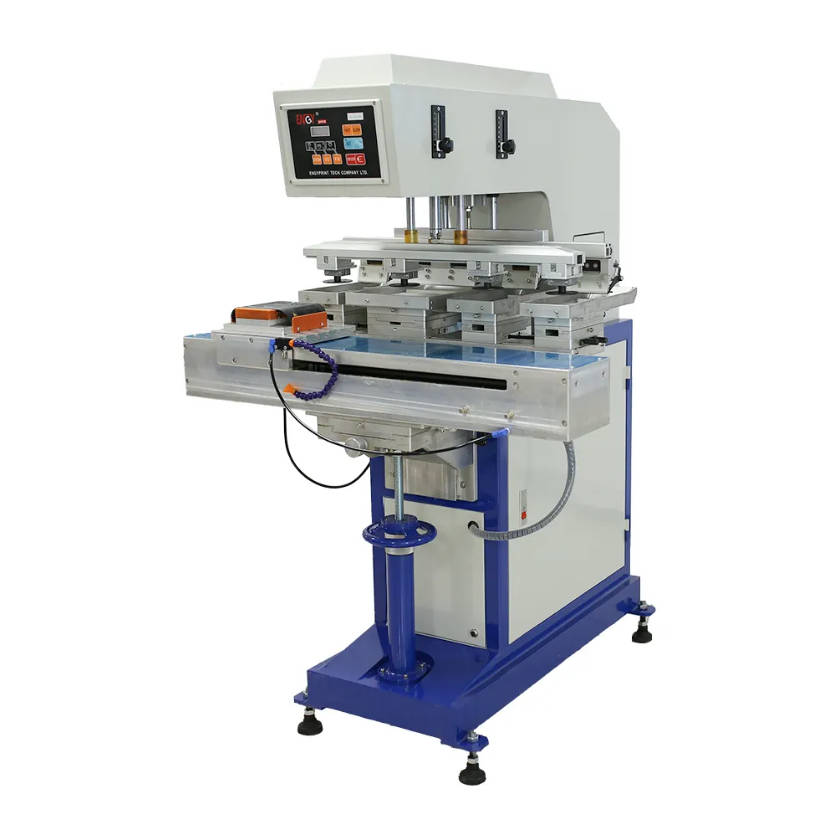
Choosing the right silicone pad for pad printing involves a critical evaluation of four key factors: pad shape, hardness (durometer), size, and silicone material. The ideal pad will conform perfectly to your product’s surface, pick up the complete etched image from the cliché, and transfer it cleanly without distortion, ensuring high-quality, repeatable results. This choice is not arbitrary; it is a calculated decision that directly impacts print clarity, efficiency, and the longevity of your equipment.
Pad printing is a remarkable process, capable of transferring a 2D image onto a 3D object with incredible precision. At the heart of this process is the humble yet vital silicone pad. It acts as the transfer vehicle, picking up ink from an etched plate (cliché) and depositing it onto the substrate (your product). Think of it not as a simple stamp, but as a precision tool. A mismatched pad can lead to a host of problems, including incomplete images, air entrapment, image distortion, and premature wear. Understanding how to select the correct pad is fundamental to mastering the art and science of pad printing.

Table of Contents
- What is a Pad Printing Pad and Why is it Crucial?
- The 4 Core Factors for Selecting the Perfect Pad
- A Step-by-Step Guide to Your Pad Selection Process
- Common Pad Printing Problems and How Your Pad Choice Can Solve Them
- Pad Care and Maintenance: Maximizing Lifespan and Print Quality
- Conclusion: Making the Right Choice for Consistent Results
What is a Pad Printing Pad and Why is it Crucial?
The silicone pad is the central element in the indirect offset gravure printing process, more commonly known as pad printing. Its unique properties allow it to perform a two-part function with exceptional fidelity. First, its silicone surface has a low surface tension, allowing it to lift the ink cleanly from the etched cliché. Second, as the pad compresses onto the product, it adopts a “rolling” action. This motion is critical—it pushes air away from the printing surface, preventing bubbles and ensuring the ink makes perfect contact with the substrate. As the pad lifts, the ink’s adhesion to the product surpasses its adhesion to the pad, leaving behind a crisp, clear print.
The importance of the correct pad cannot be overstated. It directly influences:
- Print Quality: The pad’s ability to conform to the product surface without distorting the image is paramount.
- Production Speed: A well-chosen pad performs consistently, reducing the need for constant adjustments and minimizing scrap rates.
- Versatility: The right pad allows you to print on complex shapes, textures, and surfaces that would be impossible with other methods.
- Consumable Costs: Selecting the proper pad for the job ensures it wears evenly and lasts longer, reducing the frequency of replacement.
Essentially, the pad is the bridge between the artwork and the final product. A weak bridge will always lead to a compromised result.
The 4 Core Factors for Selecting the Perfect Pad
The journey to the perfect print begins with a methodical evaluation of your project’s needs against the four core characteristics of a printing pad. Each factor is interconnected, and the optimal choice often involves a balance between them.
Factor 1: Pad Shape – Matching Geometry for a Flawless Transfer
The shape of the pad is the first and most visual consideration. The primary goal is to choose a shape that can “roll” over the image and the product surface smoothly. A slapping motion traps air and ruins the print. The pad shape should be chosen based on the product’s geometry and the image size/shape.
Always select a pad with a profile or angle. A perfectly flat pad is unable to achieve the necessary rolling action to displace air. The point or apex of the pad should make first contact with the cliché and the part, allowing the image to transfer as the pad rolls outward from the center.
| Pad Shape | Description & Best Use Cases |
|---|---|
| Round / Conical | The most versatile and widely used shape. Excellent for printing on flat, curved, spherical, or irregular surfaces. The cone shape provides a natural and effective rolling action. |
| Rectangular / Square | Ideal for long, narrow images printed on flat or slightly curved surfaces. The “roof” or angled top allows for a good roll across the length of the image. |
| Cylindrical / Bar-Shaped | A variation of the rectangular pad, used for printing on long, flat items. They are also effective for printing on cylindrical objects when the pad prints along the object’s length. |
| Custom Shapes | For highly complex geometries, such as printing inside a deep recess or along a sharp ridge, a custom-molded pad may be necessary to achieve the required contact and release. |
Factor 2: Pad Hardness (Durometer) – The Key to Adaptability
Pad hardness, measured on a Shore 00 durometer scale, dictates how well the pad will adapt to the printing surface. It’s a critical balancing act: the pad must be soft enough to conform to the product’s shape and texture but hard enough to pick up the image cleanly without distortion and to resist mechanical abrasion.
As a general rule:
- Softer pads (0-10 durometer) are best for highly textured surfaces, delicate items, or printing over multiple levels. They wrap around the surface easily but are less durable and may struggle to lift a very fine or detailed image cleanly.
- Harder pads (12-20+ durometer) are preferred for flat, smooth surfaces and fine-detail, high-resolution artwork. They provide a sharper print, last longer, and generate less static. However, they are less forgiving on irregular surfaces and can damage sensitive substrates.
Consider the ink and cliché as well. A very fine etch or a high-viscosity ink may require a harder pad to “scoop” the ink out effectively, whereas a larger, flooded image area might print better with a medium-soft pad.
| Durometer Range (Shore 00) | Hardness | Typical Applications |
|---|---|---|
| 0-4 | Extra Soft | Delicate electronics, heavily textured surfaces (e.g., golf balls), printing over sharp curves. |
| 6-10 | Soft / Standard | The most common range. Good for general-purpose printing on slightly curved or textured plastics, metals, and ceramics. |
| 12-16 | Medium Hard | Flat surfaces, fine-line artwork, glass, and smooth metal. Offers excellent image definition and durability. |
| 18+ | Hard / Extra Hard | High-speed automated lines, printing with abrasive inks (e.g., ceramic inks), or on very smooth, hard surfaces where maximum print definition is required. |
Factor 3: Pad Size – Ensuring Complete Image Pickup and Release
The size of the pad is not just about covering the image; it’s about maintaining stability during the printing cycle. An undersized pad will be forced to flatten excessively, causing the image to distort, especially at the edges. This leads to a “smudged” or “squeezed” look.
The cardinal rule for pad sizing is: The printing surface of the pad should be at least 20-30% larger than the image you intend to print. This extra real estate allows the pad to pick up the entire image without its sidewalls collapsing or the image area reaching the very edge of the pad. This ensures the pressure is distributed evenly and the rolling action remains stable and predictable from cliché to part.
When measuring, consider both the image on the cliché and the space available on the product. The pad must fit the fixture and the product’s geometry without interference. If printing a 2-inch wide image, you should look for a pad with a printing face that is at least 2.4 to 2.6 inches wide.
Factor 4: Silicone Material and Quality – The Foundation of Performance
Not all silicone is created equal. The specific formulation of the silicone, including the type and amount of silicone oil mixed in, has a significant impact on performance. The oil in the pad is what helps release the ink onto the substrate. However, too much oil (a “wet” pad) can cause ink to thin or repel from the pad, while too little can cause the ink to stick.
High-quality pads from reputable manufacturers use premium silicone formulations that provide a good balance of ink transfer properties and durability. Some pads are also available with special properties:
- Anti-static pads: These are formulated to reduce the static buildup that can occur during high-speed printing. Static can attract dust and debris to the pad and cause ink to “fuzz” or spray, so an anti-static pad is crucial for cleanroom environments or when printing on static-prone materials like certain plastics.
- Varying Oil Content: Some suppliers offer pads with different levels of inherent silicone oil. A new pad often requires a “break-in” period where it leaches a small amount of oil. The right formulation can optimize this process for specific inks.
Investing in a quality pad from a known supplier is a form of insurance. While cheaper pads may seem economical, they often wear out faster, provide inconsistent results, and can lead to more downtime and product waste, costing you more in the long run.
A Step-by-Step Guide to Your Pad Selection Process
Turn theory into practice by following this logical sequence:
- Analyze Your Artwork and Substrate: First, look at the image. Is it large and bold or small with fine details? Then, examine the product. Is it flat, curved, textured, or recessed? This initial analysis will guide all subsequent choices.
- Select the Pad Shape: Based on the product’s geometry, choose a shape that allows for a smooth, unimpeded roll. A conical pad for a curved pen, a rectangular pad for a long logo on a flat panel.
- Determine the Pad Size: Measure your artwork’s largest dimension (width or height). Add 20-30% to this measurement to find your minimum required pad size. Ensure this size physically fits on your machine and product.
- Choose the Hardness (Durometer): Referencing the tables above, select a hardness based on the substrate’s texture and delicacy. Start in the middle (6-10 durometer) if you’re unsure and adjust from there. A harder pad for a flat, smooth surface; a softer pad for a textured or uneven one.
- Consider Special Formulations: Are you printing at high speeds or on a static-prone plastic? If so, request an anti-static pad. Discuss your ink type with your supplier to see if a specific silicone formulation is recommended.
Common Pad Printing Problems and How Your Pad Choice Can Solve Them
Many common printing defects can be traced back to an incorrect pad selection. Here’s how to diagnose and solve them:
| The Problem | Potential Pad-Related Cause | Solution |
|---|---|---|
| Image Distortion / Smudging | Pad is too small for the image, or pad is too soft for the surface. | Select a pad that is 20-30% larger than the image. Try a harder durometer pad. |
| Incomplete or “Broken” Print | Pad is too hard to conform to the surface texture or curve. Air is being trapped. | Switch to a softer durometer pad. Ensure the pad shape allows for a proper roll (e.g., use a conical pad). |
| “Spiderwebbing” or Fuzziness | Static buildup on the pad surface. | Switch to an anti-static pad. Clean the pad and surrounding area to reduce dust. |
| Ink Won’t Pick Up from Cliché | Pad may be too soft, or the surface is “dead” (no longer releases oil). | Try a slightly harder pad. If the pad is old, replace it. Ensure the new pad is properly broken in. |
| Pinholes or Voids in Print | Pad is not rolling properly and is “slapping,” trapping air. The pad shape may be wrong. | Choose a more pointed or angled pad (e.g., conical) to better displace air from the center outwards. |
Pad Care and Maintenance: Maximizing Lifespan and Print Quality
Once you’ve chosen the right pad, proper care will extend its life and ensure consistent performance.
- Cleaning: The best way to clean a pad during a print run is with regular adhesive tape. Simply press the pad firmly onto the sticky side of the tape to lift residual ink and debris. Avoid using aggressive solvents for cleaning, as they can extract the essential silicone oils from the pad, causing it to swell and degrade rapidly.
- Break-In Period: A brand-new pad often needs a short break-in period. It may have a light coating of mold release agent and excess surface oil. Clean it several times with tape and perform a few dozen print cycles on scrap material to stabilize its surface before beginning production.
- Storage: Store pads in a dust-free environment, away from direct sunlight and fluorescent lights, which emit UV rays that can break down silicone. Storing them on a pad rack or with their printing face protected by the supplied dust cover is ideal. Do not stack pads on top of each other.
Conclusion: Making the Right Choice for Consistent Results
Choosing the right silicone pad is a foundational skill in pad printing that blends technical knowledge with practical experience. By systematically evaluating the four key factors—shape, hardness, size, and material—you can move from a process of trial-and-error to one of intentional, expert selection. The correct pad is not a cost, but an investment in quality, efficiency, and reliability. By understanding how these elements work together, you empower yourself to solve problems, improve your output, and achieve flawless prints on even the most challenging products.
Main Keywords: choose the right silicone pad, pad printing, silicone pad for pad printing Long-tail Keywords: how to choose pad printing pad, what is pad printing pad hardness, pad printing pad shape guide, silicone pad durometer scale, best silicone pad for textured surfaces, pad printing pad size calculation, pad printing troubleshooting guide, pad printing pad maintenance, silicone pad material quality, anti-static pad printing pads